EasyManua.ls Logo

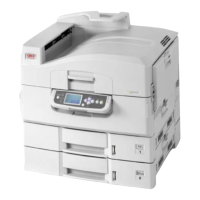
Oki C9650hdn - User Manual

Oki C9650hdn
127 pages
Print Icon
To Next Page IconTo Next Page
Loading...
C9000 Series
C9650n
C9650dn
C9650hdn
C9650hdtn
User’s Guide
TM
C9000

Table of Contents

Other manuals for Oki C9650hdn

Questions and Answers

  • G
    Gary FisherSep 3, 2025
    How to fix Oki C9650hdn Printer when toner comes off when rubbed?
    • M
      Michael BradfordSep 4, 2025
      If the toner is coming off when rubbed on your Oki Printer prints, it may be due to incorrect paper settings. Set the correct media type and weight in the menu or increase the media weight by one value. This issue can also arise when using recycled paper; in that case, set one value thicker for media weight in the menu setup.
  • W
    wandakaiserSep 18, 2025
    Why is the periphery of letters smudged when printed by my Oki Printer?
    • P
      paul59Sep 18, 2025
      If the periphery of letters is smudged on your Oki Printer prints, the LED head may be dirty. Wipe the head with LED lens cleaner or with a soft cloth.
  • J
    Jennifer Williams MDSep 16, 2025
    Why is the white area of paper lightly stained by my Oki C9650hdn?
    • N
      Nicholas AllenSep 16, 2025
      Light stains on the white areas of paper from your Oki Printer can be due to static in the paper, so use paper stored in proper temperature and humidity conditions. It could also be caused by using paper that is too thick, so use thinner paper. Also, the toner may be low, so replace the toner cartridge.
  • D
    Dorothy NelsonSep 14, 2025
    What to do if my Oki C9650hdn display panel is blank?
    • N
      Natalie CarrilloSep 14, 2025
      If your Oki Printer display panel is blank or in stand-by mode 10 minutes after being switched on, follow the printer shutdown sequence to switch it off. Check all cable connections before restarting the printer. If the problem persists, contact your dealer.
  • M
    Michael LaneSep 13, 2025
    How do I resolve glossiness issues with my Oki C9650hdn?
    • A
      Alexander LewisSep 13, 2025
      If the glossiness is not uniform on your Oki Printer prints, the paper settings may be incorrect. Set the correct value for media type and weight in the menu, or set one value lighter for media weight.
  • P
    Patricia FoxSep 12, 2025
    Why does my Oki C9650hdn Printer produce vertical lines?
    • L
      Lauren CarterSep 12, 2025
      Vertical lines on your Oki Printer prints can be caused by a damaged image drum cartridge, so replace it. Also, it can be caused by low toner, so replace the toner cartridge.
  • M
    michael35Sep 9, 2025
    What causes horizontal lines and spots on Oki Printer prints?
    • P
      pamelawoodSep 9, 2025
      Horizontal lines and spots on your Oki Printer prints can indicate several issues. If the interval is about 94mm (4in), the image drum (the green tube) may be damaged or dirty; wipe it lightly with a soft cloth, and replace the image drum cartridge if damaged. If the interval is about 42mm (1.5in), there might be foreign particles in the image drum cartridge; try opening and closing the top cover, then print again. If the interval is about 87mm (3.5in), the fuser unit may be damaged; replace the fuser unit. Also, the image drum cartridge may have been exposed to light; replace it if the problem persists.
  • J
    John RitterSep 7, 2025
    Why are printed images fading vertically on my Oki Printer?
    • B
      brownangelaSep 7, 2025
      If the printed images from your Oki Printer are fading vertically, the LED head may be dirty; wipe it with a LED lens cleaner or a soft cloth. Also, the toner may be low, so replace the toner cartridge. Finally, the paper might not be suitable for the printer; use the recommended paper.
  • J
    James JohnsonSep 5, 2025
    What causes partially faded images with white spots and lines on my Oki C9650hdn?
    • B
      Brian ScottSep 6, 2025
      Partially faded images with white spots and lines on your Oki Printer may be due to the paper being either too moist or too dry. Try using paper that has been stored in proper temperature and humidity conditions.
  • K
    Katherine EvansAug 20, 2025
    How to fix paper jam in Oki Printer duplex unit?
    • J
      Jill BarnesAug 21, 2025
      To fix a paper jam in the duplex unit of your Oki Printer, if a Finisher unit is attached, operate the lever (1) of the Inverter unit to separate the Inverter from the printer. Operate the duplex cover release button (2) and open the cover. Carefully remove any jammed paper then close the cover. Operate the levers (3) and pull out the duplex unit. Holding the front top cover by the grip (4), push it gently inwards and raise it. Remove any jammed paper.

Oki C9650hdn Specifications

General IconGeneral
Print TechnologyLaser
Print Resolution1200 x 1200 dpi
ConnectivityUSB 2.0, Ethernet
Optional ConnectivityWi-Fi
Supported Media SizesA4, Legal, Letter
Operating System CompatibilityLinux

Related product manuals