EasyManua.ls Logo

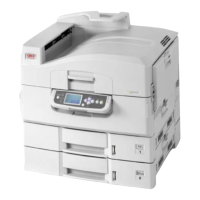
Oki C9650hdn - User Manual

Oki C9650hdn
127 pages
Print Icon
To Next Page IconTo Next Page
Loading...
C9000 Series
C9650n
C9650dn
C9650hdn
C9650hdtn
User’s Guide
TM
C9000

Table of Contents

Other manuals for Oki C9650hdn

Questions and Answers

  • W
    wmillerSep 2, 2025
    What to do if my Oki C9650hdn Printer has vertical white lines on the printed page?
    • J
      James PottsSep 2, 2025
      Vertical white lines on your Oki Printer prints can be caused by a dirty LED head, in that case wipe the LED head with a LED lens cleaner or with a soft cloth. Another cause can be low toner, so replace the toner cartridge. Also, foreign materials may be present in the image drum, so replace the image drum cartridge. Finally, the light-shielding film of the image drum cartridge may be dirty; wipe the film with a LED lens cleaner or with a soft cloth.
  • A
    Andrew ChavezAug 31, 2025
    Why is my Oki Printer printing lightly?
    • N
      Nicholas HodgesAug 31, 2025
      Light printing on your Oki Printer can occur for several reasons. The toner cartridge may not be properly seated, so try reinstalling it. The toner could be low, requiring a replacement. Also, check your paper: it could be moist or unsuitable for the printer. Ensure you are using paper stored in the correct temperature and humidity conditions, and that it is the recommended type. Finally, the thickness and type of paper settings might be incorrect; adjust the media weight and type in the menu, setting the media weight to a thicker value if needed. This can also happen if you are using recycled paper, in that case set one value thicker for media weight in the menu setup.
  • N
    Nancy JensenAug 29, 2025
    How to clear paper jam in Oki C9650hdn Inverter?
    • S
      Samuel MitchellAug 30, 2025
      To clear a paper jam in the inverter of your Oki Printer, operate the Finisher lever (1) and move the Finisher away from the Inverter. Squeeze the recessed handle (2) and open the left side cover of the Inverter. Carefully remove any jammed paper. Close the Inverter left side cover.
  • B
    Brian AllenAug 28, 2025
    How to clear paper jam in Oki C9650hdn TTTTTT side cover?
    • Y
      youngrebeccaAug 28, 2025
      To clear a paper jam in the Tray 1 side cover of your Oki Printer, squeeze the catch (1) on Tray 1 side cover and open the cover. Carefully remove the jammed paper. Close Tray 1 side cover.
  • H
    Harold BarrettAug 26, 2025
    How to clear paper jam in Oki C9650hdn Printer top cover?
    • V
      vangdustinAug 27, 2025
      To clear a paper jam in the top cover of your Oki Printer, squeeze the top cover handle (1) and open the top cover. Be careful not to touch the fuser unit which is hot after printing. Squeeze the basket handle (2) and raise the drum basket. Carefully remove any paper on the belt. If paper is jammed in the fuser unit, push the lock lever (3) in the direction shown to release the unit.
  • D
    dwilliamsAug 25, 2025
    How to clear paper jam in Oki C9650hdn side cover?
    • D
      Donna ThomasAug 25, 2025
      To clear a paper jam in the side cover of your Oki Printer, if the MP Tray is open, close it so that the side cover (1) is visible. Pull the release lever (2) and pull open the side cover. Carefully remove the jammed paper. Close the side cover.
  • J
    Johnathan GarciaAug 22, 2025
    How to clear paper jam in Oki C9650hdn finisher?
    • A
      allenkatherineAug 23, 2025
      To clear a paper jam in the finisher of your Oki Printer, remove any paper at the Finisher paper exit. Open the Finisher top cover. Carefully remove any jammed paper. Close the Finisher top cover.

Oki C9650hdn Specifications

General IconGeneral
Print TechnologyLaser
Print Resolution1200 x 1200 dpi
ConnectivityUSB 2.0, Ethernet
Optional ConnectivityWi-Fi
Supported Media SizesA4, Legal, Letter
Operating System CompatibilityLinux

Related product manuals