EasyManua.ls Logo

Oki C9600n - User Manual

Oki C9600n
130 pages
Print Icon
To Next Page IconTo Next Page
Loading...
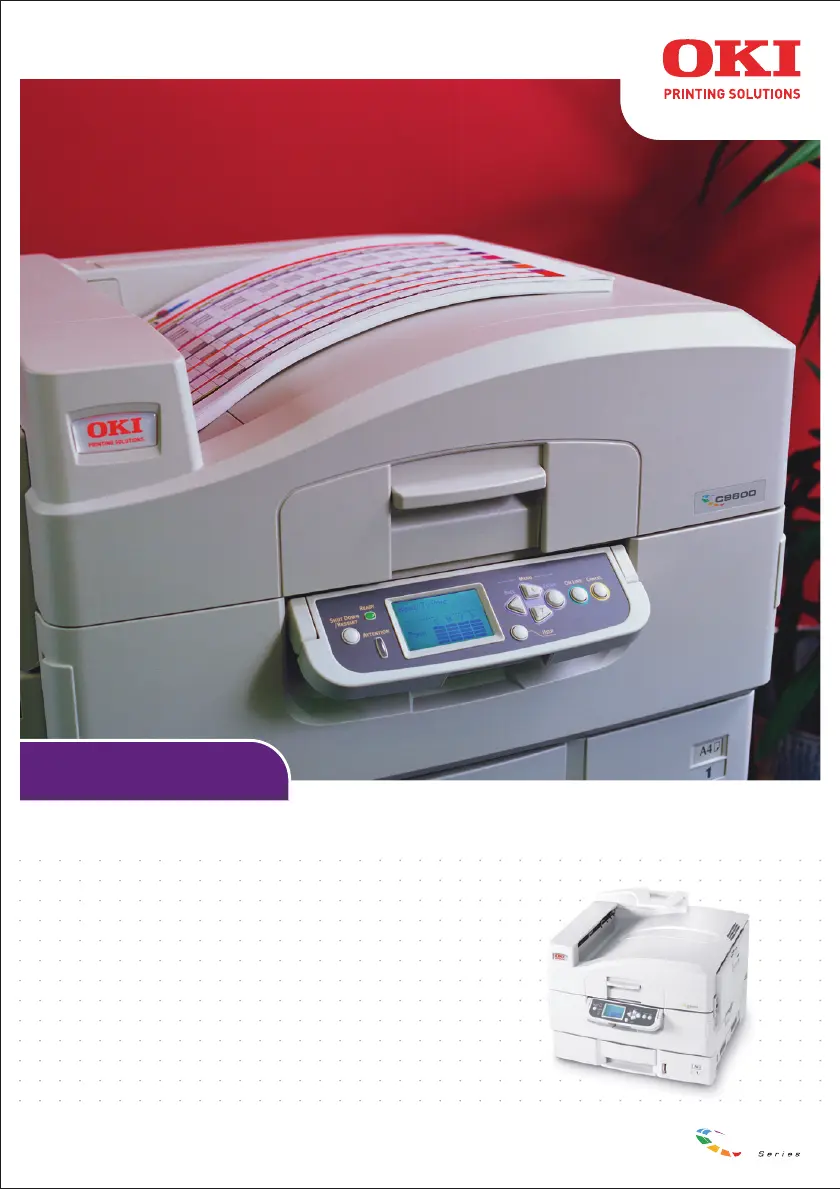
USER’S GUIDE
C9600n/C9600dn/C9600hdn/C9600hdtn
C9600
C9000

Table of Contents

Other manuals for Oki C9600n

Questions and Answers

  • G
    gwebbSep 12, 2025
    What to do if the wireless connection is unsuccessful with specific wireless computers Oki Printer Accessories?
    • A
      Anne AguirreSep 12, 2025
      If you're experiencing unsuccessful wireless connections with specific computers, even when using the same wireless LAN settings, consider these possible causes: * The wireless computer network settings may be inappropriate. Ensure network settings like the IP address are correctly configured, even in Ad-Hoc mode. * The wireless function of the wireless computer might be off. Activate the wireless function setting on the affected computer. * A wired LAN interface might be interfering. If both wired and wireless interfaces are active, the application/utility might be using the wired connection. Deactivate the wired LAN interface on the wireless computer. * The wireless computer might be set to High Speed Mode. Turn off the high-speed transfer mode setting on the wireless computer.
  • M
    millsamyAug 25, 2025
    What causes repeated fine streaks on prints from my Oki C9600n Printer?
    • S
      Stacy ToddAug 25, 2025
      Repeated fine streaks may appear if the wrong media type was selected in the printer driver. Ensure you set the correct media type in the printer driver.
  • E
    Eric HarrisAug 25, 2025
    What to do if I have connection problems for wireless devices with my Oki All in One Printer?
    • W
      William HarveyAug 26, 2025
      If you're experiencing connection issues between your Oki All in One Printer and wireless devices, there are several things to check. The issue might stem from the access point devices or the wireless computers themselves. Ensure you have the latest firmware for your access point devices and the latest drivers for your wireless computer. Also, the access point device may be set to “High-Speed Mode;” try disabling this setting. If MAC Address Filtering is enabled on your access point, register the wireless card’s MAC address in the MAC Address Filtering list. Finally, multiple access points might have the same SSID. Check the SSID of access point devices in the surrounding area, including floors above and below, and check for any unauthorized access points.
  • C
    Christopher JohnsSep 23, 2025
    What to do if Oki All in One Printer display panel doesn't work?
    • J
      Joshua MorganSep 23, 2025
      If the printer display panel of your Oki All in One Printer does not display anything or remains in standby mode 10 minutes after being switched on, follow the printer shutdown sequence to switch it off. Check all cable connections before restarting the printer. If the problem persists, contact your dealer.
  • D
    Donald JonesSep 12, 2025
    What to do if some computers can and some cannot communicate with the Oki C9600n Accessories?
    • A
      Allison HolmesSep 12, 2025
      If some computers communicate with the printer, while others don't, using the same application, the issue might stem from a few potential causes: * The application/utility setting might be incorrect. Recheck the network-related settings, such as the transmission destination, of the application/utility. * A protocol other than TCP/IP might be in use. Ensure TCP/IP is set as the protocol for the application/utility, as the wireless LAN card only supports TCP/IP. * The wireless LAN card 'Security' setting could be incorrect. Activate the service used by the application/utility in the 'Security' setting of the wireless LAN card, remembering to adjust the setting for both the wired LAN interface and the wireless LAN card separately.
  • C
    Carlos McdonaldSep 18, 2025
    What to do if vertical lines appear on Oki All in One Printer prints?
    • K
      Kristy ClarkSep 18, 2025
      If vertical lines appear on prints from your Oki All in One Printer, it could be due to a damaged image drum cartridge, which would require replacement. Alternatively, the toner might be low, necessitating a toner cartridge replacement.
  • C
    Chad AlvarezSep 5, 2025
    What to do if the print server was initialized after the CSR (Certificate Signing Request) was sent to the CA service on Oki Printer?
    • J
      Joanne BrownSep 5, 2025
      If the print server was initialized after the CSR (Certificate Signing Request) was sent to the CA service for your Oki Printer, you must start the CSR process all over again, recreating and re-sending the CSR to the CA service.
  • B
    brendapinedaSep 6, 2025
    What to do if the CSR has been deleted from the print server while application for a CA certificate is pending?
    • R
      richardhopkinsSep 6, 2025
      If the CSR has been deleted from the print server while application for a CA certificate is pending on your Oki Printer, you must start the CSR process all over again, recreating and re-sending the CSR to the CA service.
  • Z
    zkingSep 18, 2025
    Why is the periphery of letters smudged on my Oki All in One Printer?
    • Z
      znguyenSep 18, 2025
      If the periphery of letters is smudged on prints from your Oki All in One Printer, the LED head is likely dirty. Wipe the head with an LED lens cleaner or a soft cloth to resolve this issue.
  • M
    Martha HowardAug 30, 2025
    How to fix EEPROM Check registers NG on Oki C9600n Printer?
    • E
      Evan OdomAug 30, 2025
      If you encounter an 'EEPROM Check registers NG' error on your Oki Printer, try the following: * Confirm that the NIC is installed correctly, and then turn the printer off and on again. * Initialize the NIC.

Summary

Safety and Warnings

Notes, Cautions and Warnings!

Explains the meaning of NOTE, CAUTION, and WARNING messages in the manual.

Safety Warnings

Provides critical safety precautions for operating the printer to avoid injury or damage.

Control Panel Operation

Consumables and Maintenance

Cleaning Procedures

Guides on cleaning LED heads and paper feed rollers for optimal performance.

Troubleshooting

Paper Jams - Printer

Procedures for clearing paper jams occurring within the main printer unit.

Specifications and Appendices

Specifications

Technical details of the printer including dimensions, speeds, memory, and power.

Oki C9600n Specifications

General IconGeneral
BrandOki
ModelC9600n
CategoryPrinter
LanguageEnglish

Related product manuals