EasyManua.ls Logo

Oki C9600n - User Manual

Oki C9600n
130 pages
Print Icon
To Next Page IconTo Next Page
Loading...
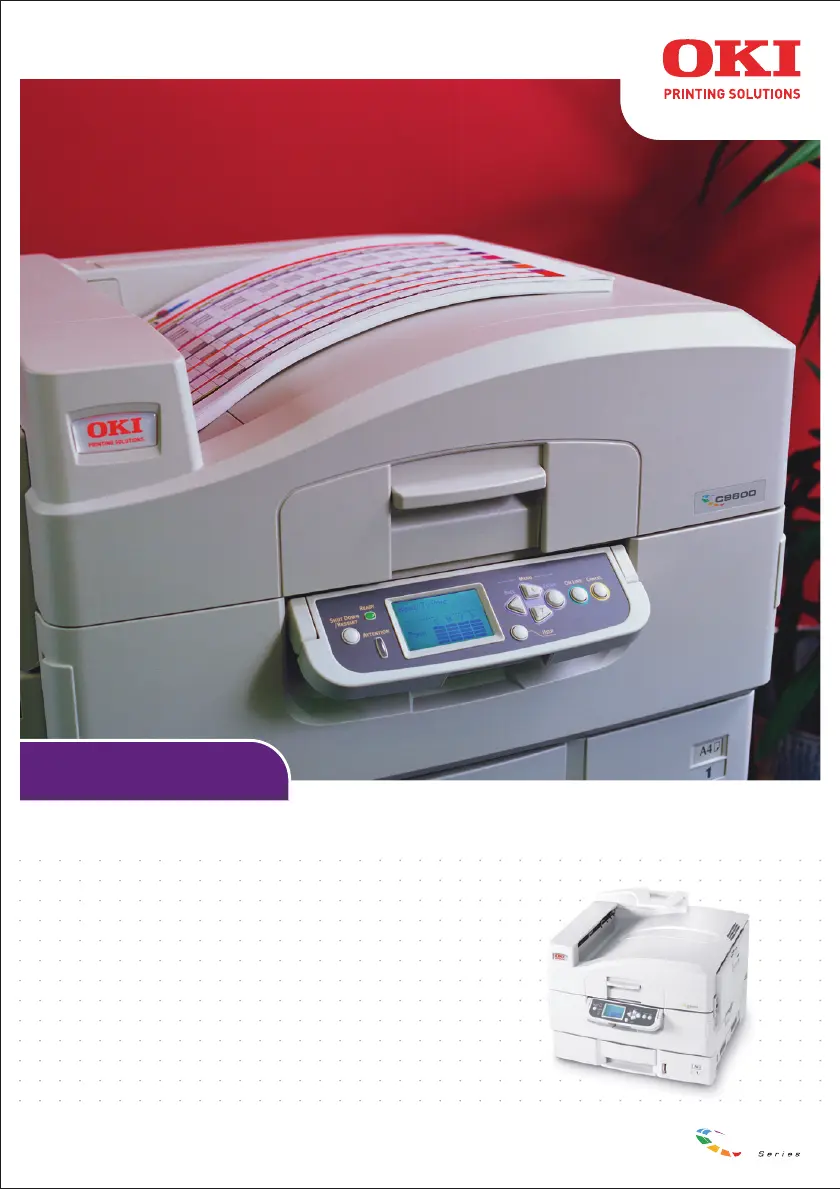
USER’S GUIDE
C9600n/C9600dn/C9600hdn/C9600hdtn
C9600
C9000

Table of Contents

Other manuals for Oki C9600n

Questions and Answers

  • M
    Martha HowardAug 30, 2025
    How to fix EEPROM Check registers NG on Oki C9600n Printer?
    • E
      Evan OdomAug 30, 2025
      If you encounter an 'EEPROM Check registers NG' error on your Oki Printer, try the following: * Confirm that the NIC is installed correctly, and then turn the printer off and on again. * Initialize the NIC.
  • S
    Stacey BrownAug 25, 2025
    Why Oki C9600n Printer does not print?
    • S
      Samantha RamseyAug 25, 2025
      If your Oki Printer does not print, verify the following: * Make sure the network cable is correctly connected; if it is, try changing it. * Turn the printer off and on again. * Ensure the NIC is connected to the File Server. * Confirm that the printer driver has been mapped to the correct NetWare queue.
  • T
    taylor63Aug 31, 2025
    How to fix Error writing to Prn1 on Oki C9600n Printer?
    • D
      David NelsonAug 31, 2025
      If you receive an 'Error writing to Prn1' message on your Oki Printer, here are a few things to check: * Make sure the printer is online. * If the error indicates a paper shortage, add more paper and cancel the error. * Check if another user is currently printing; if so, wait until they are finished before printing.
  • B
    brenda87Sep 1, 2025
    What to do if the certificate was not created on Oki C9600n?
    • K
      Kelly JonesSep 1, 2025
      To address a situation where the certificate was not created for your Oki Printer: Log in as an administrator, then click [Security] ? [Cipher (SSL/TLS]. If the “Encryption of Configuration and Print” window appears, the printer’s certificate has not been created. Create a certificate using a web browser or the AdminManager utility.
  • L
    lawrencejenniferSep 1, 2025
    What to do if the certificate is created, but SSL/TLS is turned off on Oki C9600n Printer?
    • R
      Ronald StewartSep 1, 2025
      If the certificate is created, but SSL/TLS is turned off on your Oki Printer, change the setting for SSL/TSL to ON. Using the web browser: 1. Open the browser and type in the print server’s IP Address, then press the Enter key. 2. Login. 3. On the [Security] tab, click [Cipher (SSL/TLS)] 4. Change the setting to [SSL/TLS] to ON and click [Submit]. Using AdminManager: 1. Launch the AdminManager utility and login. 2. Click the printer in the list, then click [Setup] ? [OKI Device Setup]. 3. Enter your password, click [OK]. 4. Click the [SSL/TLS] tab. 5. Make sure the box next to [Use Cipher(SSL/TLS)] is checked. 6. Close the utility.
  • T
    Tyler BrownSep 2, 2025
    What to do if the browser version is old for Oki Printer?
    • T
      tammiekingSep 2, 2025
      If you encounter issues related to an old browser version with your Oki Printer, ensure you are using either: * Internet Explorer 5.5 or higher (open the browser, then select [About Internet Explorer] in the [Help] menu) * Netscape Navigator version 6 or higher (open the browser, then select [About Netscape] in the [Help] menu).
  • T
    Teresa RiveraSep 4, 2025
    Why the operating system does not support IPP printing on Oki C9600n?
    • S
      steven57Sep 4, 2025
      IPP printing on your Oki Printer is supported only with Windows XP or 2000. Earlier versions of Windows do not support IPP.
  • E
    edward46Sep 5, 2025
    What to do if the IP Address for the print server has changed on Oki C9600n?
    • R
      robert60Sep 5, 2025
      If the IP Address for the print server has changed on your Oki Printer, change the IP Address back to the one in the CSR, then install the CA certificate.
  • C
    Chad AlvarezSep 5, 2025
    What to do if the print server was initialized after the CSR (Certificate Signing Request) was sent to the CA service on Oki Printer?
    • J
      Joanne BrownSep 5, 2025
      If the print server was initialized after the CSR (Certificate Signing Request) was sent to the CA service for your Oki Printer, you must start the CSR process all over again, recreating and re-sending the CSR to the CA service.
  • B
    brendapinedaSep 6, 2025
    What to do if the CSR has been deleted from the print server while application for a CA certificate is pending?
    • R
      richardhopkinsSep 6, 2025
      If the CSR has been deleted from the print server while application for a CA certificate is pending on your Oki Printer, you must start the CSR process all over again, recreating and re-sending the CSR to the CA service.

Summary

Safety and Warnings

Notes, Cautions and Warnings!

Explains the meaning of NOTE, CAUTION, and WARNING messages in the manual.

Safety Warnings

Provides critical safety precautions for operating the printer to avoid injury or damage.

Control Panel Operation

Consumables and Maintenance

Cleaning Procedures

Guides on cleaning LED heads and paper feed rollers for optimal performance.

Troubleshooting

Paper Jams - Printer

Procedures for clearing paper jams occurring within the main printer unit.

Specifications and Appendices

Specifications

Technical details of the printer including dimensions, speeds, memory, and power.

Oki C9600n Specifications

General IconGeneral
BrandOki
ModelC9600n
CategoryPrinter
LanguageEnglish

Related product manuals