22 Greyscale printing
M
AC
OS 9
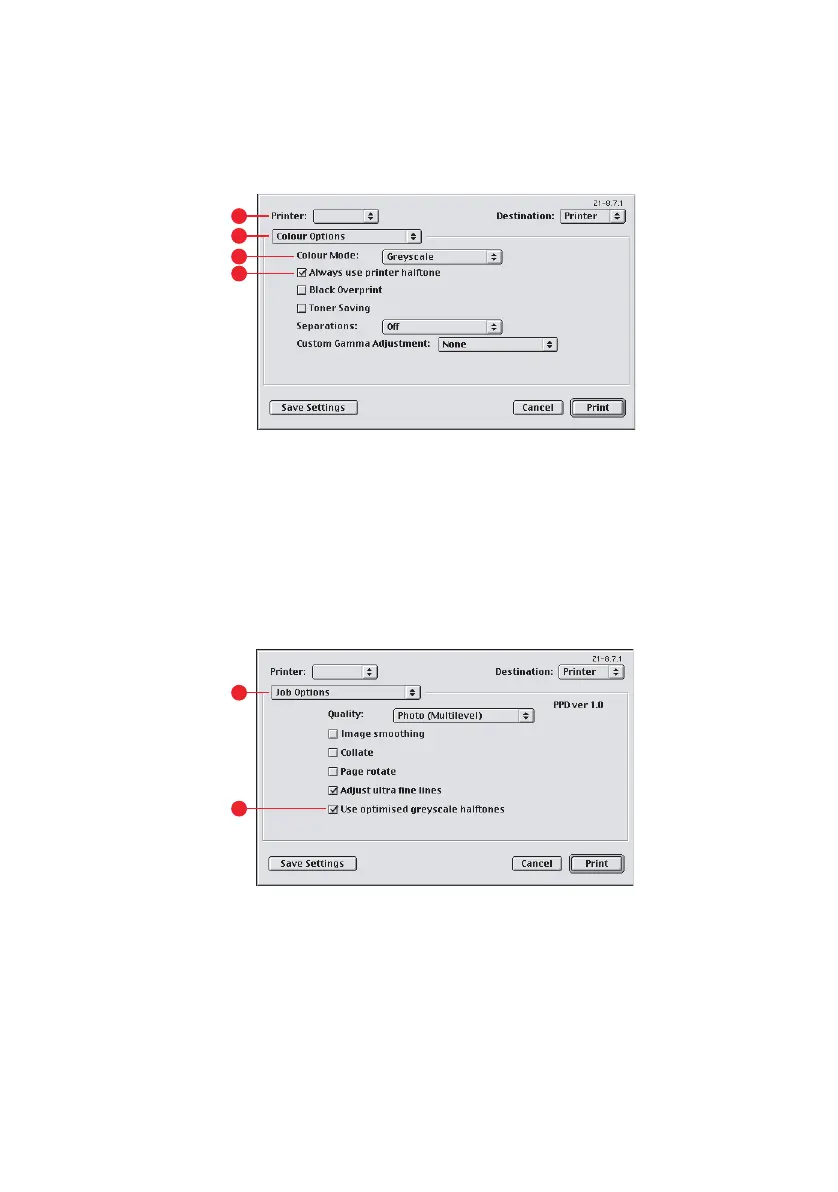
1. In your application program, choose [File] → [Print].
2. From the [Printer] menu (1), select your printer.
3. From the next menu (2), select [Colour Options].
4. From the [Colour Mode] menu (3), select [Greyscale].
5. Select [Always Use Printer Halftone] checkbox (4).
This ensures best quality when using greyscale.
6. From the menu below [Printer] (5), select [Job Options].
7. Select the [Use optimised greyscale halftones] checkbox
(6).
This may slow down printing slightly, but will produce
superior results.
1
2
4
3
5
6



 To Next Page
 Loading...