Graphic pro 45
a printer profile yourself using profile creation software,
select it here and choose a rendering intent (see page 62).
M
AC
OS X
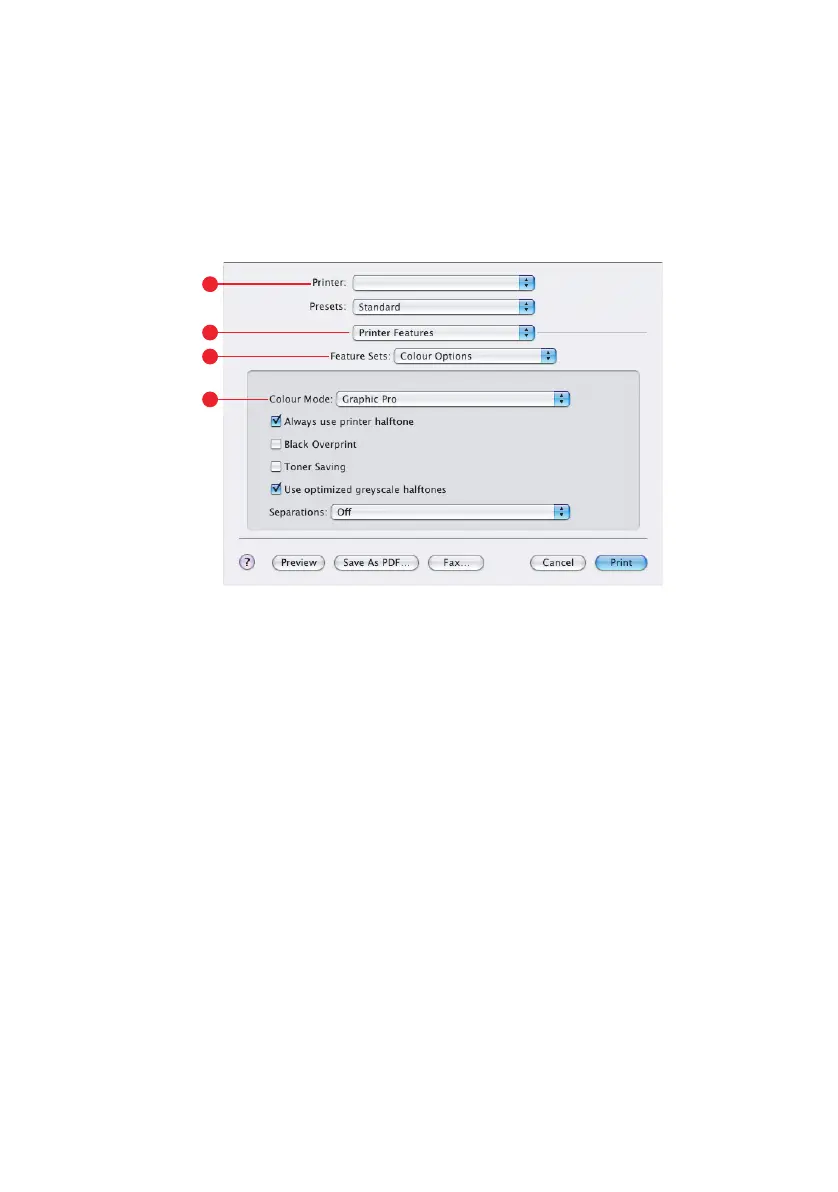
1. Choose [File] → [Print].
2. From the [Printer] menu (1), select your printer model.
3. Select [Printer Features] (2).
4. From the [Feature Sets] menu (3), select [Colour
Options].
5. From the [Colour Mode] menu (4), select [Graphic Pro].
1
2
4
3



 To Next Page
 Loading...