EasyManua.ls Logo

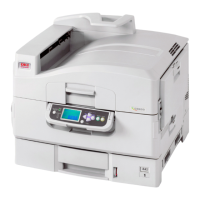
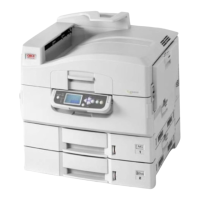
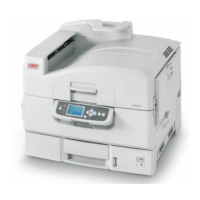
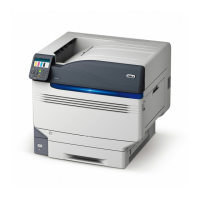
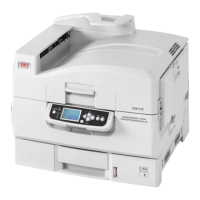
Oki C9600hdtn - User Manual

Oki C9600hdtn
130 pages
Print Icon
To Next Page IconTo Next Page
Loading...
USER’S GUIDE
C9600n/C9600dn/C9600hdn/C9600hdtn
C9600
C9000

Table of Contents

Other manuals for Oki C9600hdtn

Questions and Answers

  • W
    wchurchAug 31, 2025
    How to fix Error writing to Prn1 on Oki Printer?
    • N
      nathanmckenzieAug 31, 2025
      If you receive an 'Error writing to Prn1' message on your Oki Printer, here are a few things to check: * Make sure the printer is online. * If the error indicates a paper shortage, add more paper and cancel the error. * Check if another user is currently printing; if so, wait until they are finished before printing.
  • M
    michelle05Sep 18, 2025
    Why is the white area of paper lightly stained by my Oki All in One Printer?
    • M
      Marcus KingSep 18, 2025
      If the white area of paper is lightly stained when printing with your Oki All in One Printer, the paper might contain static; try using paper stored in proper temperature and humidity conditions. Also, ensure you're not using paper that is too thick; if so, switch to thinner paper. A low toner level could also be the cause, so replace the toner cartridge if necessary.
  • K
    Kimberly RoblesSep 13, 2025
    What to do if defect or type related characteristic of the Oki C9600hdtn Printer Accessories wireless computer or the wireless card mounted in the computer?
    • G
      gcallahanSep 13, 2025
      To address potential defects or type-related characteristics of the wireless computer or card: * Search for similar issues and solutions on the wireless computer or wireless card vendor's website. * Update the device drivers and wireless client software of the wireless computer to the latest versions. * If wireless communication remains unstable, consider replacing the wireless computer due to potential compatibility issues with the printer.
  • S
    stacievillegasSep 23, 2025
    How to fix non-uniform glossiness on prints from Oki All in One Printer?
    • J
      josephandrewSep 23, 2025
      If you are experiencing non-uniform glossiness with your Oki All in One Printer, the thickness and type of paper may be set incorrectly. To resolve this, set the correct value of [Media Type] and [Media Weight] in the menu setup, or set one value lighter for [Media Weight].
  • P
    Paula GreenSep 23, 2025
    What to do if Oki All in One Printer display panel doesn't work?
    • B
      blakechristineSep 23, 2025
      If the printer display panel of your Oki All in One Printer does not display anything or remains in standby mode 10 minutes after being switched on, follow the printer shutdown sequence to switch it off. Check all cable connections before restarting the printer. If the problem persists, contact your dealer.
  • A
    Anna HicksAug 28, 2025
    What to do if Oki C9600hdtn Printer network interface card is not identified?
    • M
      Madison TaylorAug 28, 2025
      To resolve the issue of your Oki Printer's network interface card not being identified, consider the following steps: * Turn the printer off and on again. * Ensure the network cable is correctly connected. Try changing the cable to rule out a cable issue. * Confirm that [Microsoft network client] and [NetBEUI] have been added to the network section of the control panel. * Verify that the NetBEUI protocol is set to Enable. * Make sure the factory setting of the workgroup name is PrintServer and the computer name is ML+ the last six digits of the MAC address. * Ensure the computer name of the NIC is different from the computer name on the network.
  • M
    Michael GoodAug 27, 2025
    How to fix Oki Printer cannot find the network print server?
    • K
      kellyalexanderAug 27, 2025
      If your Oki Printer cannot find the network print server, try the following: * Turn the printer off and on again. * Confirm that the network interface is enabled on the printer. * Make sure the network cable is correctly connected. If it is, try changing the cable. * If the NetWare protocol is disabled, set it to Enable. * Reset the network interface card to factory default settings.
  • B
    Barbara FullerAug 27, 2025
    What to do if Oki Printer is not identified by the Chooser and the Setup Utility?
    • K
      Katie BarnettAug 27, 2025
      If your Oki Printer is not identified by the Chooser and the Setup Utility, here are a few steps you can take: * Turn the printer off and on again. * Make sure the network cable is correctly connected, and try changing the cable. * If the network resides in a Zone, ensure the correct Zone name is selected in the Chooser. * Verify that the Zone name in the utility related to the NIC is the same as the Zone name set in the NIC. * Ensure AppleTalk (or Network in some OS versions) is set to Enable at the bottom right of the Chooser. * Make sure Ethernet is selected in AppleTalk (or Network). * Confirm the print driver is selected in the Chooser. * Ensure the EtherTalk protocol is set to Enable. * Print the NIC settings and confirm that the EtherTalk Port name is not blank.
  • M
    mbirdAug 26, 2025
    How to fix Oki Printer cannot find the network interface card?
    • M
      Madison GillAug 26, 2025
      To resolve the issue of your Oki Printer not being able to find the network interface card, try the following: * Turn the printer off and on again. * Confirm that the network interface is enabled on the printer. * Ensure there is a response to the interface card command. * Make sure the network cable is correctly connected; change the cable and try again if needed. * Run the Self-diagnostic test (with the printer on, press and hold the Test button on the print server for 3 seconds, then release it). * Verify that the IP Address, Subnet Mask, and Gateway are correct. * Ensure that the TCP/IP protocol is set to Enable. * Reset the network interface card to the factory default settings. * If DHCP, BOOTP, and RARP are not used, ensure they have been set to Disable.
  • M
    Michael IrwinSep 23, 2025
    Why are there partially faded images on my Oki All in One Printer?
    • M
      Matthew McculloughSep 23, 2025
      If partially faded images, white spots, and lines appear in solid printing on your Oki All in One Printer, the paper may be either too moist or too dry. Use paper stored in proper temperature and humidity conditions to resolve this issue.

Oki C9600hdtn Specifications

General IconGeneral
Print Resolution1200 x 1200 dpi
Monthly Duty Cycle150000 pages
ConnectivityEthernet
Operating System CompatibilityWindows, macOS, Linux
Media SizeA4, A5, B5
Supported Media TypesEnvelopes, labels, plain paper

Related product manuals