EasyManua.ls Logo

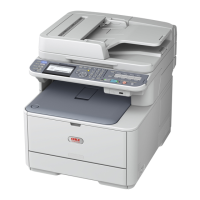
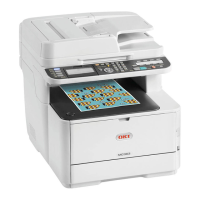
Oki MC362dw - User Manual

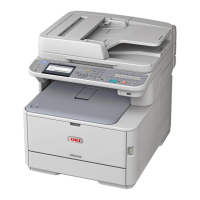
Oki MC362dw
193 pages
Print Icon
To Next Page IconTo Next Page
Loading...
MC332dn, MC342dn, MC342dw, MC352dn,
MC362dn, MC362dw, MC562dn, MC562dw,
ES3452 MFP, ES5462 MFP, MPS2731mc
User’s Guide

Table of Contents

Questions and Answers

  • C
    Corey BoothSep 10, 2025
    Why are all pages not printing on my Oki All in One Printer?
    • H
      hcuevasSep 10, 2025
      If all pages are not printing on your Oki All in One Printer, it might be due to using a WSD port. Change the port to the standard TCP/IP port to resolve this issue.
  • K
    Kenneth HoffmanSep 12, 2025
    Why won't my Oki MC362dw dial a telephone number?
    • A
      amber57Sep 12, 2025
      If your Oki All in One Printer won't dial, check the power cable and wall outlet. Ensure the telephone line is connected to the LINE socket on the back of the machine, not an external telephone or handset. If using an external phone, check for a dial tone; if there isn't one, there may be a line problem. If there is a dial tone, the machine may be using the wrong dialing method (pulse or tone) for your region.
  • K
    karen98Sep 14, 2025
    What does a communications error on my Oki MC362dw All in One Printer display mean?
    • N
      Nancy BrownSep 14, 2025
      A communications error on your Oki All in One Printer display could mean the machine is incompatible with the remote machine, or the remote machine can't perform the requested function. The remote machine might also be out of paper or have a paper jam. Poor telephone line conditions can also cause these errors; try resending the fax and ensure the correct number is dialed. If a prefix number is needed for an outside line or for international calls, a pause may be needed after the prefix or international code.
  • N
    nguyenwyattSep 16, 2025
    What to do if the LED indicator in the power switch is blinking at high speed on my Oki MC362dw All in One Printer?
    • D
      Dr. Emily VelazquezSep 16, 2025
      Please unplug the AC cord immediately, and contact your dealer.

Oki MC362dw Specifications

General IconGeneral
FunctionalityPrint, Copy, Scan, Fax
Print TechnologyLED
Print Resolution1200 x 1200 dpi
ConnectivityUSB, Ethernet, Wi-Fi
Paper Capacity250 sheets
Duplex PrintingYes
Scan Resolution600 x 600 dpi
Fax Modem Speed33.6 Kbps
Max Paper SizeA4
Operating System CompatibilityWindows, Mac OS, Linux
Mobile PrintingApple AirPrint, Google Cloud Print

Related product manuals