EasyManua.ls Logo

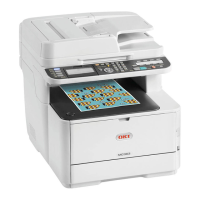
Oki MC363dnw - User Manual

Oki MC363dnw
146 pages
Print Icon
To Next Page IconTo Next Page
Loading...
MC363dn
User’s Guide

Table of Contents

Questions and Answers

  • M
    marcmartinAug 21, 2025
    What to do if the copied output size is different from the original document size on my Oki All in One Printer?
    • S
      Sara LambertAug 21, 2025
      If the copied output size differs from the original document size on your Oki All in One Printer, ensure that the proper size paper for the document is loaded in the paper tray. Also, verify that the zoom rate is properly set and that [Repeat] is set to [OFF].
  • J
    joneschristopherAug 23, 2025
    What to do if a copy job is cancelled on Oki All in One Printer?
    • T
      travissmithAug 23, 2025
      If a copy job is cancelled on your Oki All in One Printer, it may be due to an error. Clear the error and try copying again. If you're using the MP tray, ensure enough paper is loaded before starting. Press the (SETTING) button, select [Paper Setup] > [Select Tray] > [Copy] > [MP Tray], and check that [ON] or [ON(Prior)] is selected.
  • A
    Ashley MorrisAug 26, 2025
    How to fix incorrect network connection settings while printing with my Oki All in One Printer?
    • T
      Thomas LambAug 26, 2025
      To fix incorrect network connection settings while printing with your Oki All in One Printer: * If you are using a cross cable, use a straight cable instead. * Ensure cables are connected before turning the machine on. * If there is a problem with hub compatibility, press the (SETTING) button, select [Admin Setup] > [Network Menu] > [Network Setup] > [Network Setting] > [HUB Link Setting], and then change the setting. * To connect to a wired network, set [Wired] for the network connection to [Enable].
  • M
    Mark RodriguezAug 28, 2025
    How to fix the IP address if it is incorrect while printing from my Oki All in One Printer?
    • M
      mary76Aug 28, 2025
      To resolve an incorrect IP address while printing from your Oki All in One Printer: * Check that the same IP address is set for the machine and the machine's port setting on the computer. * Ensure the IP address is not duplicated by another device. * Verify that the correct IP address, subnet mask, and gateway address are set. * If using OKI LPR Utility, check the IP address setting with OKI LPR Utility.
  • K
    Kimberly HarrisAug 30, 2025
    Why is the copied output different from the original document on my Oki All in One Printer?
    • I
      iweberAug 30, 2025
      If the copied output differs from the original document on your Oki All in One Printer, check if [Duplex Copy] is set to [OFF(Simplex)] and [Mixed Size] is set to [OFF].
  • A
    Angela BraunSep 1, 2025
    What to do if a part of the document image is missing on the copied output from my Oki All in One Printer?
    • M
      Marcus ColeSep 1, 2025
      If a part of the document image is missing on the copied output from your Oki All in One Printer, ensure that [Edge Erase], [Margin], and [N-in-1] are all set to [OFF].
  • A
    Ashley ThomasSep 3, 2025
    Why is my Oki All in One Printer taking a long time to start copying?
    • C
      Cheryl JonesSep 3, 2025
      If your Oki All in One Printer is taking a long time to start copying, it might be in the process of preparing. If [Warming Up] or [Preparing] is displayed on the screen, wait until the process is complete and the copy starts.
  • P
    pamela58Sep 5, 2025
    How to resolve 'Connect to PC failed' message on my Oki All in One Printer?
    • C
      Christopher YoungSep 5, 2025
      If you see the message "Connect to PC failed" on your Oki All in One Printer, it could be due to a changed IP address on the computer, the computer not being turned on, or the computer not being connected to a network. To resolve this, re-register the computer to the machine, ensure the computer is turned on, and verify the network connection.
  • D
    Danny GarrettSep 7, 2025
    How to fix 'unable to send or receive a fax' on my Oki All in One Printer?
    • S
      Sylvia ZimmermanSep 7, 2025
      If you are unable to send or receive a fax on your Oki All in One Printer and have installed an IP phone in a broadband environment, press the (SETTING) button on the operator panel, and then select [Admin Setup] > [User Install] > [Super G3] > [OFF].
  • E
    Erin TurnerSep 9, 2025
    Why is the received fax not printed on the appropriate paper on my Oki All in One Printer?
    • T
      thomasandrewSep 9, 2025
      If the received fax is not printed on the appropriate paper on your Oki All in One Printer, check if you specified any paper type other than [Plain] or [Recycled] in [Media Type]. If so, specify [Plain] or [Recycled] in [Media Type] for the paper type in the tray.

Oki MC363dnw Specifications

General IconGeneral
BrandOki
ModelMC363dnw
CategoryAll in One Printer
LanguageEnglish

Videos

How to refill OKI C332, C332dn, C332dnw, MC363, MC363dn and MC363dnw laser printers

Related product manuals