EasyManua.ls Logo

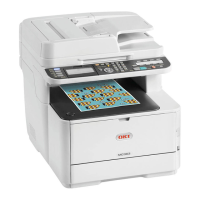
Oki MC363dnw - User Manual

Oki MC363dnw
146 pages
Print Icon
To Next Page IconTo Next Page
Loading...
MC363dn
User’s Guide

Table of Contents

Questions and Answers

  • K
    Kimberly GuzmanSep 12, 2025
    How do I stop junk faxes on my Oki All in One Printer?
    • T
      timothy70Sep 12, 2025
      To block junk faxes on your Oki All in One Printer, press the (SETTING) button on the operator panel and select [Admin Setup] > [Fax Setup] > [Other Settings] > [Block Junk Fax List] > Set [Setting] to [Mode1].
  • S
    scott68Sep 14, 2025
    What to do if no wireless devices are connected to my Oki All in One Printer?
    • S
      Stephanie HernandezSep 14, 2025
      If no wireless devices are connected to your Oki All in One Printer: * Make sure that [Wireless(AP Mode)] on the machine is set to [Enable]. * Confirm the SSID/password for the machine and try Manual Setup. * Make a setting in a location near the machine with good visibility. * Note that up to four devices can be connected to the machine via the wireless LAN (AP mode). The fifth device will be rejected. Disconnect at least one device and try again.
  • M
    Mallory JohnsonSep 16, 2025
    What should I do if the communication quality is low and the fax may not have received correctly on my Oki All in One Printer?
    • M
      Megan BrooksSep 16, 2025
      If the communication quality is low and a fax may not have been received correctly on your Oki All in One Printer, turn off the super G3 mode. If there is still a problem in the received fax, contact the other party and have them resend it.
  • K
    kanetheresaNov 18, 2025
    Why is my Oki All in One Printer unable to scan?
    • K
      kramershawnNov 18, 2025
      There could be several reasons why your Oki All in One Printer is unable to scan. Ensure the LAN cable was connected before turning the machine on. Verify that the machine's email address is set and correct. Also, check the SMTP, POP3, and DNS server settings. If another job is in progress, wait for it to complete. Follow any on-screen instructions for errors. For network connections, set [Wired] to [Enable] for wired networks. Note that [Wireless(Infrastructure)] and [Wireless(AP Mode)] cannot be enabled simultaneously. If using wireless, ensure you are connected to a wireless access point and that its power is on. Check the wireless access point settings, and try manual or automatic settings, or restart the wireless LAN function. You can also try wireless reconnection by pressing the (SE...

Oki MC363dnw Specifications

General IconGeneral
BrandOki
ModelMC363dnw
CategoryAll in One Printer
LanguageEnglish

Videos

How to refill OKI C332, C332dn, C332dnw, MC363, MC363dn and MC363dnw laser printers

Related product manuals