EasyManua.ls Logo

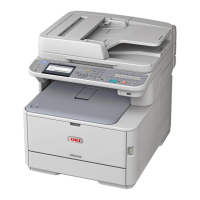
Oki MC362w - User Manual

Oki MC362w
194 pages
Print Icon
To Next Page IconTo Next Page
Loading...
MC332dn, MC342dn, MC342dw, MC352dn,
MC362dn, MC362w, MC562dn, MC562w,
MC562dw, ES3452 MFP, ES5462 MFP,
ES5462dw MFP, MPS2731mc
User’s Guide

Table of Contents

Other manuals for Oki MC362w

Questions and Answers

  • L
    Lynn JenkinsSep 7, 2025
    How do I resolve horizontal lines and spots on my Oki MC362w prints?
    • B
      brandon75Sep 7, 2025
      Periodic horizontal lines and spots on your Oki All in One Printer output can indicate several issues. If the interval is about 94mm, the image drum may be damaged or dirty; try wiping it lightly with a soft cloth, and replace it if damaged. If the interval is about 30mm, there might be foreign particles in the image drum cartridge; try opening and closing the top cover and printing again. If the interval is about 86mm, the fuser unit may be damaged and require replacement. Also, if the image drum cartridge has been exposed to light, replacing it might resolve the issue.
  • F
    Frederick RodriguezAug 22, 2025
    What does 'Shutdown in progress' mean on my Oki Printer?
    • M
      Michael AllenAug 22, 2025
      This message simply indicates that the Oki printer is in the process of shutting down.
  • J
    James HowellSep 4, 2025
    What to do if my Oki All in One Printer prints vertical lines?
    • C
      Christopher HarrisSep 5, 2025
      If your Oki All in One Printer is producing vertical lines, it could be due to a damaged image drum cartridge; if so, replace it. Another cause could be low toner. Try opening the top cover and tapping the toner cartridge a few times to evenly distribute the toner. If the lines persist, replace the toner cartridge.
  • K
    kathryn71Sep 3, 2025
    How to fix vertical white lines on Oki MC362w?
    • A
      Amy BarnettSep 3, 2025
      Vertical white lines on printed pages from your Oki All in One Printer can be due to several factors. The LED head might be dirty, so wipe it with a soft, lint-free cloth. The toner could be low; open the top cover and tap the cartridge to evenly distribute the remaining toner, and if the problem persists, replace the cartridge. Foreign materials in the image drum or a dirty light-shielding film on the image drum cartridge can also cause this issue. In these cases, replace the image drum cartridge or wipe the film with a soft, lint-free cloth.
  • K
    katiegreenSep 2, 2025
    Why is my Oki All in One Printer printing so light?
    • M
      Melinda DelacruzSep 2, 2025
      Light printing on your Oki All in One Printer can occur for several reasons. The toner cartridge might not be correctly installed—try reinstalling it. The toner could also be low; open the top cover and gently tap the cartridge to redistribute the toner. If the issue continues, replace the toner cartridge. The paper could be moist, so use paper stored in proper temperature and humidity. Also, ensure you are using recommended paper and that the media type and weight settings are correct in the Media menu. If you're using recycled paper, try setting a thicker media weight in the Media menu.
  • J
    James BerryAug 31, 2025
    Why does my Oki Printer show 'Error PDF Close'?
    • J
      Justin NelsonAug 31, 2025
      This message appears when a PDF file contains a syntax error. Unfortunately, there is no other information available.
  • A
    Alicia OlsonAug 30, 2025
    Why does my Oki Printer show 'Invalid Password Close'?
    • L
      levyrebeccaAug 30, 2025
      This message indicates that the password you entered does not match the password set for the encrypted PDF. The file will not print unless the passwords match.
  • C
    Crystal WhitakerAug 29, 2025
    What to do if Oki Printer shows '%STORAGE% Error: %ERRCODE%'?
    • S
      scottcherylAug 29, 2025
      This error indicates a problem with the storage. If %ERRCODE% is 0, it means unformatted storage was detected during initialization. If %ERRCODE% is 250, the machine detected a broken file related to secure print. If you press [Format], the storage format will start, and the unit will reboot automatically. If you press [Cancel], the unit will shut down.
  • R
    rhonda14Aug 27, 2025
    What does 'Checking File System' mean on Oki Printer?
    • L
      Lisa BrockAug 27, 2025
      This message indicates that the SD Card file system is being checked. The process can be started from "Management"-"Storage Maintenance Setup" of Admin Setup Menu, or "Check File System" of Boot Menu.
  • P
    patriciahowellAug 26, 2025
    What does 'Erasing Disk' mean on my Oki Printer?
    • C
      Christopher RayAug 27, 2025
      This message indicates that the SD Card is being erased. The erase process can be started from "Management"-"Storage Maintenance Setup"-"Erase SD Memory Card " of Admin Setup Menu.

Summary

Core Operations

Copying Functions and Settings

Covers basic and advanced operations for copying documents, including settings and adjustments.

Scanning Functions and Methods

Details various scanning methods like e-mail, network PC, USB, local PC, and remote PC scanning.

Printing Functions and Options

Explains how to manage print jobs, print from USB, and use AirPrint for wireless printing.

Faxing Functions and Management

Covers sending faxes from MFP/PC, receiving faxes, and managing phone book entries.

Maintenance and Upgrades

Routine Maintenance Procedures

Guides on replacing consumables like toner cartridges and cleaning MFP parts.

Troubleshooting

Paper Jam Resolution

Step-by-step instructions for removing paper jams from the ADF and printer sections.

Oki MC362w Specifications

General IconGeneral
Duplex printingYes
Print technologyLED
Time to first page (black, normal)8.5 s
Time to first page (color, normal)9 s
Print speed (black, normal quality, A4/US Letter)25 ppm
Print speed (color, normal quality, A4/US Letter)23 ppm
Copier resize25 - 400 %
Maximum copy resolution600 x 600 DPI
Maximum number of copies99 copies
Time to first copy (black, normal)12 s
Time to first copy (color, normal)14 s
Copy speed (black, normal quality, A4)25 cpm
Copy speed (color, normal quality, A4)23 cpm
Scan driversTWAIN
Scanner typeFlatbed & ADF scanner
Input color depth48 bit
Output color depth24 bit
Scan speed (black)2 ppm
Scan speed (color)3 ppm
Image formats supportedJPG, TIF
Document formats supportedPDF
Optical scanning resolution1200 x 1200 DPI
FaxingMono faxing
Fax memory4 MB
Modem speed33.6 Kbit/s
Fax transmission speed3 sec/page
Digital sender-
Printing colorsBlack, Cyan, Magenta, Yellow
Maximum duty cycle45000 pages per month
Recommended duty cycle3000 - 5000 pages per month
Number of print cartridges4
Page description languagesEpson FX, IBM ProPrinter, PCL 5c, PCL 6, PostScript 3
Maximum internal memory768 MB
Sound pressure level (copying)55.5 dB
Sound pressure level (printing)54 dB
Sound pressure level (quiet mode)37 dB
Paper input typePaper tray
Total input capacity350 sheets
Total output capacity150 sheets
Maximum input capacity880 sheets
Multi-Purpose tray input capacity100 sheets
Auto document feeder (ADF) input capacity50 sheets
Envelopes sizes9, 10, C5, DL
Maximum print size216 x 356 mm
Duplex media weight64 - 176 g/m²
Paper tray media typesPhoto paper, Plain paper
Paper tray media weight64 - 220 g/m²
ISO A-series sizes (A0...A9)A4, A5, A6
ISO B-series sizes (B0...B9)B5
Maximum ISO A-series paper sizeA4
DisplayLCD
Product colorGray
Display resolution320 x 128 pixels
Market positioningBusiness
Wi-Fi standards802.11b, 802.11g, Wi-Fi 4 (802.11n)
Cabling technology10/100Base-T(X)
Security algorithms802.1x RADIUS, WEP, WPA, WPA-TKIP, WPA2-AES, WPS, WPS-PBC, WPS-PIN
Ethernet LAN data rates10, 100 Mbit/s
Mobile printing technologiesApple AirPrint, Google Cloud Print
Supported network protocols (IPv6)TCP/IPv4&v6, SMTP, POP3, HTTP, SNMPv1&v3, DHCP, DNS, LPR, Port9100, BOOTP, ARP, FTP, CIFS, LDAP, SLP, Bonjour, NetWare, EtherTalk, NetBEUI, LLTD
Standard interfacesEthernet, USB 2.0, Wireless LAN
USB 2.0 ports quantity1
Power consumption (off)0.5 W
Power consumption (standby)1.5 W
Power consumption (PowerSave)20 W
Power consumption (average operating)570 W
Mac operating systems supportedMac OS X 10.5 Leopard, Mac OS X 10.6 Snow Leopard, Mac OS X 10.7 Lion, Mac OS X 10.8 Mountain Lion, Mac OS X 10.9 Mavericks
Server operating systems supportedWindows Server 2003, Windows Server 2008, Windows Server 2008 R2
Windows operating systems supportedWindows 7 Home Basic, Windows 7 Home Basic x64, Windows 7 Home Premium, Windows 7 Home Premium x64, Windows 7 Professional, Windows 7 Professional x64, Windows 7 Starter, Windows 7 Starter x64, Windows 7 Ultimate, Windows 7 Ultimate x64, Windows 8, Windows 8 Enterprise, Windows 8 Enterprise x64, Windows 8 Pro, Windows 8 Pro x64, Windows 8 x64, Windows Vista Business, Windows Vista Business x64, Windows Vista Enterprise, Windows Vista Enterprise x64, Windows Vista Home Basic, Windows Vista Home Basic x64, Windows Vista Home Premium, Windows Vista Home Premium x64, Windows Vista Ultimate, Windows Vista Ultimate x64, Windows XP Home, Windows XP Home x64, Windows XP Professional, Windows XP Professional x64
Sustainability certificatesENERGY STAR
Weight and Dimensions IconWeight and Dimensions
Depth509 mm
Width427 mm
Height444 mm

Related product manuals