59
Note ►Auto turn on procedure’s description perfectly fits also to the Auto turn off procedure.
Status Overview
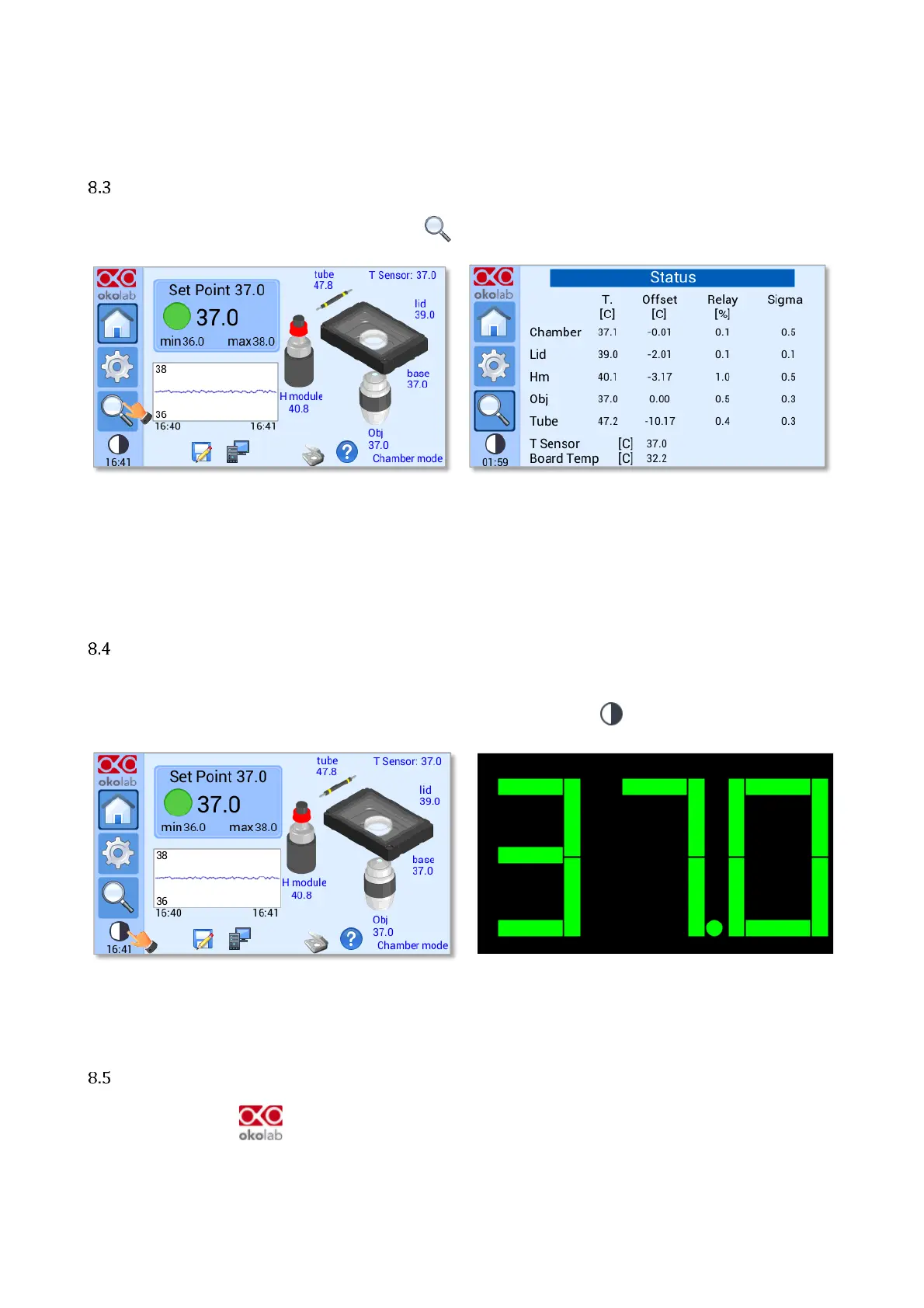
To open the Status page, press on the icon as show in Figure 96 a.
Figure 96. How to enter the Status Overview page (a - b).
Note ►This page contains data useful for technical/control reasons. In case you requested support from one
of Okolab engineers you may be asked for some of these data
Icon and Glance Mode View
UNO-CONTROLLER features two display modalities: Icon mode and Glance Mode, as shown in Figure 97 a
and b. You can swap between the two display modalities by pressing on icon .
Figure 97. Icon Mode and Glance Mode (a – b).
Info page
Press the icon to access the Info Page, as shown in Figure 98 a. This page contains the information
related to the UNO-CONTROLLER version (as shown in Figure 98 b).


 To Next Page