4345-E P-7
SECTION 2 MacMan MAIN SCREEN
3.
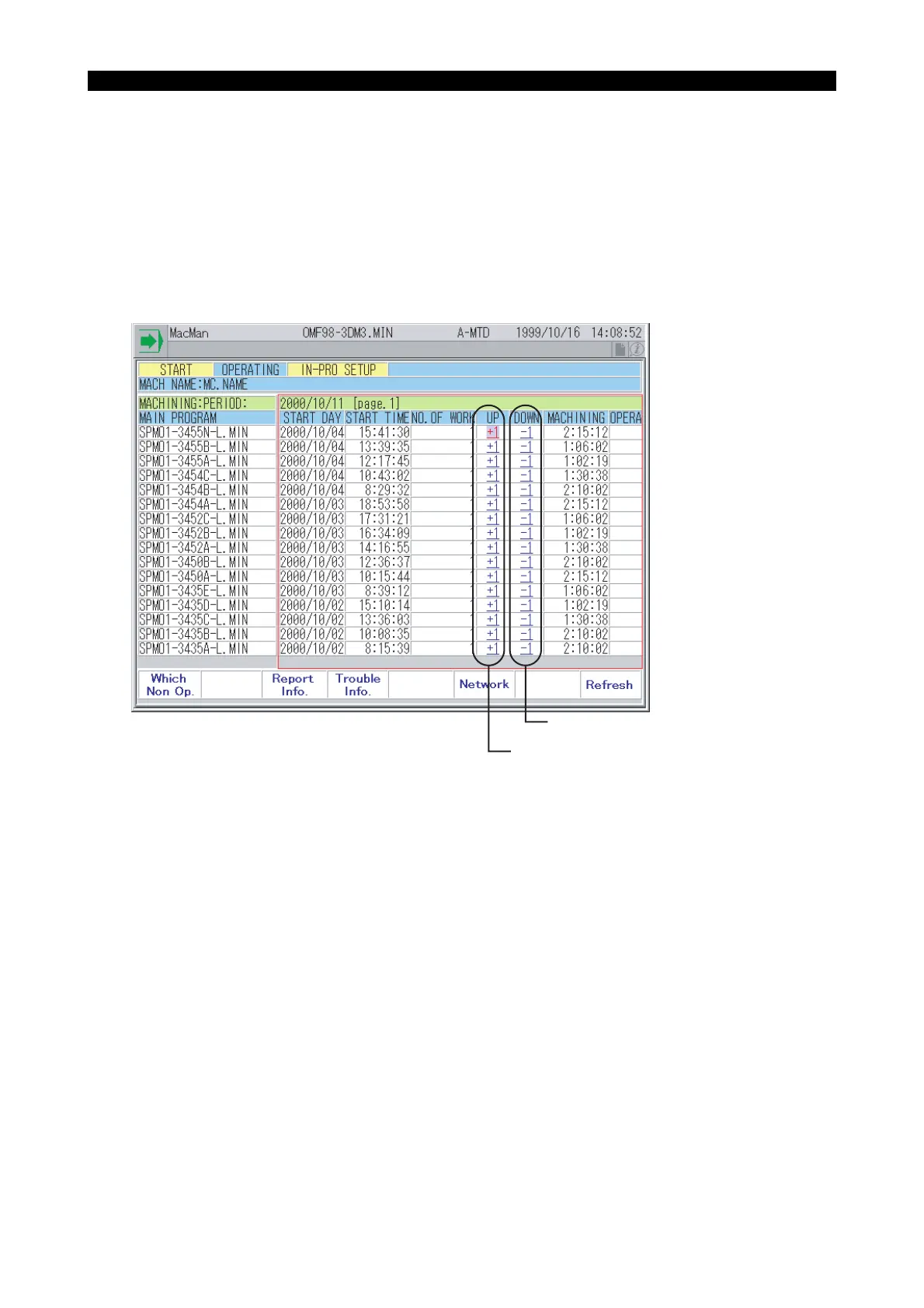
Adjusting the Number of Work Count
Eeospkku2004
You can correct the report data if the number of machined parts recorded in the machining report
differs from the number of actually machined parts.
When including the test-cut parts in the total number, for instance, you can increase (+1) the number
of parts. Conversely, when defective workpieces are found, you can decrease (-1) the number.
To correct the number, use the arrow keys and move the cursor to the [+1] or [-1] button for the
report data that you want to increase or decrease. Then, press the WRITE key.
If this page does not include the data that you want to correct, select a required report from the
report information screen.
EIOSPKKU2004R01
4. Changing the Reason of Not-operating Status
Eeospkku2005
The current reason is in-process setup. Now, you are starting maintenance and the reason must be
changed to maintenance accordingly.
Decreases the number of parts by one.
Increases the number of parts by one.



 To Next Page