4345-E P-30
SECTION 9 OPERATION HISTORY
SECTION 9 OPERATION HISTORY
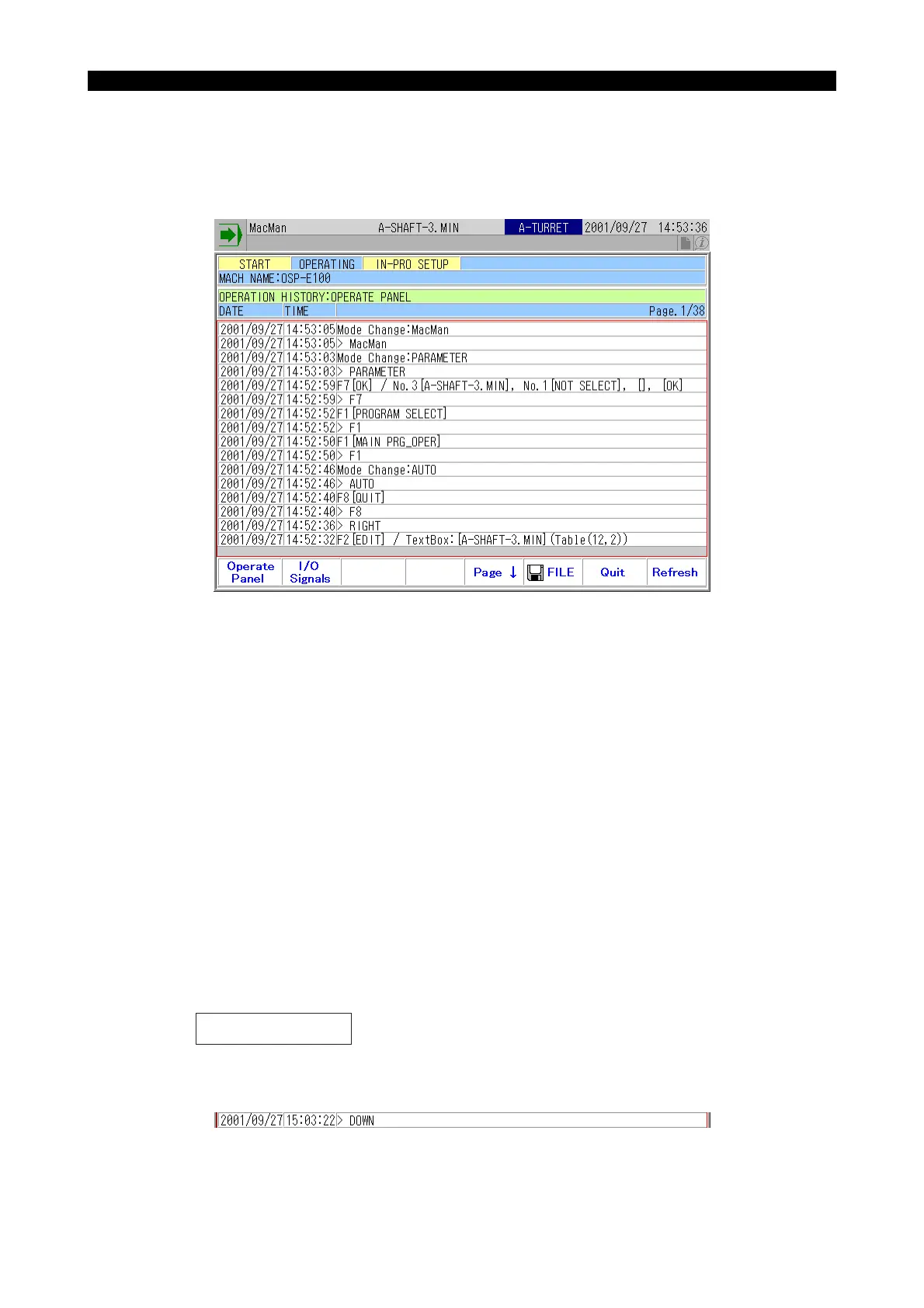
1. Operate Panel
Eeospkkub003
EIOSPKKUB003R01
(1) The following operations are records as the operation panel history with the date and time.
(2) History of a key input is displayed as follows:
The illustration below shows an example displayed when depression of the cursor key [↓] has
been recorded.
EIOSPKKUB005R01
1) Key input
2) Operation on the screen components
3) Function key input
4) MDI input
5) Occurrence of error
6) Mode change
7) Depression of help key
8) Execution of one-touch window close
9) Others, including changes between turret A and turret B
<<Limitations>>
The panel operations, however, are not recorded on the following screens:
1) One-Touch IGF-XM screen
2) OSP browser screen (for MacMan or Pocket Manual)
> "Key name"



 To Next Page