DOLCECLIMA
SW1
SW2
SW3
SW4
SW5
SW7
SW8
SW6
S3
D1
D2
S1
S2
S12
S11
S10
S9
S8
S4
S5
S6
S7
B
S13
IT - 21
ITALIANO
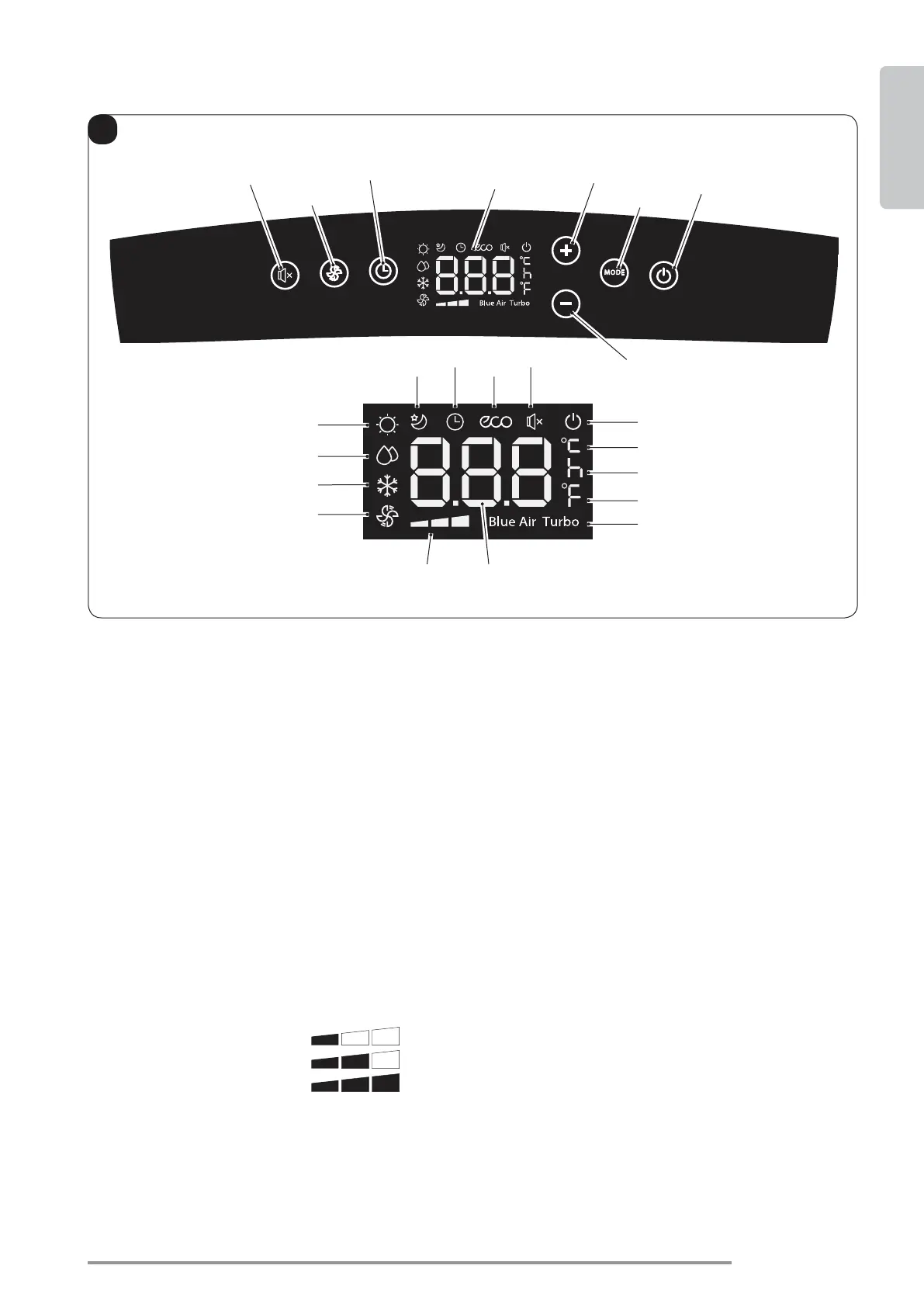
SW1: ON/Stand-by;
SW2: Selezione modalità operativa
(attiva solo nella versione con pompa di calore)
SW3: Aumento temperatura/ritardo
SW4: Riduzione temperatura/ritardo
SW5: Display
SW6: Conferma/annullamento ritardo accensione/
spegnimento unità
SW7: Selezione velocità ventilatore
Velocità minima
SW8
D1: Temperatura impostata/Timer
D2
S1: Indicatore ora
S2: Indicatore temperatura °C
S3: Indicatore temperatura F
S4: Modalità solo ventilatore
S5: Modalità raffreddamento
S6
S7: Modalità riscaldamento (attiva solo nella
versione con pompa di calore)
S8: Modalità sleep
S9: Modalità timer (accensione/spegnimento
programmato)
S10: Modalità automatica (ECO)
S11
S12: Indicatore apparecchio alimentato elettrica-
mente
S13: Funzione Turbo
3.1 - SIMBOLI E TASTI PANNELLO COMANDI (Fig.B)





 To Next Page