Ihe'night well-being'key
is not
available
when the unit operates in dehumidification
and ventilation mode.
fhe nightwell-being mode button may be disabled at anytime
(ideally
when
you
wake
up
in
the morning)by
pressing
button T3 again.
At this stage the temperature and fan speed settings made
prior
to starting Night well-being mode
operation
go
back into effect.
3.3.12 Setting the operating
programs
The
air conditioner
logic
provides
the user with a choice of two operating
programs
that can be set
to
start and stop
at
programmed
times,
for example
you
might want the air conditioner to start
shortly before
you
return
home so that it is cool when
you get
there.
To use these functions it
is first necessary
to set
the exact time on the remote control
and then set the time
for
the
programs
to start.
3.3,13 Setting the exact
time
Proceed as follows to set the exact
time:
a)
Press button
f6
(Time
and
Program Setting), as
many times as necessary to
display the
hour indication H D10.
b) Press the toggle
button T7 to increase or decrease
the displayed hour until it matches the exact time.
c) Press button
T6 again to display the
minutes indication M D10.
d)
Press the toggle button
T7
to
increase or decrease the displayed
minutes
until it shows the exact time in minutes.
3.3.14 Setting the
times of the 1st and
2nd
the
operating
programs
(PROGR.
1
and
PROGR. 2)
To set the times
for starting and stopping the two air conditioner
programs, proceed
as follows:
a)
Press button f 6
ffime
and
Program Setting),as many times as necessary to display the indication
[1
llme
to start
the
1st
program).
b) Press the
toggle button T7 to increase or decrease
the display of the time when
you
want
program
1 to
start.
Every time
you press
one end of the toggle
button the time increases or decreases by 30 minutes.
c) Press button
f6
fime
and Program Setting)
once again to display the
indication
ItE
(fime
to stop the 1st
program).
d)
Press the toggle button
T7
to
increase or decrease the
indication
of the time when
you
want
program
1
to stop.
Every
time
you
press
one end
of the toggle button the time
increases or decreases by
30
minutes-
Press button
fG
[ime
and
Program Setting) once again to
display the indication
[2
gime
to start the
2nd
program).
Press the toggle button
T7 to increase or decrease
the
display
of the time when
you
want
program
2
to start.
Every time
you
press
one end of the toggle button
the time setting increases
or decreases by
30 minutes.
Press button
f6
[ime
and Program Setting) once
again to display the indication
[zE
fir"
to stop the
2nd
program).
Press the toggle
button T7 to increase or decrease
the indication of the time when
you
want
program
2 to stop. Every
time
you press
one end of the toggle button the
time increases or decreases by 30 minutes.
To return to the routine operating
mode
just
press
the button
T6
as many times as necessary to clear the relevant indications
from the display.
3.3.15
Starting
and stopping the
operating
programs
After having made the settings
for
the operating
programs,
they can be used or
not,
as needed.
Either or both of the
programs
can be used.
ln
particular,
each time
you press
the button
f 11
Qrogram
activation), the situation changes as follows:
Use of Program
no. 1 only.
Use of Program
no.2 only.
Use of
Programs 1 and
2.
Disuse
of
both
programs..
3.3.16
Resetting all
remote controlfunctions
Press
the
button T'10 to
reset
all the
remote control settings.
By
doing
so all of the settings of
the timer are cancelled and
the remote control restores all of the default settings.
Furthermore, by
pressing
button T10, all of the symbols
indicated infig.24 will appearon the display, thus making it
possible
to
check the integrity of
the display itself.
3.3.17
Managing the unit
if
the
remote control
is not available
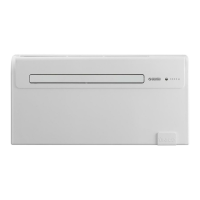
Should the remote
control be lost, the
batteries flat or
if it is faulty, the appliance may be operated
only in automatic mode by
pressing
the
micro switch
positioned
underneath the
hole located on the console by
means
of a
pointy
object.
To
switch
the air-conditioner
off,
press
the
microswitch again.
To restore routing operations
in the
remote control,
you
need only issue any command once the remote control
is
available
again.
JI
UNICO
AIR
e)
f)
s)
h)
i)


 To Previous Page
 Loading...