14
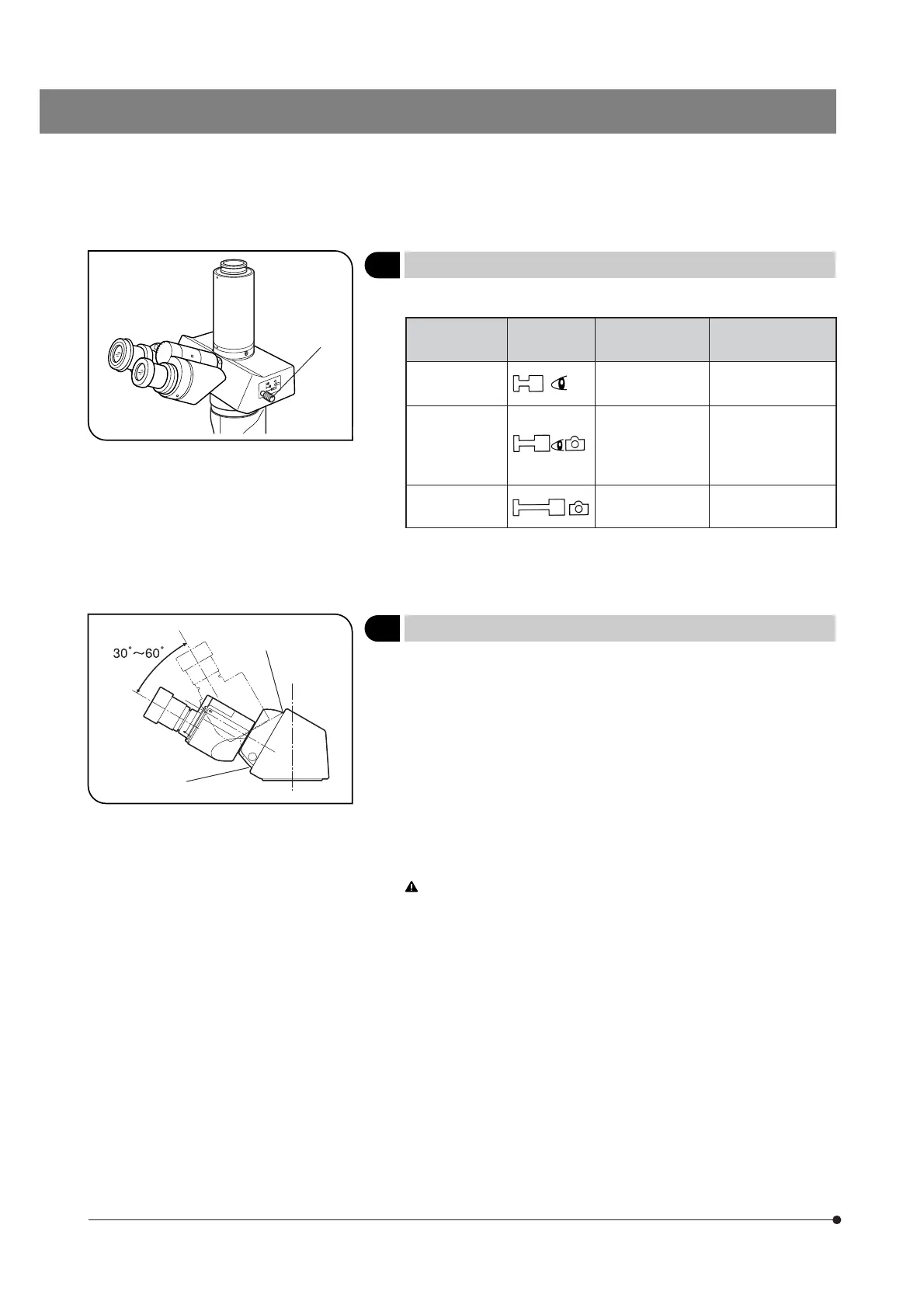
Fig. 16
5
Selecting the Light Path (U-TR30-2 Only)
(Fig. 16)
Slide the light path selector knob 1 to select the desired light path.
Light Path
Selector Knob
Symbol Intensity Ratio Applications
Pushed in 100% for binocular
eyepieces
Observation of dark
specimens
Middle position 20% for binocular
eyepieces, 80% for
TV/photography
Observation of
bright specimens,
photography, TV
observation
Pulled out 100% for TV/
photography
Photography, TV
observation
# The U-CTR30-2 trinocular observation tube does not have the light
path selector knob and its light intensity ratio is fixed at 50% binocular
and 50% TV/photography.
Fig. 17
6
Adjusting the Tilt
(Fig. 17)
}When using the U-CTBI or CKX-TBI, adjust the height and tilt of the obser-
vation tube to obtain the most comfortable viewing position.
Holding the binocular section with both hands, raise or lower it to the
desired position.
· U-CTBI/CKX-TBI: 30 to 60°
# Never attempt to force the binocular section past the upper or lower
stop position. Applying excessive force could destroy the limiting
mechanism.
# The connectable eyepieces are the WHB10X only or the CKX-TBI
and the built-in eyepieces (10X) for the U-CTBI. Combination with
any other eyepiece will result in insufficient illumination at the pe-
riphery of the field of view.
When adjusting the tilt of the U-CTBI, be careful not to have your
fingers caught by the spaces @ between the binocular assembly
and cover.
@
@
@


 To Next Page