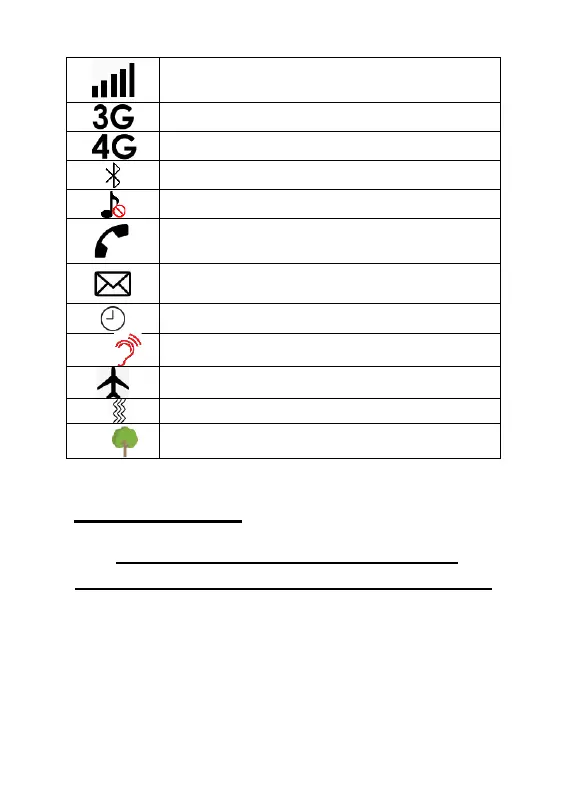
Indicates the mobile phone
reception/service strength
Phone is using the 3G network
Phone is using the 4G network
Bluetooth function is active
Indicates silent mode is activate
You have an unacknowledged missed
call
You have an unread message
Handset volume amplification On
Meeting profile activated
Outdoor profile activated
Phone setup
Instructional video available at
www.olitech.com.au/easymate2videos
Insert SIM card –
Step 1 - Remove the back phone cover
Position the phone so you are looking at
the grey back cover. Locate the small
recess between the white and grey phone



 To Next Page