26
1. Press the top left key to select Menu.
2. Scroll to and select Settings.
3. Scroll to and select Phone settings.
4. Select Time & date.
5. Complete desired action.
Calls
Answering an incoming call
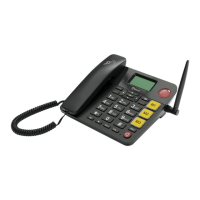
An incoming call can be answered by either:
1. Picking up the handset (audio will be directed to the
handset);
2. Pressing the loud speaker key (audio will be directed
to loud speaker); or
3. Pressing the green call key (audio will be directed to
loud speaker).
Standard Dialling
There are several ways you can make a call when manually
inputting the phone number.
Method 1:
1. Type phone number using the number keys.
2. Lift handset and call will initiate (audio via handset).
Method 2:
1. Type phone number using the number keys.



 To Next Page