33
Input symbols
Press the * (star) key to open symbol options. Use the
navigation key to scroll through the symbols. When your
chosen symbol is highlighted press the OK key.
Input space
When writing text, press the 0 key to insert a space.
Erase character
When inputting numbers or letters, Clear is displayed on
the bottom right corner of the screen. Press the top right
key (white back arrow) to erase the letter/number before
the cursor.
Move the cursor
The navigation key can be used to move the cursor when
writing text/inputting a number.
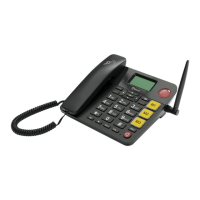
Emergency key
The EasyTel 4G features an emergency key that when
pressed and held for 3 seconds, triggers a call sequence.
The emergency key can be set up to call pre-programmed
phone numbers or an emergency service. When the
Emergency key is activated, a text message can also be sent
to any mobile phone number programmed as an
emergency contact. To program the emergency key:



 To Next Page