7MusicStreaming
7.1 N e t wo r k Mus i c P l a y e r
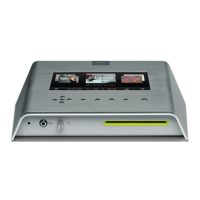
Olive offers its own network music player to allow
streaming of music from the O6HD to additional
rooms. Therefore, 3rd party network players are not
actively supported.
7.2StreamingfromaPC/MAC/NASto
theO6HD
The O6HD incorporates local storage to allow quick
and reliable access to your music content. Therefore
we recommend consolidating your music onto the
O6HD’s hard drive, where it is safe from usual com-
puter problems (malware/viruses etc.). Olive provides
limited support to streaming from external sources,
currently focusing on Tversity (PC) and Twonky Media
(Mac).
7.3YourMusiciniTunes&Windows
MediaPlayer
Music stored on your O6HD can be accessed in
most UPnP DLNA compatible software such as
iTunes and Windows Media Player. The O6HD’s library
will appear as a separate music source in these soft-
ware packages.
Some software packages (e.g. iTunes) do not support the FLAC
format and this music will therefore not be accessible.
OLIVE O6HD QUICK START GUIDE
25


 To Next Page