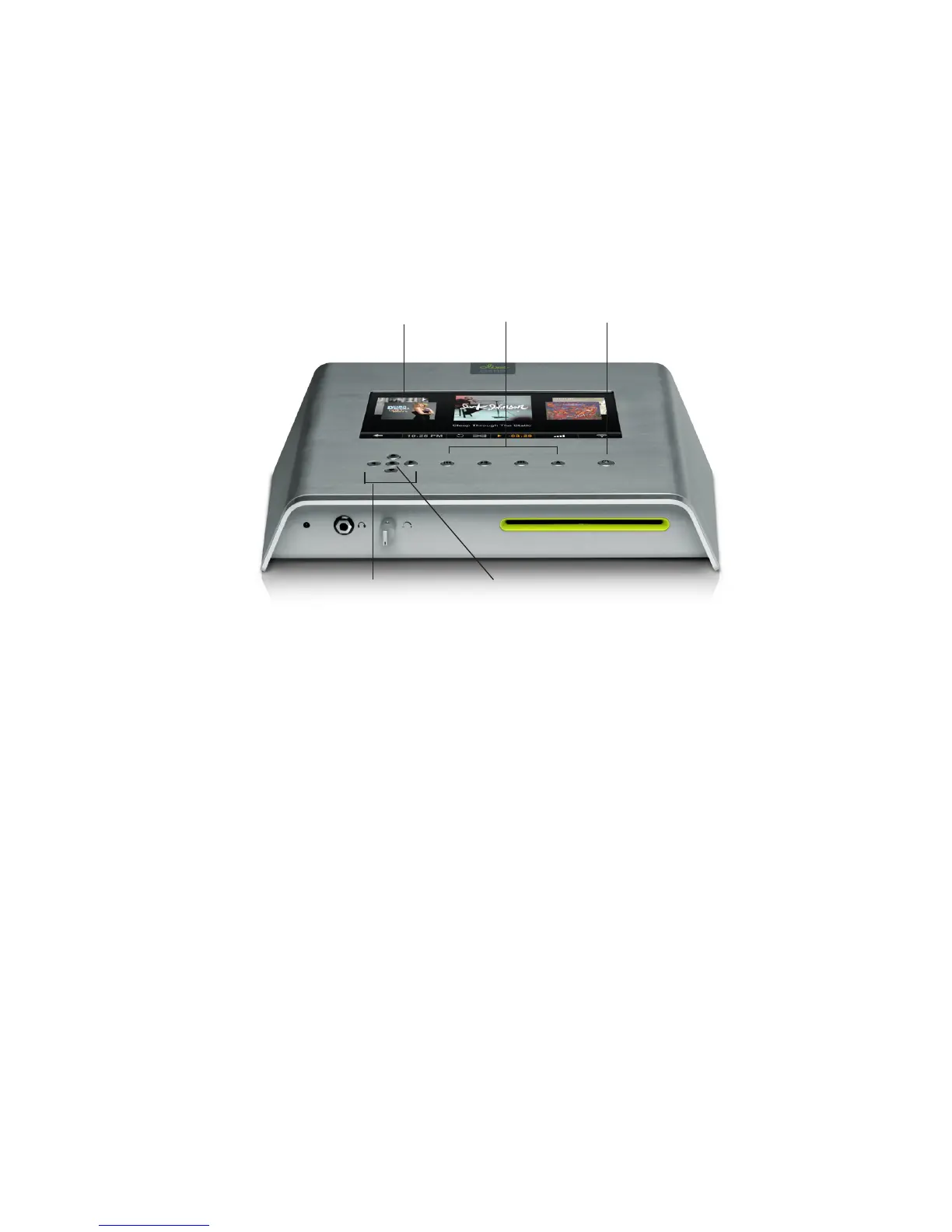
ACCESSING THE MENU
Once the Startup Screen appears, tap on the touch-
screen (1) or press the Sleep/Wake Button (5) to get
to the main menu. We recommend using the Sleep/
Wake Button to put your O6HD to sleep (or wake it).
Only switch off your O6HD with the Power Switch
on the backside if you do not intend to use it for an
extended period of time (e.g. going on vacation). We
also recommend that you unplug the Power Cord
when leaving for a longer period of time.
2.2NavigationBasics
1 Touchscreen
2 Navigation
Buttons
3 Select
Button
4 Player
Buttons
5 Sleep/Wake
Button
OLIVE O6HD QUICK START GUIDE
9


 To Next Page