Maintenance
11-3
11
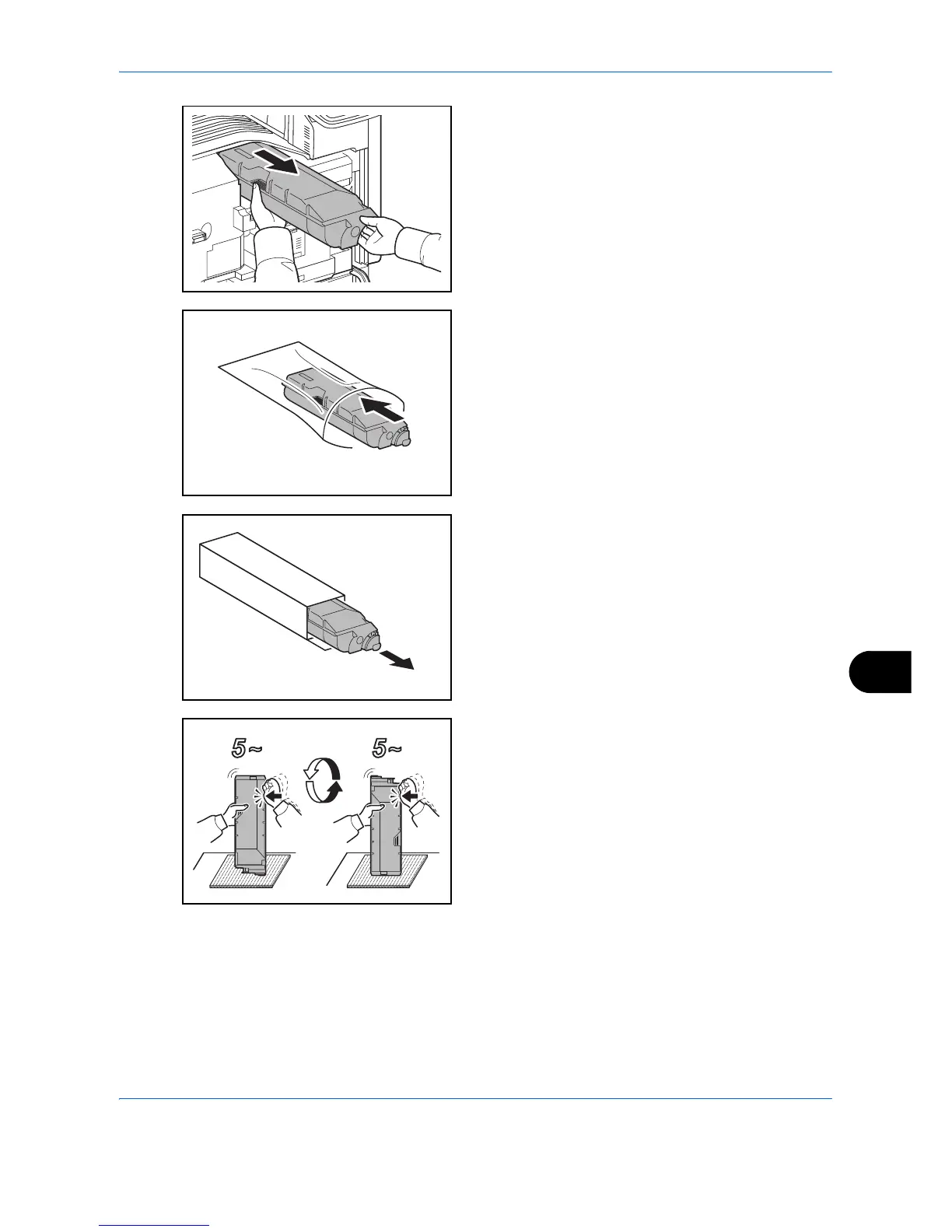
3 Remove the toner container and insert it into the
provided plastic disposal bag.
4 Remove the new toner container from the box.
5 Place a cushioning material on a flat surface, hold
the toner container vertically on the material, and
tap the upper part of the container about 5 times.
Invert the toner container so that the other end is
up, and hit in the same way.




 To Next Page