3-9
Preparation before Use > Loading Paper
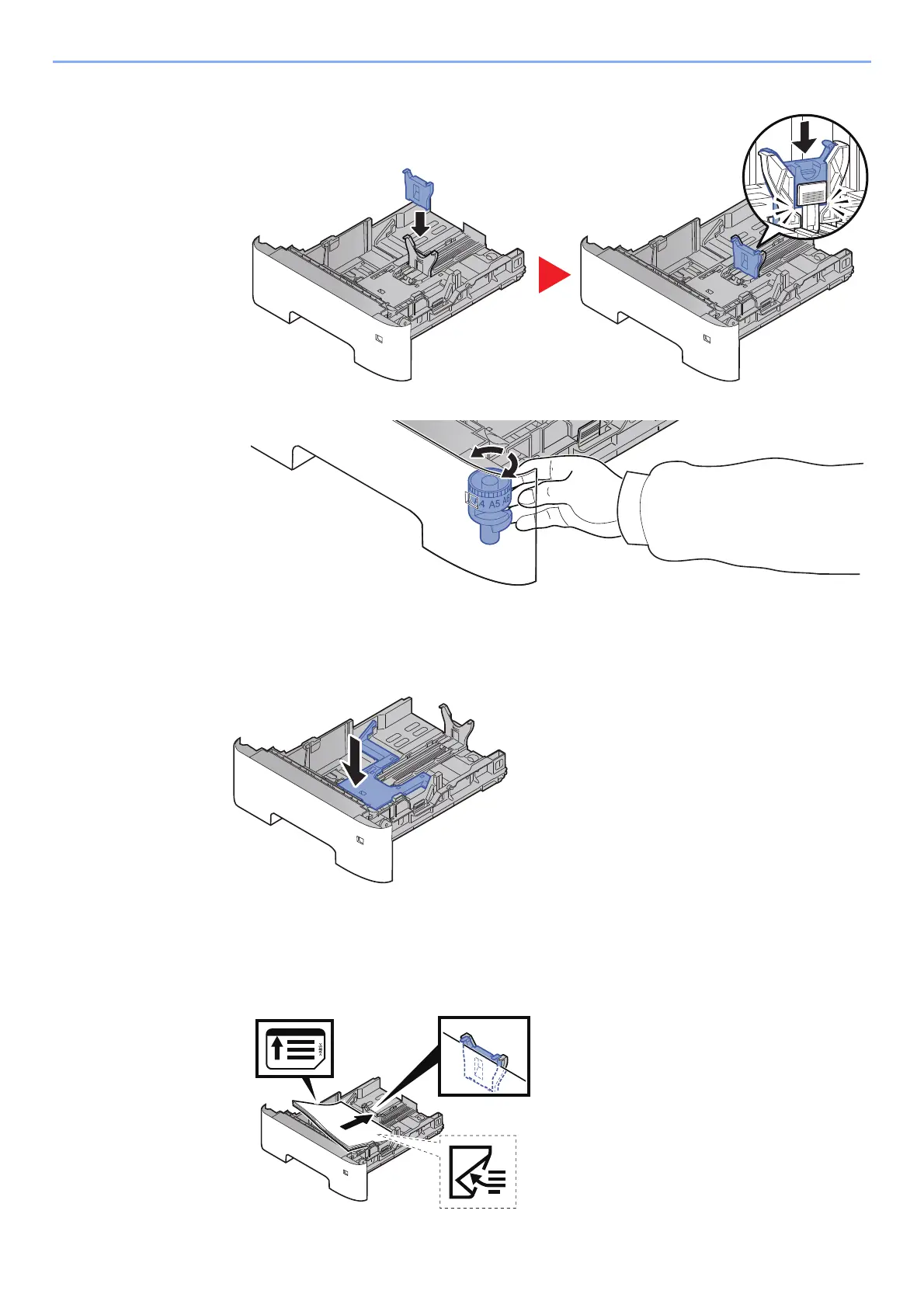
3 Attach the auxiliary guide to the paper length guide as shown in the illustration.
4 Turn the size dial so that "Other" appears in the paper size window.
3
(On d-COPIA 4513MF p
lus/d-COPIA 4514MF plus only) Press the
bottom plate down until it locks.
4
Load paper.
1 Fan the paper, then tap it on a level surface to avoid paper jams or skewed printing.
2 Load the paper in the cassette.








 To Next Page