User Guide
| 11
4 E-MAIL
You can use this device to receive or send your Email anywhere or at any time.
Note: E-mail can be used normally when the wireless network is connected.
4.1 Set up an email account
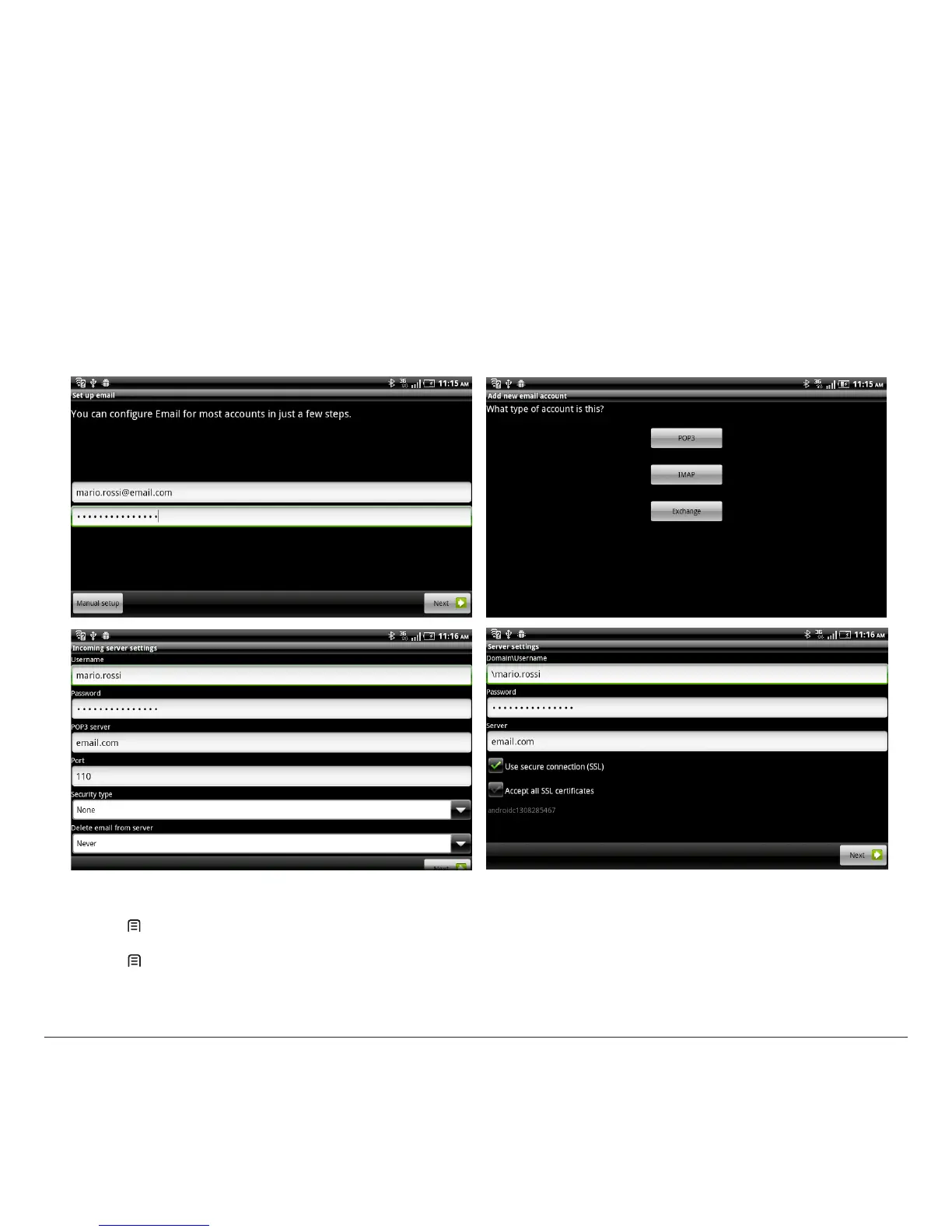
1. Enter your email address and password.
2. Select “Next” (for general email accounts, such as Google Mail and Yahoo) or “Manual setup” (for other company email accounts).
3. Follow the on-screen instructions to nish setting.
4.2 Send an email message
1. Press [ Menu] > Compose.
2. Enter an email address, a subject and content.
3. Press [ Menu] for more options like Attach or Attach Cc/Bcc.
4. Tap “Send” to send the message.



 To Next Page