Preparation before Use
2-22
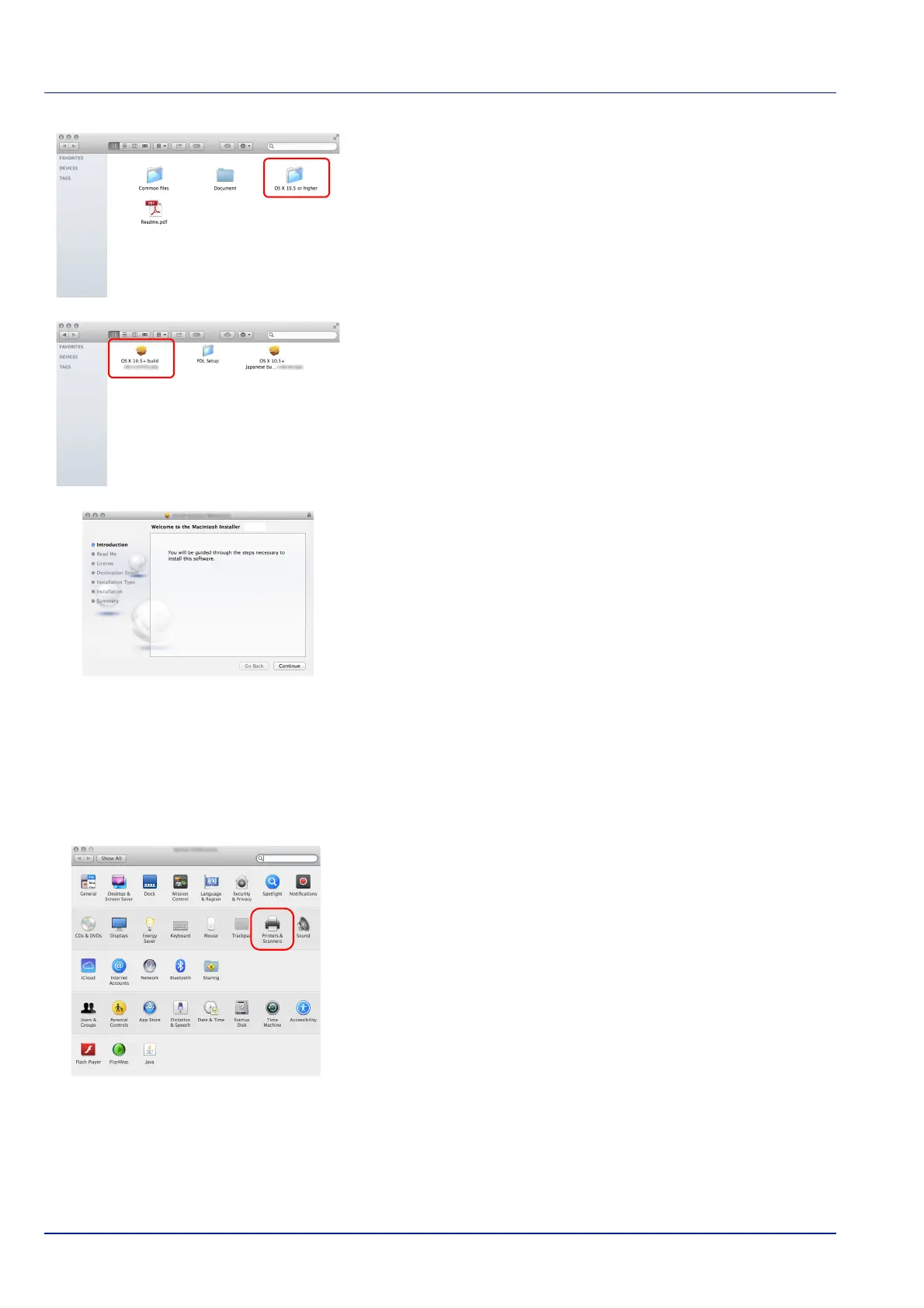
3 Double-click OS X 10.5 or higher .
4 Double-click OS X x.x.
5 The Printing System Driver installation program starts up.
6 Install the Printing System Driver as directed by the instructions in the
installation software
.
This completes the Printing System Driver installation.
If a USB connection is used, the machine is automatically recognized
and connected.
If an IP connection is used, the settings below are required.
7 Open System Preferences and click Printers & Scanners.













 To Next Page