2-23
Preparation before Use
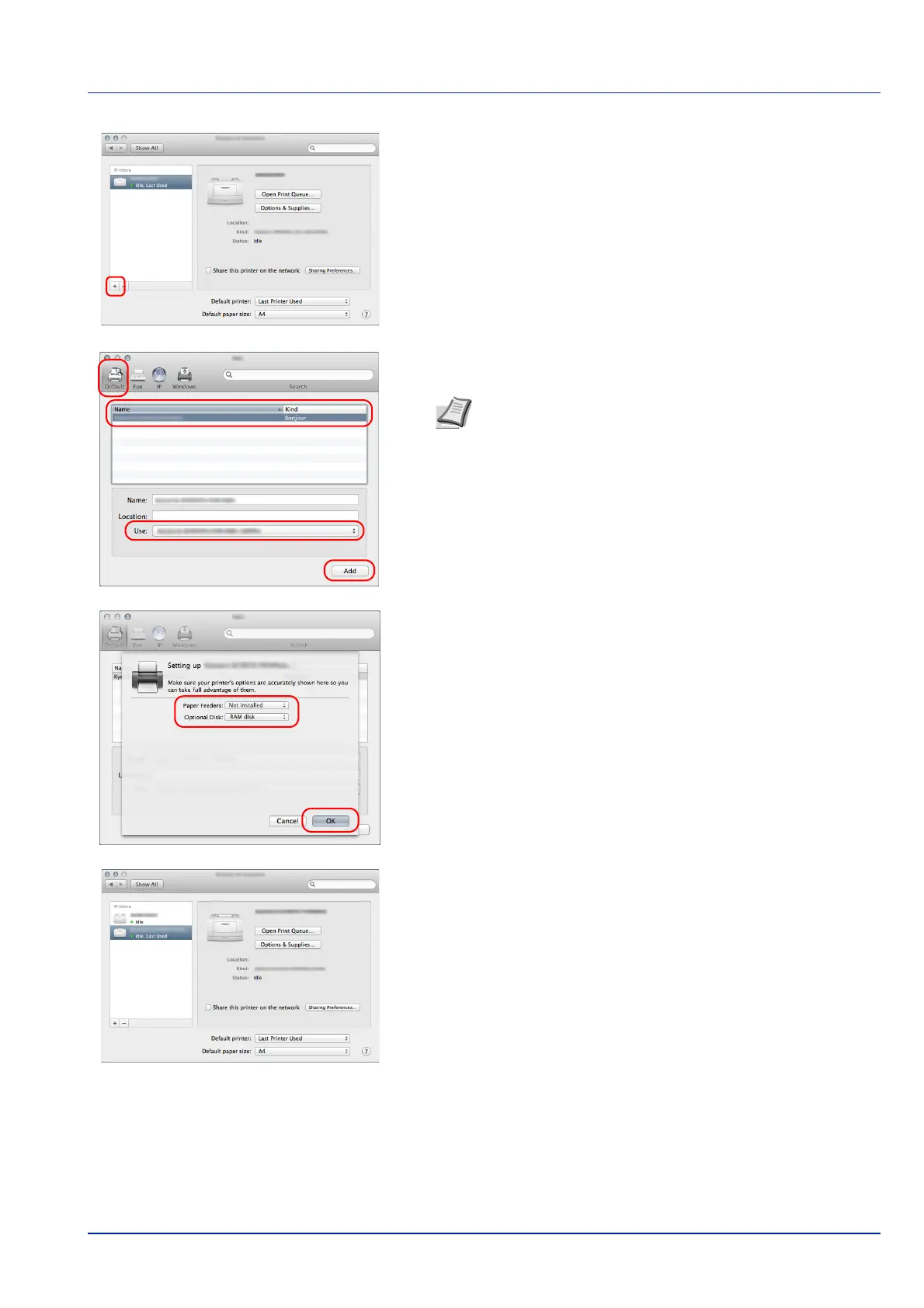
8 Click the plus symbol (+) to add the installed Printing System Driver.
9 Select Default and click the item that appears in Name.
Select the driver in Use and click Add.
10
Select the options available for the machine and click OK.
11
The selected printer is added.
Note When using an IP connection, click the IP icon for an IP
connection and then enter the IP address and printer name.
The number entered in Address will automatically appear in
Name. Change if needed.













 To Next Page