2-39
Preparation before Use
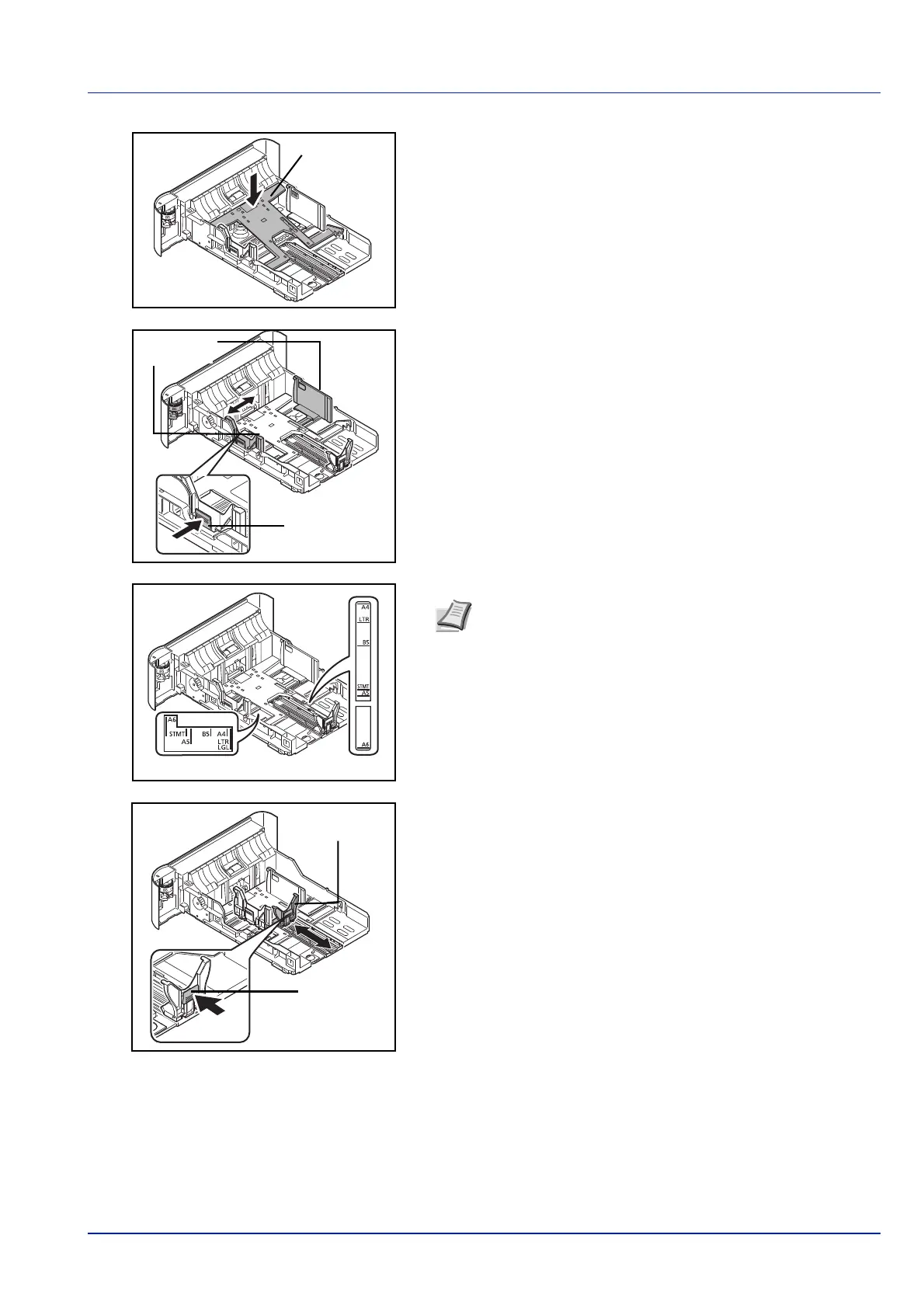
3 (On PG L2545 only) Press the bottom plate down until it
locks.
4 Adjust the position of the paper width guides located on the left and
right sides of the cassette. Press the paper width adjusting tab and
slide the guides to the paper size required.
5 Adjust the paper length guide to the paper size required.
Paper Width
Adjusting Tab
Paper Width
Guides
Note Paper sizes are marked on the cassette.
Paper Length Guide
Paper Length
Adjusting Tab













 To Next Page