Preparation before Use
2-40
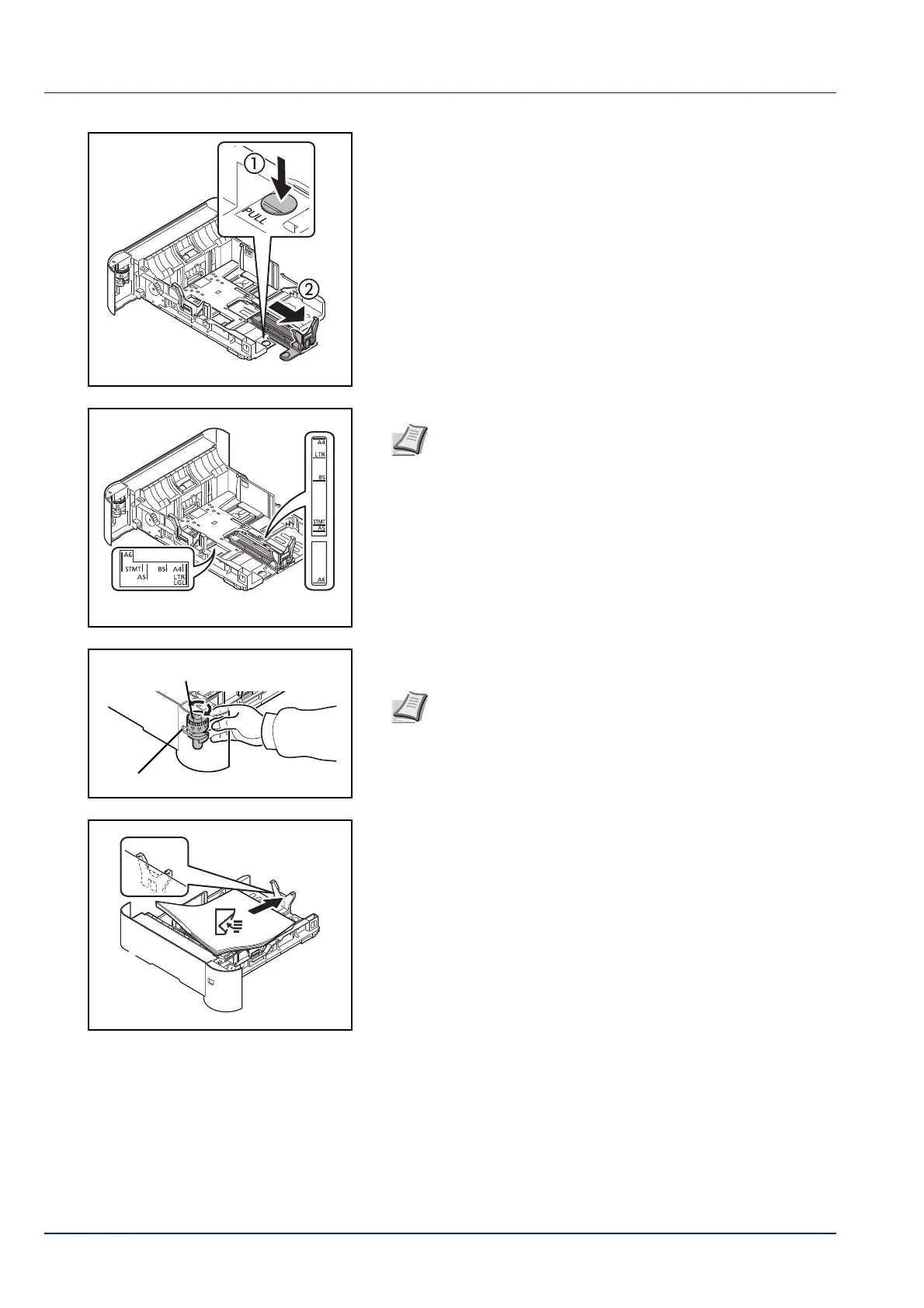
If you are going to use paper that is longer than A4-R, pull the
cassette out until it stops at the back and then adjust the paper length
guide to the paper size required.
6 Turn the Paper Size Dial so that the size of the paper you are going
to u
se appears in the Paper Size Window.
7 Load the paper in the cassette.
Note Paper sizes are marked on the cassette.
Paper Size Dial
Paper Size Window
Note When the Paper Size Dial is set to Other the paper size
must be set into the printer on the operation panel. Refer to
Cassette (1 to 5) Set. (Settings for the cassettes) on page 4-
32.













 To Next Page