14
• When the beep sound stopped,please switch to OFF position,and power off(take out the bat-
teries or DC charger),and then install the batteries again, and switch to TEST position.
• Now, the camera can be used in default mode.
Activating live mode
1. Mounting with a strap
Place the camera on a tree or pole approximately 1-2 meter high. Thread the mounting strap
through the mounting strap slots on the back of the camera.
If you are mounting camera to cover a trail, face the camera down the trail tilted at a slight
downward angle, facing the camera North or South to avoid over exposure from the sun. Clear
brush away from camera front to avoid false triggers from the wind.
2. Activating live mode
The normal operating mode of the camera is so-called live mode. In this mode, recordings are
triggered via the motion sensors.
To set live mode, slide the operating mode selector switch to the “ON”
position,and at this time, the display screen will be Turned Off to save batteries.
The camera will start to operate independently and will go into standby mode. As soon as any
wild animals or similar enter the detection range of the central sensor zone, the camera will
start capturing photos and/or videos (depending on the conguration).
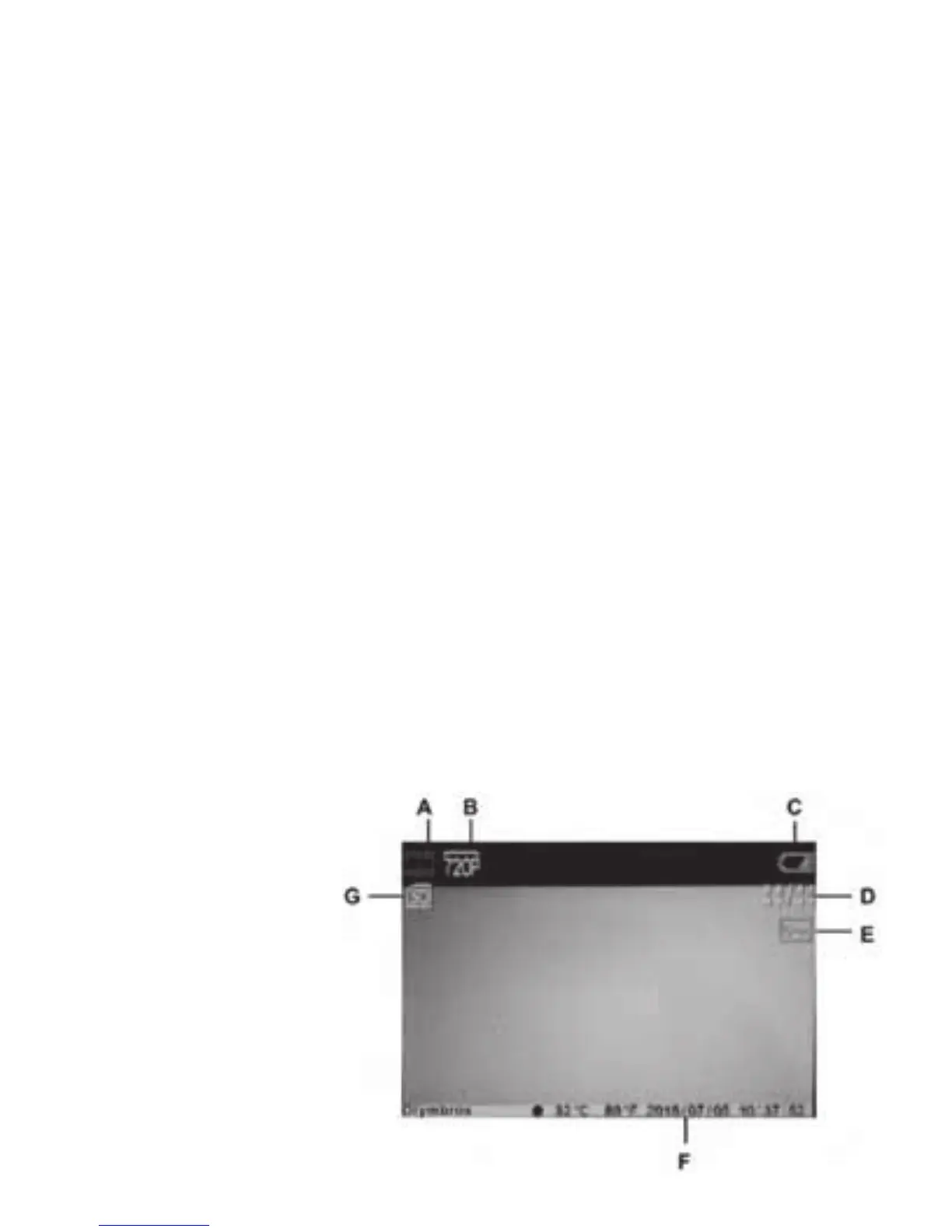
Displaying recordings on the screen
Slide the operating mode
selector switch to the
“TEST” position. Now you
will see the live picture
from the camera. Press the
OK button to activate me-
dia playback. The following
appears on the display:


 To Next Page