7
Setting UP And Connecting
If you are not familiar with the operation of this camera, the following instructions will help
you get a quick overview. Before doing any operation, please make sure you have loaded bat-
teries and plugged the SD card correctly.
2.1 Power supply
• To insert batteries in the device, rst open the buckle of the device.
• Insert 8 x 1.5 V AA batteries into the battery compartment.
• Please pay close attention to the polarity, which is marked in the battery compartment.
Otherwise the device will not work and can be damaged.
• Recommend you use high-performance alkaline AA batteries. You can also connect an
external power supply plugged into the bottom port; please sure that voltage matches the
camera. Failure to do so will void the warranty.
• When connecting an external power supply, the camera will use the external power prefer-
entially. Please remove the batteries from inside the camera when using an external power
source. Failure to do so may cause damage to the devise that is not covered under the
warranty specications.
2.2 Inserting SD Card
Since the camera has no built-in memory, it can only work if an SD/SDHC memory card is
inserted.
• To insert an SD/SDHC memory card into the memory card slot of the device, push it into the
slot until it clicks into place.
• To remove an SD/SDHC memory card from the memory card slot of the device, press the
protruding edge of the memory card in a little way until it pops out. Then remove the card.
• The contact surfaces of the memory card must
be facing towards the front of the camera.
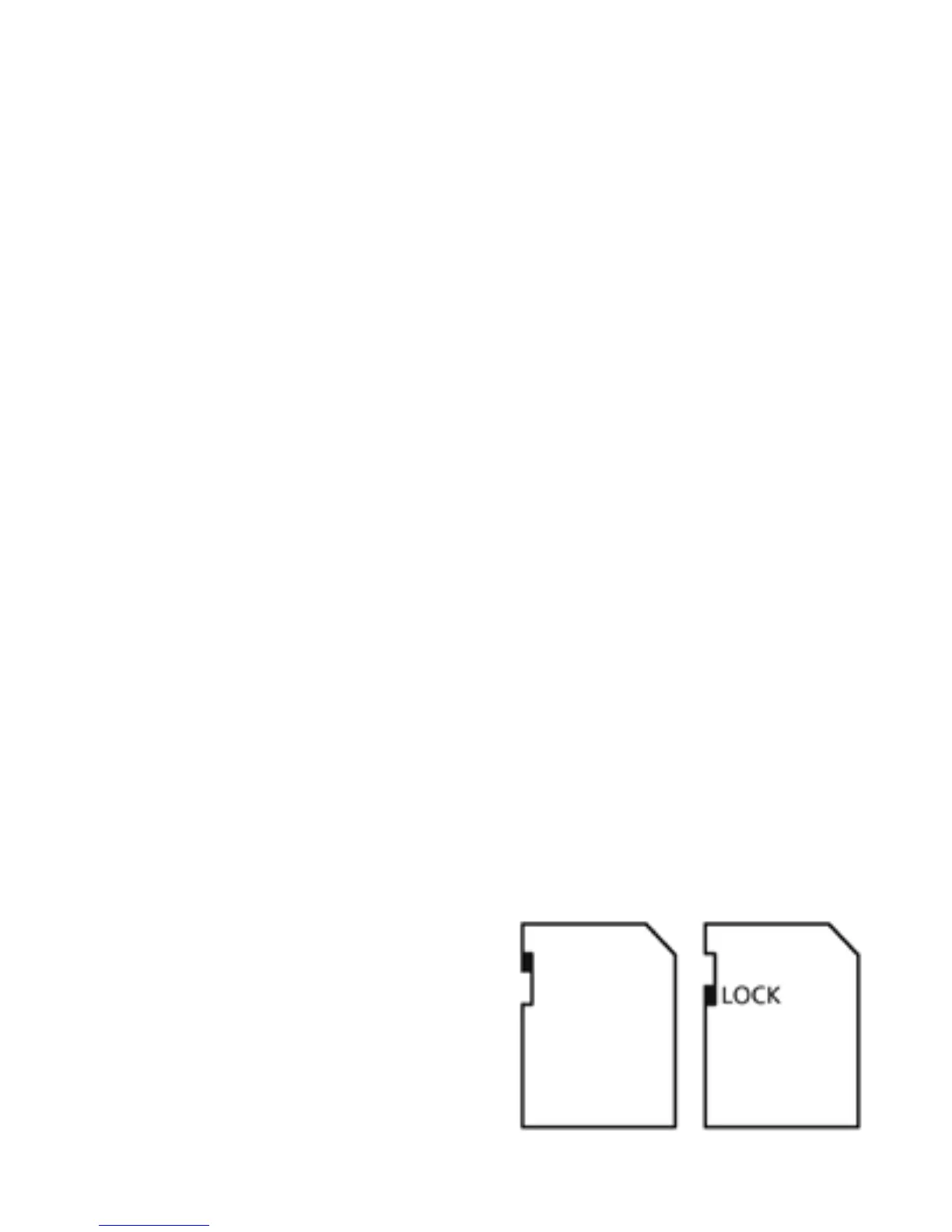
• SD/SDHC memory cards have a locking sys-
tem to prevent accidental erasure. To protect
the card from write access, slide the switch on
the side of the card to the “LOCK” position.
However, the camera can only save data onto
the card if the switch is in the other position.


 To Next Page