PUTTING THE MOBILE PHONE INTO OPERATION
INSERTING SIM CARDS
Inserting SIM Cards
Before you can use your mobile phone, you must insert your SIM
card (not included)�
Only use SIM cards of the size
illustrated (mini SIM)� Micro or nano
cards which have already been bro-
ken out can cause contact problems
or malfunctions� If you wish to use a
micro or nano card for your mobile
phone, you need an adapter�
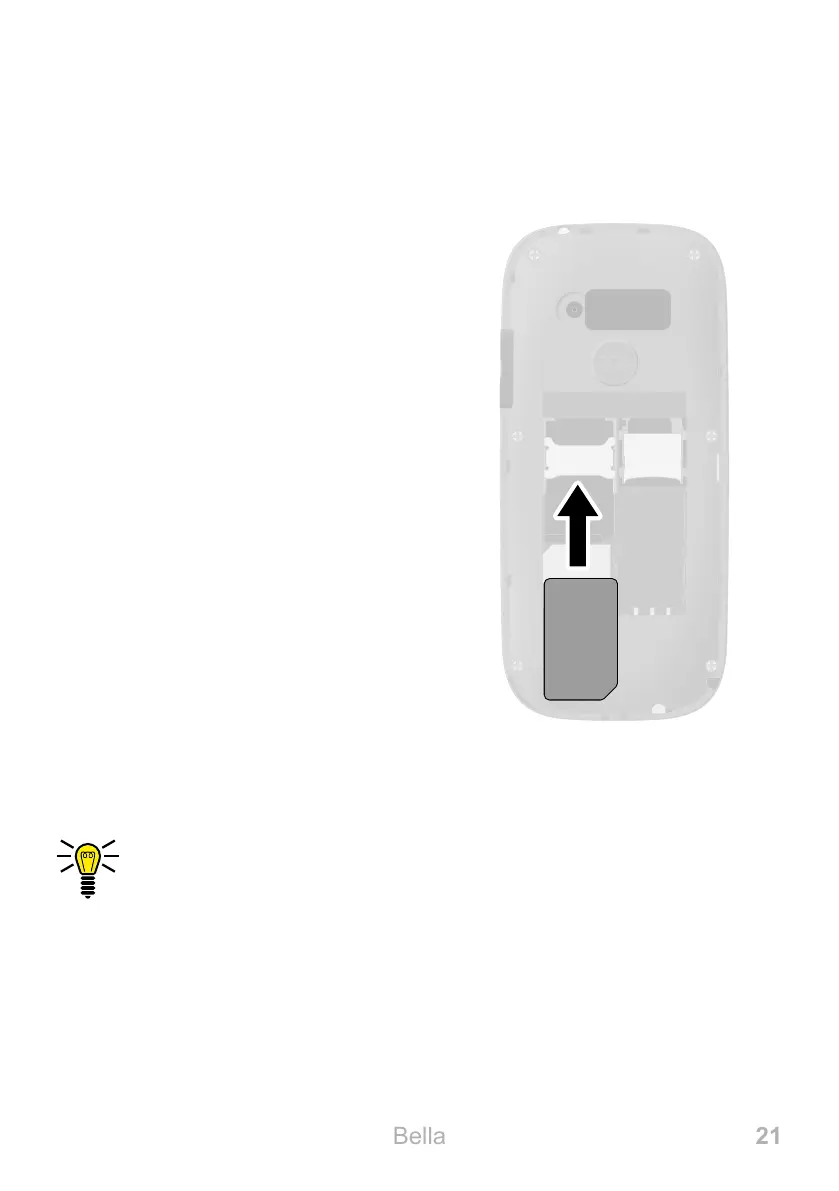
The battery compartment contains a
shaped mould which indicates how
to position and align the SIM card
correctly in the compartment�
1 Remove the battery compartment
cover� To do this, use the recess
in the battery compartment cover
on the rear of the mobile phone�
2 Insert the SIM card as shown�
The compartment shape makes it impossible to insert the
card incorrectly�
SIM 1



 To Next Page