PUTTING THE MOBILE PHONE INTO OPERATION
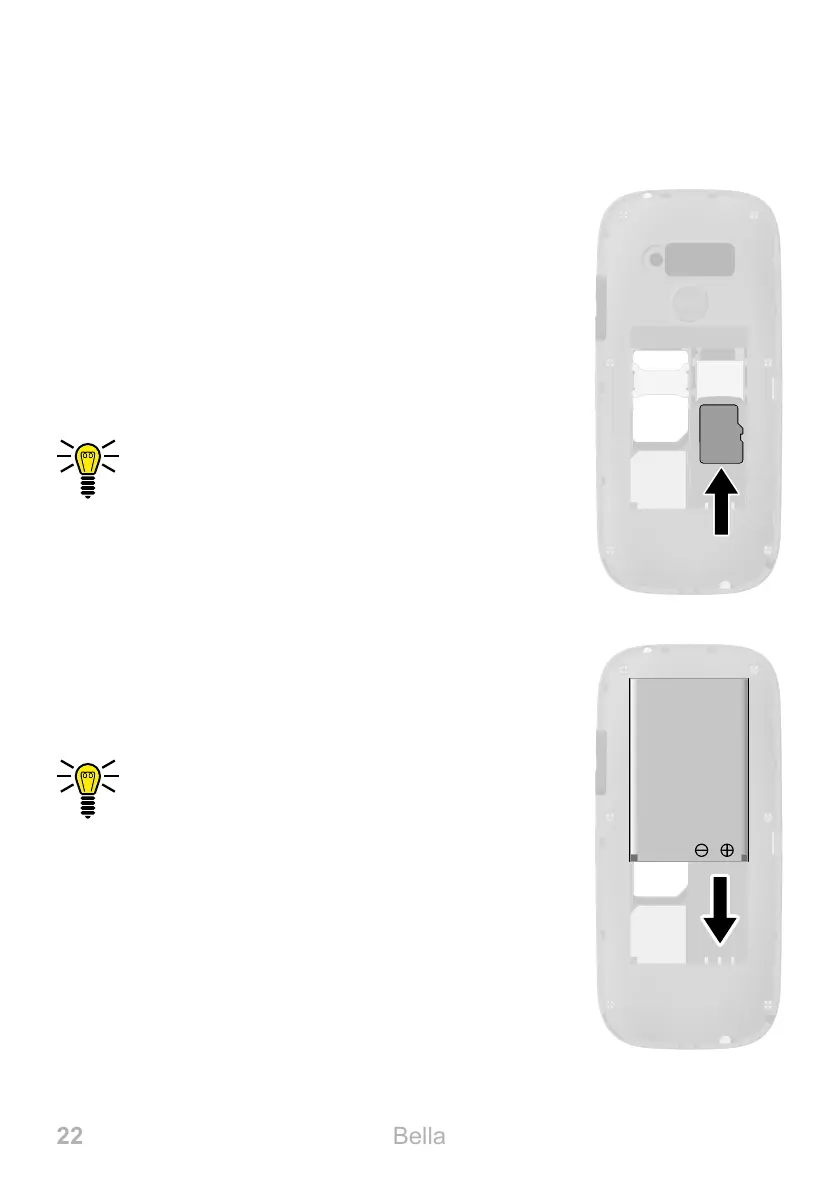
INSERTING A MICROSD MEMORY CARD
Inserting a MicroSD Memory Card
You have the option of inserting a microSD mem-
ory card (not included in the equipment supplied)
in your mobile phone� This increases the data
volume (e�g� for photos) which you can store on
your phone�
1 Insert the microSD memory card into the open
compartment as shown�
The compartment shape makes it impossi-
ble to insert it incorrectly�
Inserting the Battery
Before you can use your mobile phone, you must
insert the battery�
1 Insert the battery as shown�
The compartment shape makes it impossi-
ble to insert it incorrectly�
2 Replace the battery compartment cover� The
battery compartment cover latches audibly
into place�
SD



 To Next Page