G
22
3 Operating the Smartphone
The smartphone is generally operated using the touch-sensitive
display. Touch and swipe your ngers directly on the screen in
order to navigate through the menus and start functions. Alterna-
tively, you can use an appropriate stylus. The following overview
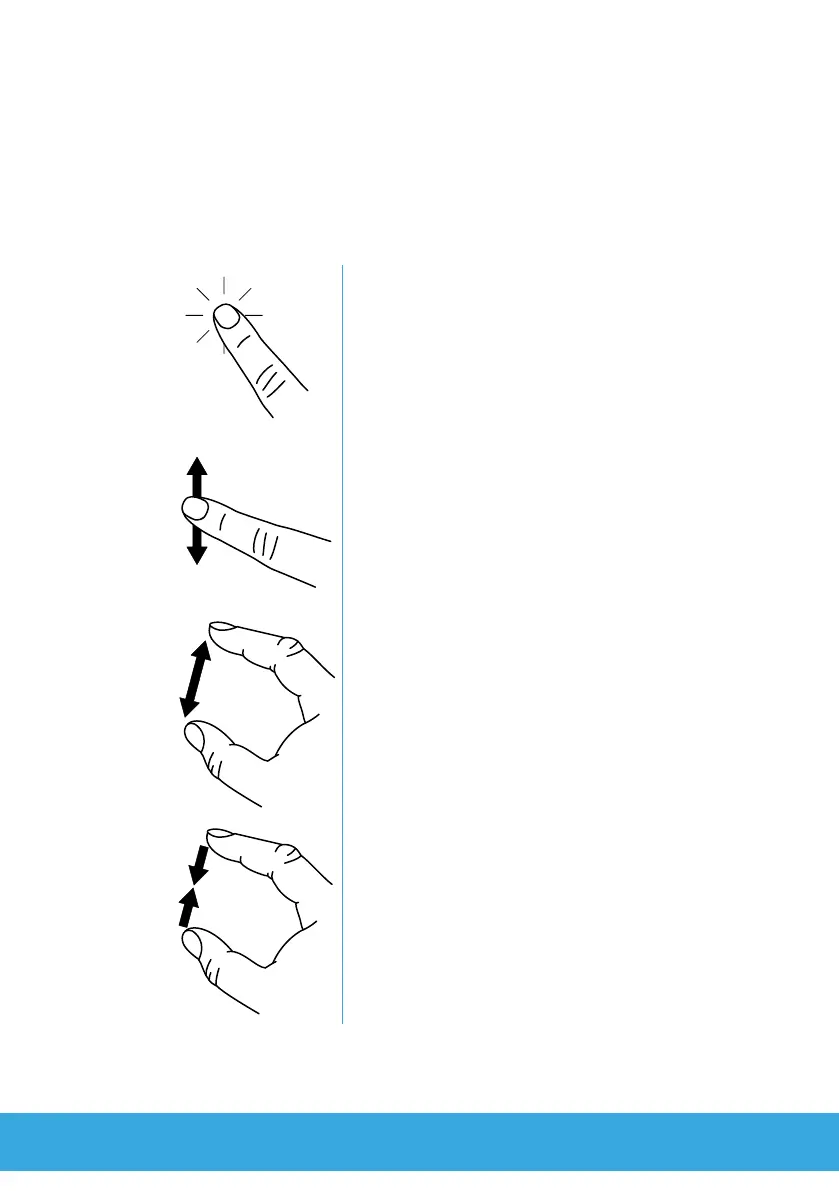
indicates the nger movements to use:
Tap your nger on the buttons or elements to
start functions.
Swipe your nger through lists and views to
scroll in them.
Draw two ngers apart on an element or view
on the screen to zoom in. This nger move-
ment is not available in all applications.
Move two ngers towards each other on an
element or view on the screen to zoom out.
This nger movement is not available in all
applications.



 To Next Page