G
16
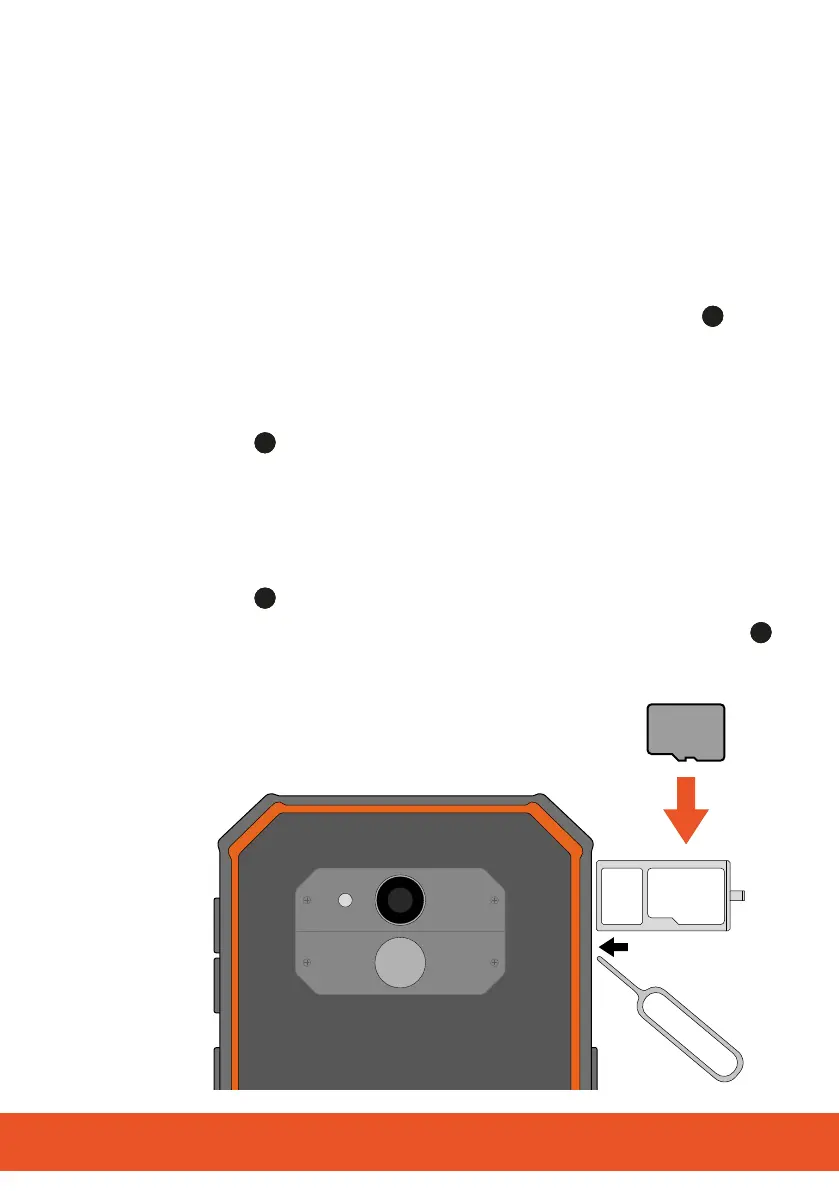
1.10.2 Inserting a MicroSD Memory Card (Option)
If you want to increase the memory capacity of the mobile phone,
you can insert a microSD memory card (not included in the equip-
ment supplied) with a memory of up to 64 GB in the mobile phone.
Since this is a combined slot, the
second microSD memory card must be inserted in the slot for the
second SIM card .
1 Open the cover of the SIM and SD card compartment
.
2 Insert the tip of the SIM card needle in the small opening be-
side the SIM card tray.
3 Pull the SIM card tray out of the SIM and SD card compart-
ment
.
4 Insert the microSD memory card as illustrated. When doing so,
ensure the microSD memory card is aligned correctly.
The SIM card tray ensures correct alignment.
5 Push the SIM card tray back in the SIM and SD card compart-
ment
. The SIM card tray latches audibly in place.
6 Close the cover of the SIM and microSD card compartment
.
microSD



 To Next Page