G
30
2.7 Status Bar
The status bar is at the top margin of the screen and displays mes-
sages and provides quick access to selected functions.
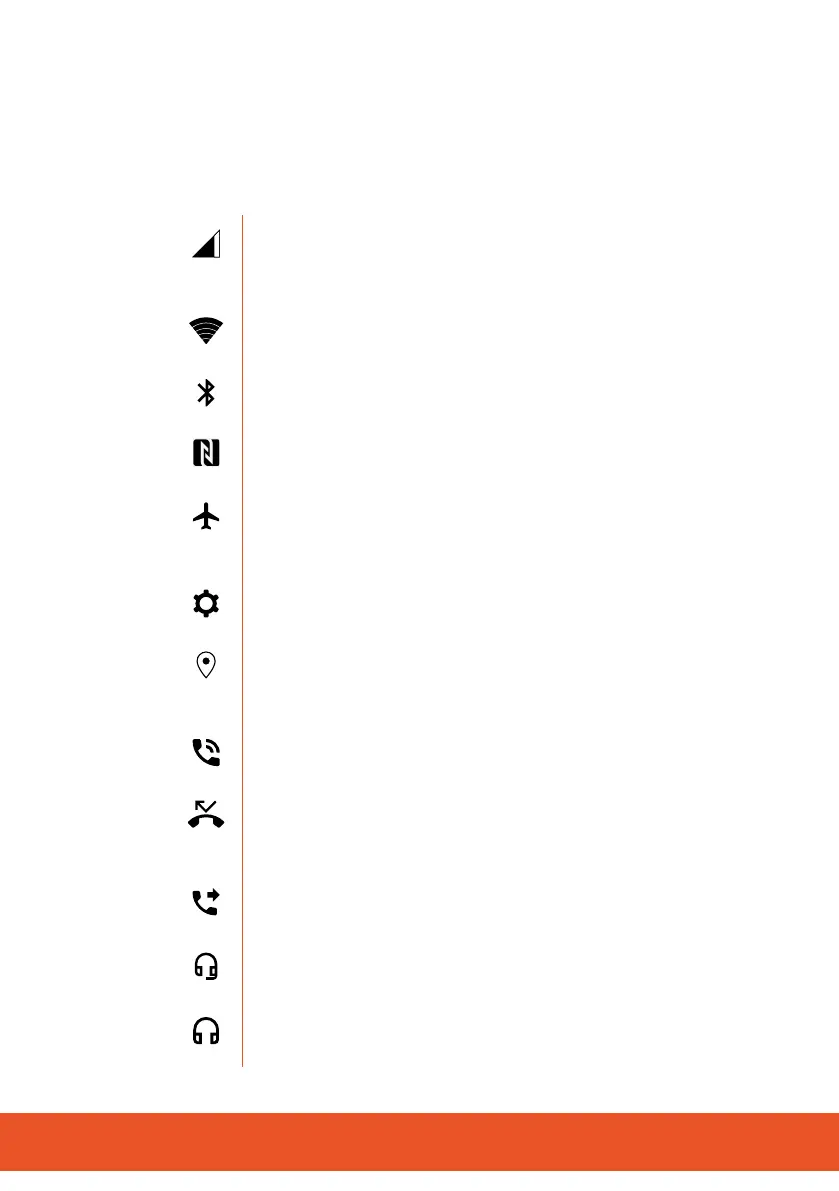
The following overview shows some of the status indicators:
Mobile phone network Indicates the connection
quality of the mobile phone network. More bars =
better connection.
Wi Indicatestheconnectionqualitytothewi(wire-
less network). More bars = better connection.
Bluetooth Indicates whether Bluetooth is switched on
and if a device is connected.
NFC IndicateswhetherNFC(neareldcommunication)
is switched on.
Flight mode/Oine mode Indicates that all com-
municationfunctions(mobilephone,wi,Bluetooth)are
switchedo.
Settings necessary Indicates that certain settings
muststillbedenedinthemobilephone.
GPS Indicates a connection to the global navigation
satellite system for determining your position. Important
for navigation apps.
Call in progress
Indicates that a call is currently in progress.
Missed call
Indicates that one or more phone calls have been
missed .
Call forwarding
Indicates that call forwarding is activated.
Headset (with microphone)
Indicates that a headset is connected.
Headphones (without microphone)
Indicates that headphones have been connected.



 To Next Page