28
Erasing Pictures (One-Frame Erase)
Operating Procedure
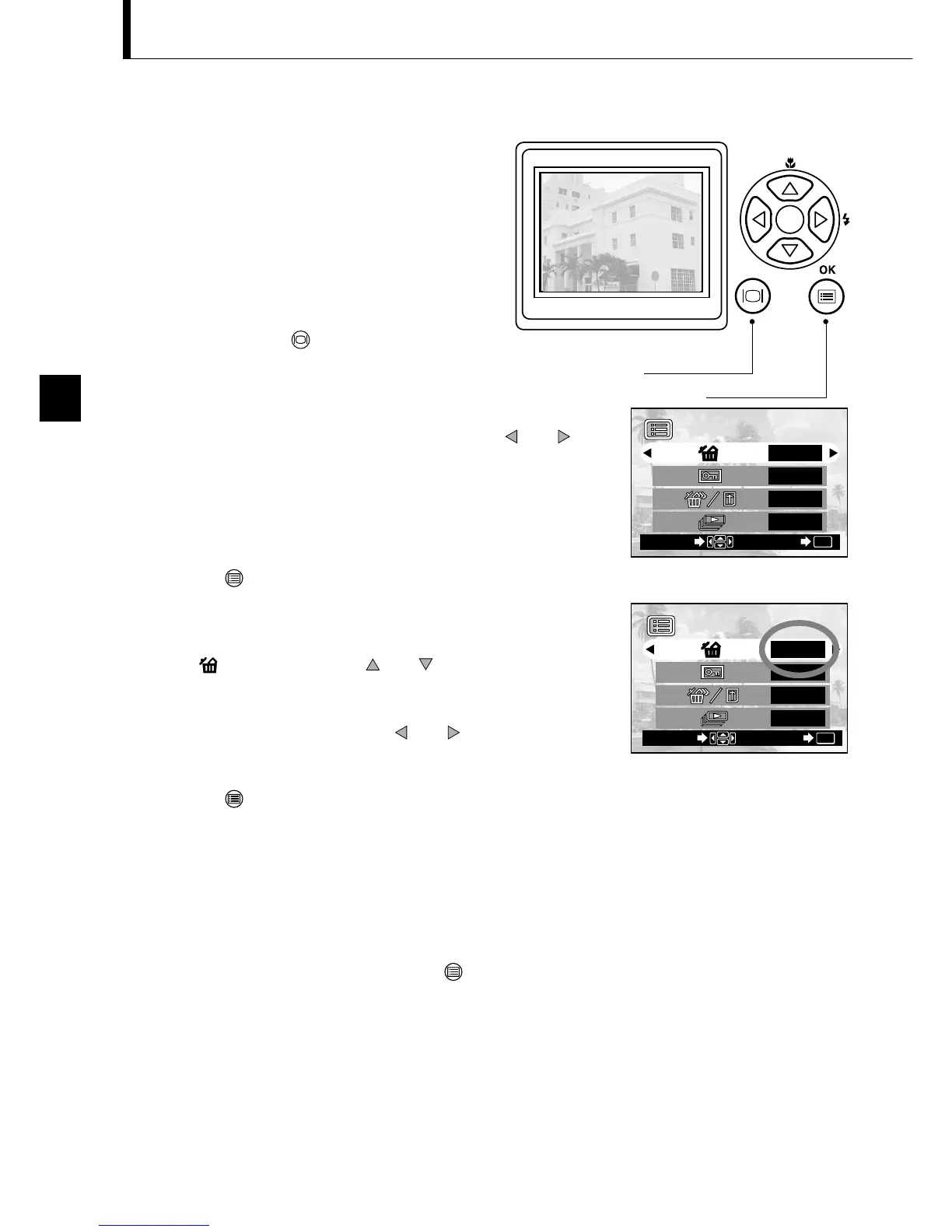
1. Check that the lens barrier is closed and
the camera is set to the Playback mode by
holding down the monitor button for a
moment.
2. Display the frame to erase by pressing the or
arrow pad key.
(The frame can also be selected even when the 4-split or
9-split display is selected.)
3. Press the OK/menu button.
The monitor shows the Playback mode menu 1/3.
4. Select by pressing the or arrow pad key.
5. Select “YES” by pressing the or arrow pad key.
6. Press the OK/menu button.
The selected image is erased.
The orange lamp on the right of the viewfinder blinks
during erasure.
To cancel single-frame erasure:
In step 5, select “NO” and press the OK/menu
button.
You can increase the number of images
that can be stored on the card by
erasing unnecessary images.
Playback mode menu 1/3 screen







 To Next Page