EasyManua.ls Logo

Olympus C-300 ZOOM - User Manual

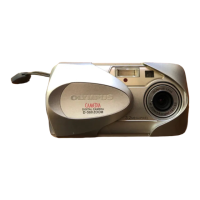
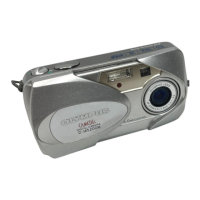
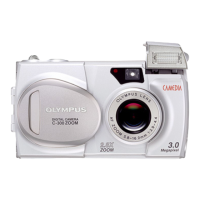
Olympus C-300 ZOOM
178 pages
Print Icon
To Next Page IconTo Next Page
Loading...
DIGITAL CAMERA
C-300 ZOOM
D-550 ZOOM
REFERENCE MANUAL
<Click Here>
Explanation of digital camera functions and operating instructions.
Explanation of how to download images between your digital camera and PC.
DIGITAL CAMERA - PC CONNECTION
OPERATION MANUAL
CAMERA OPERATION MANUAL

Table of Contents

Questions and Answers

  • J
    Jay AdamsJul 28, 2025
    What to do if my Olympus C-300 ZOOM Digital Camera says NO PICtURE?
    • D
      Dr. John WilsonJul 28, 2025
      If your Olympus Digital Camera displays 'NO PICtURE', it means there are no pictures on the card. To resolve this, record pictures onto the card.
  • M
    Megan MillerAug 1, 2025
    What to do if my Olympus C-300 ZOOM displays PICTURE ERROR?
    • A
      Andrea LopezAug 2, 2025
      If your Olympus Digital Camera displays 'PICtURE ERROR', it means that the selected picture cannot be played back on the camera. Try using image processing software on a PC to view the picture. If that doesn't work, the image file may be damaged.
  • B
    brettlandryAug 6, 2025
    What to do if my Olympus C-300 ZOOM Digital Camera says CARD FULL?
    • P
      Phyllis HillAug 6, 2025
      If your Olympus Digital Camera displays 'CARD FULL', it means there is no more empty space on the card to take additional pictures or record new information. To resolve this, you can either replace the card with a new one or erase unwanted pictures from the current card. It's recommended to download important images to a PC before erasing them.
  • J
    John CurtisAug 10, 2025
    Why does my Olympus Digital Camera say CARD ERROR?
    • D
      Dr. David Cummings DVMAug 10, 2025
      A 'CARD ERROR' message on your Olympus Digital Camera indicates that the camera cannot record, play back, or erase pictures on the card. Try wiping the gold contacts with cleaning paper and reinserting the card. If the problem persists, format the card. If formatting fails, the card cannot be used.
  • J
    Jill WebbAug 14, 2025
    How to fix NO CARD error on my Olympus C-300 ZOOM Digital Camera?
    • M
      moorestevenAug 14, 2025
      If your Olympus Digital Camera displays 'NO CARD', it means that the card is either not inserted correctly or cannot be recognized by the camera. To fix this, ensure the card is properly inserted into the camera. If the issue continues, try inserting a different card to see if that resolves the problem.
  • M
    mahoneysamanthaAug 18, 2025
    Why is my Olympus Digital Camera showing WRItE-PROtECt error?
    • A
      afloresAug 19, 2025
      The 'WRItE-PROtECt' error on your Olympus Digital Camera means that writing to the card is prohibited. This is because there is a write-protect seal attached to the card. Remove the write-protect seal from the card to allow writing.
  • B
    Bryan BryantAug 23, 2025
    What to do if Olympus C-300 ZOOM Digital Camera displays CARD%SEtUP POWER%OFF FORMAt SELECt GO?
    • J
      Justin HicksAug 23, 2025
      If your Olympus Digital Camera displays 'CARD%SEtUP POWER%OFF FORMAt SELECt GO', it indicates that the card is not formatted. To resolve this, format the card using the camera's menu options.

Summary

Chapter 1 Getting started

Battery Installation Guide

Provides step-by-step instructions for inserting batteries into the camera.

SmartMedia Card Insertion

Explains how to properly insert a SmartMedia card into the camera.

Chapter 2 Shooting basics

Understanding Shooting Modes

Describes the various shooting modes available for different scenarios.

Capturing Still Images

Provides instructions on how to take still photographs using viewfinder/monitor.

Troubleshooting Focus Issues

Offers solutions when the camera fails to achieve correct focus.

Chapter 4 Adjusting the image quality and exposure

Image Quality and Size Settings

Explains how to select image quality and resolution (Record mode).

Chapter 5 Playback

Viewing Still Pictures

Instructions on how to play back still images on the camera monitor.

Chapter 6 Useful functions

Formatting the Memory Card

Guides on preparing the memory card for use by formatting it.

Chapter 8 Troubleshooting

Camera Error Code Reference

Lists error codes, their possible causes, and corrective actions.

Troubleshooting Operation Errors

Provides solutions for issues like camera not responding.

Troubleshooting Image Quality Issues

Offers solutions for problems like pictures being too bright or dark.

Olympus C-300 ZOOM Specifications

General IconGeneral
Camera TypeCompact
Sensor TypeCCD
Effective Pixels3.2 MP
Optical Zoom3x
Digital Zoom2.5x
ISO Range100 - 400
Image Sensor1/2.7-inch CCD
ApertureF2.8 - F4.9
LCD Screen Size1.8"
Storage MediaSmartMedia
Battery Type2 x AA

Related product manuals