5
40
8
9
Formatting the Recorder (FORMAT)
8
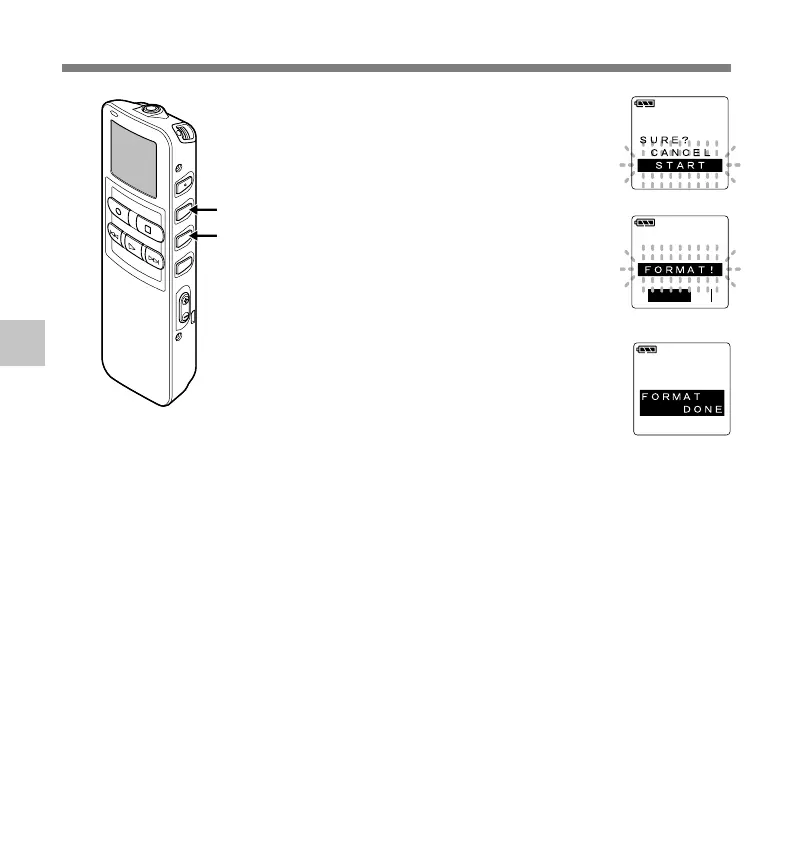
Press the 3 button again to
choose “START”.
“START” is flashing. When the 2button
is pressed, it will return to the flashing
display of “CANCEL”.
9
Press the MENU/SET button
again.
Formatting begins and an indicator
flashes on the display.
“FORMAT DONE” displays when formatting
ends.
{
....................................................................................................................................................
Notes
• Never format the recorder from a PC.
• When the recorder is formatted, all the stored data, including locked files, are erased.
• After formatting, the first file name is 0001.
• While formatting, do not remove the batteries. It may take 10 seconds or more for the erasing to end.
Formatting the Recorder (FORMAT)



 To Next Page