46
5
Running DSS Player
By default, connecting the recorder to your PC, will start the application automatically.
Disabling automatic start
1
Right click the Device Detector icon in the System Tray in the lower right-hand
corner of the screen, then select “Select startup application”.
2
Cick [DSS Player].
The check mark on [DSS Player Pro] disappears.
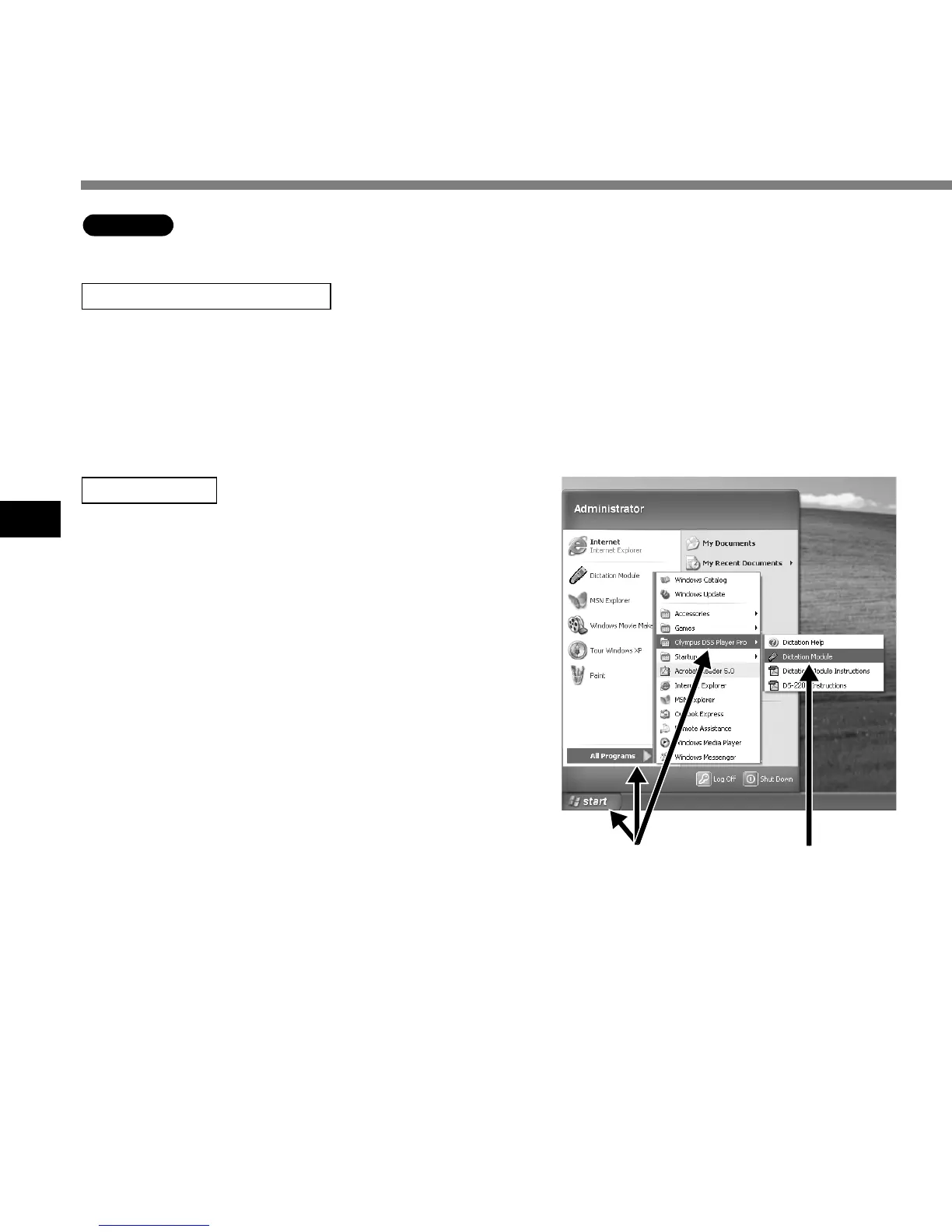
Manual start
1
Start Windows.
2
Click the [Start] button, then select [All
Programs].
All program menu will be displayed.
3
Select [Olympus DSS Player Pro], then
click [Dictation Module].
.................................................................................................................................................................
Note
If you connect the recorder before installing DSS Player, the “Add New Hardware Wizard” dialog box will
open. If this happens, click [Cancel] to exit the wizard, then install DSS Player software.
Running DSS Player
Windows
2 3



 To Next Page