53
1
Start your Macintosh.
2
Connect the recorder to your
PC.
For cable connection instructions, see
“Connecting to Your PC”. (☞ P.50)
3
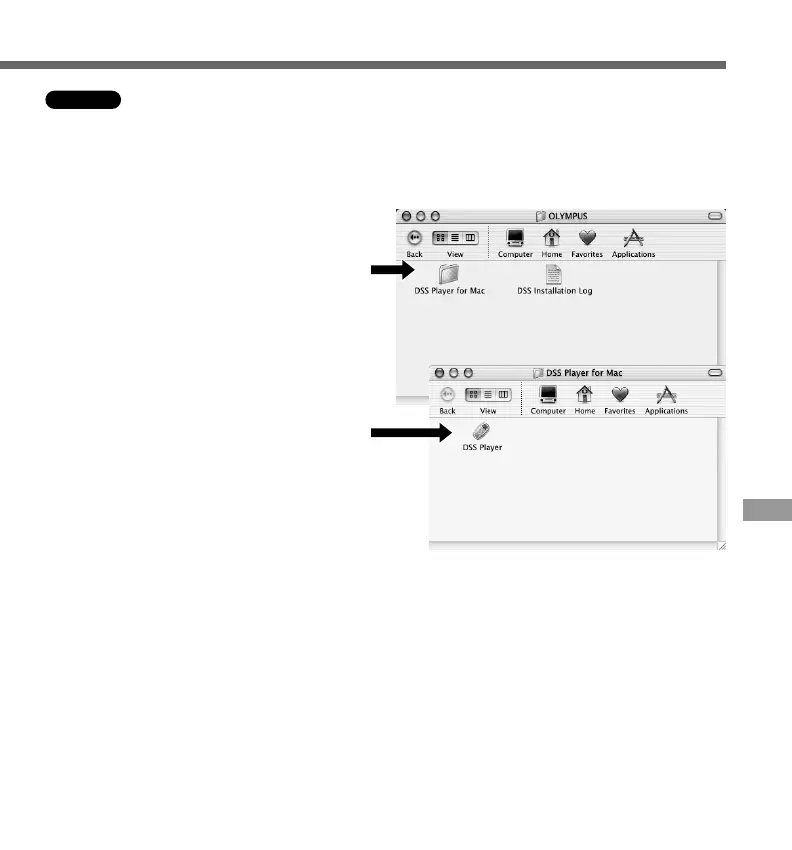
Double-click the DSS Player
for Mac folder.
The DSS Player for Mac folder opens.
4
Double-click DSS Player.
DSS Player for Mac launches.
To start DSS Player for Mac, follow these steps:
It is assumed that DSS Player for Mac has been installed. For installation instructions,
see Installing DSS Player for Mac. (☞ P.46)
Macintosh
Running DSS Player
3
4



 To Next Page