56
Menu Setting
4
2 3 button
9 0 button
`/
OK
button
MENU
button
Files saved in the built-in memory or the SD card
can be moved or copied within the memory. Files
can also be moved or copied between memory.
1
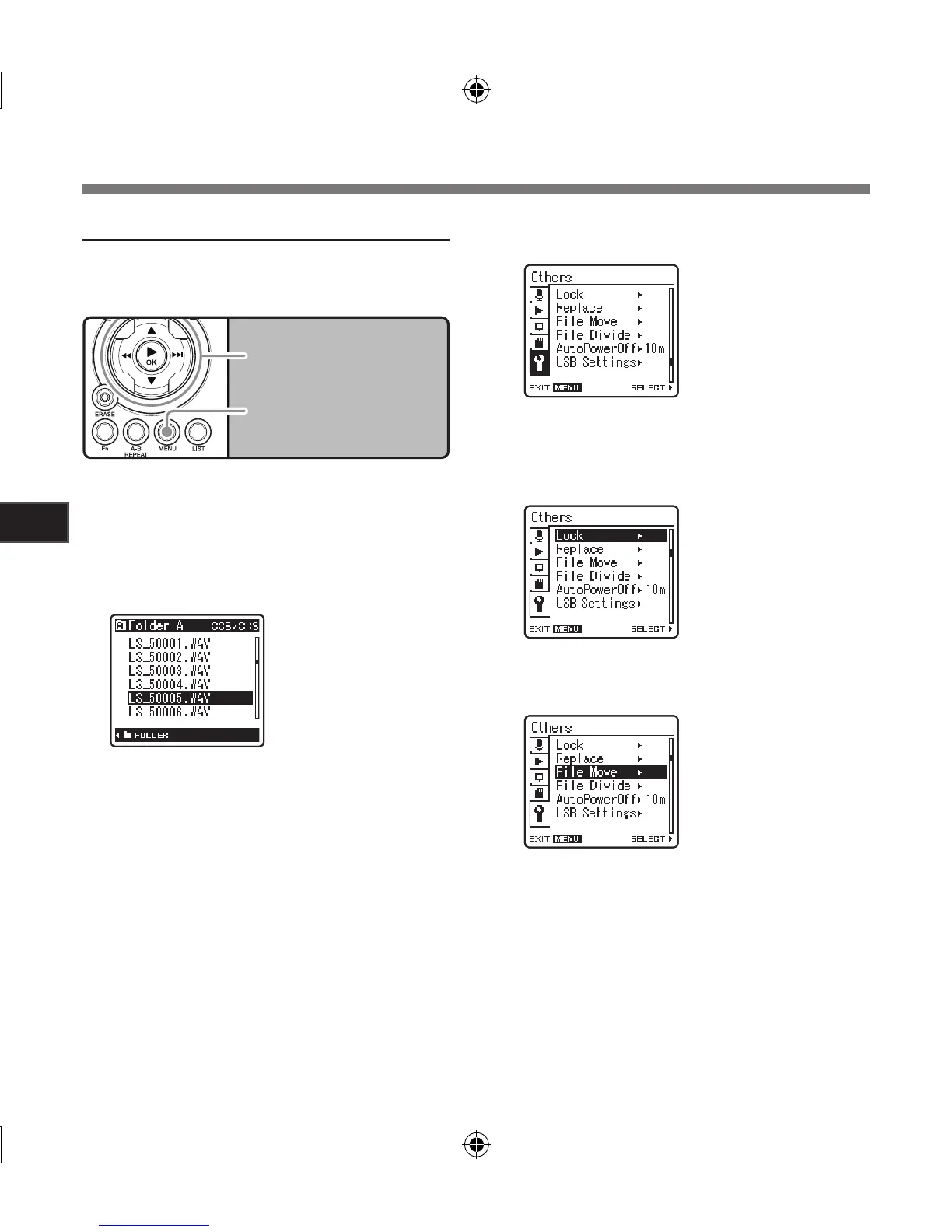
Select the folder where the file you
want to move or copy is saved.
2
In the File list display, press the 2 or
3 button to select the file you want to
move or copy.
5
Press the `/
OK
or 9 button to move
the cursor to the item to set.
4
Press the 2 or 3 button to select
[
Others
] tab.
• You can change the menu display by mov-
ing the settings tab cursor.
[Others] will appear on
the display
6
Press the 2 or 3 button to select
[
File Move
].
3
While the recorder is during stop
mode, press the
MENU
button.
• The menu will appear on the display (☞
P.41).
• In the File display, press the
9 or 0
button to select a file.
Menu Setting Method]
Moving Files [File Move]



 To Next Page