EasyManua.ls Logo

Olympus SZX12 - User Manual

Olympus SZX12
34 pages
Print Icon
To Next Page IconTo Next Page
Loading...
INSTRUCTIONS
SZX
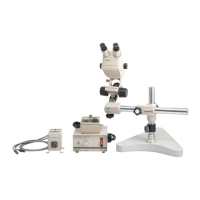
RESEARCH STEREOMICROSCOPE
SYSTEM
This instruction manual is for the Olympus SZX Research Stereomicroscope System. To ensure the
safety, obtain optimum performance and to familiarize yourself fully with the use of this microscope,
we recommend that you study this manual thoroughly before operating the microscope. Retain this
instruction manual in an easily accessible place near the work desk for future reference.
A X 7 1 6 8
SZX9/12
SZX-EPA
SZX-AS
SZX-R
SZX-2RE
SZX-STAD1
SZX-STAD2
SZH-STAD1

Questions and Answers

  • A
    Amy RayAug 13, 2025
    How to remove dust visible in the field of view of Olympus SZX12 Microscope?
    • E
      ewatsonAug 13, 2025
      If dust is visible in the field of view, check if there is dust on the specimen and remove it. Also, check the eyepiece for dust and remove it.
  • S
    Sara BrownAug 17, 2025
    Why is the field of view cut off or unevenly illuminated on my Olympus Microscope?
    • R
      ryanwhitneyAug 17, 2025
      The field of view may be cut off or unevenly illuminated because the aperture iris diaphragm is stopped down excessively. To fix this, open the aperture. Also, check if the observation tube and intermediate attachment are not correctly mounted; if so, mount them correctly. For SZX-TR30 models, ensure the light path selector knob is correctly set to the desired position.
  • B
    Barbara Boyer MDAug 20, 2025
    What to do if the image is not sharp on Olympus Microscope?
    • P
      Paula GarrettAug 21, 2025
      If the image appears unsharp or lacks sufficient contrast, make sure the objective is correctly mounted until it stops. Also, check the objective front lens for dust and clean the lens surface if necessary.
  • F
    fbartonAug 25, 2025
    How to fix incomplete binocular vision on Olympus SZX12 Microscope?
    • E
      eatonjonathanAug 26, 2025
      Incomplete binocular vision can occur if the interpupillary distance is not correctly adjusted; adjust it correctly. It may also happen if the diopter adjustment is incomplete; complete the diopter adjustment. Finally, ensure that you are using a pair of matched eyepieces.
  • H
    Heather HardingAug 28, 2025
    What to do if specimen image blurs when zoom magnification is changed on Olympus SZX12?
    • P
      Pamela AdamsAug 28, 2025
      If the specimen image blurs when the zoom magnification is changed, the diopter ring may not be correctly adjusted. Adjust it correctly. Also, ensure that the specimen is in complete focus; focus the specimen correctly at a high magnification.
  • J
    John MartinezSep 1, 2025
    Why is there excessive image contrast on my Olympus SZX12?
    • G
      Grace DiazSep 1, 2025
      Excessive image contrast can occur if the aperture is stopped down excessively, especially when using the built-in aperture iris diaphragm and SZX-AS. To resolve this, open the aperture to the proper diameter.
  • K
    Kimberly WestSep 5, 2025
    What to do if coarse focus adjustment knobs rotate with too much resistance on Olympus SZX12?
    • S
      Shawn PattersonSep 5, 2025
      If the coarse focus adjustment knobs rotate with too much resistance, the tension adjustment ring may be too tight. Loosen it properly.
  • K
    Kathy GordonSep 9, 2025
    Why does the zoom microscope body drop or specimen go out of focus during observation with my Olympus Microscope?
    • P
      Phillip PaulSep 9, 2025
      If the zoom microscope body drops or the specimen goes out of focus during observation, the tension adjustment ring may be too loose. Tighten it properly.

Summary

Safety Precautions

General Safety Precautions

Important safety warnings for microscope operation and handling.

Getting Ready

Microscope Handling and Environment

Guidelines for careful handling and suitable operating environments.

Maintenance and Storage

Cleaning and Component Care

Procedures for cleaning optical and non-optical components.

Disassembly and Storage

Warnings against disassembly and advice on storage.

Caution

Warning Symbols and Meanings

Explanation of symbols used to indicate warnings and commentary.

Nomenclature

Microscope Components Overview

Identification and listing of major microscope parts and their models.

Assembly

Assembly Diagram

Diagram showing the order of microscope module assembly.

Detailed Assembly Procedure

Step-by-step instructions for assembling microscope components.

Mounting the Microscope Body

Procedure for attaching the microscope body to the focusing assembly.

Mounting the Objective

Steps for screwing the objective onto the objective mount thread.

Mounting the Observation Tube

Guide to attaching the observation tube to the microscope body.

Mounting the Eyepiece

Instructions for inserting and securing eyepieces into the microscope.

Mounting (Removing) the Stage Plate

How to place and remove the stage plate on the microscope base.

Mounting the Specimen Holder

Inserting the specimen holder into the base holes.

Positioning the Microscope Body on the Stand

Aligning the microscope body for proper observation.

Controls

Control Panel Overview

Identification and function of various microscope controls and indicators.

Summary of Observation Procedure

Preparation for Observation

Steps to take before starting microscope observation.

Observation Procedure Steps

Steps for focusing and observing a specimen.

Using the Controls

Base and Stage Plate Usage

Using the stage plate and placing the specimen on the microscope base.

Focusing Assembly Adjustments

Adjusting the tension of the coarse focus adjustment knob.

Zooming Knob Click Stop Function

Controlling the click stop function for the zooming knob.

Aperture Iris Diaphragm Adjustment

Adjusting the diaphragm for contrast and depth of focus.

Magnification Indicator Ring Usage

Mounting and using magnification indicator rings.

Auxiliary Objective Operation

Instructions for using the 2.5X auxiliary objective.

Observation Tube Adjustments

Adjusting interpupillary distance and diopter settings.

Interpupillary Distance Adjustment

Adjusting the distance between eyepieces for comfortable viewing.

Diopter Adjustment (Zoom Parfocal)

Adjusting diopter for sharp focus with both eyes.

Eye Shade Usage

Proper use of eye shades for comfortable observation.

Eyepiece Micrometer Usage

Inserting and using eyepiece micrometers for measurement.

Light Path Selection

Selecting light paths for different observation types.

Observation Tube Tilt Adjustment

Adjusting the observation tube for comfortable viewing angle.

TV Observation and Photomicrography Setup

Setting up for TV observation and photomicrography.

TV Adapter Magnification and Mounting

Setting TV adapter magnification and attaching it.

TV Camera Light Path Selection

Choosing the light path for TV camera and photo.

Specifications

Objective Specifications

Specifications for various microscope objectives including WD and PF.

Eyepiece Specifications

Specifications for eyepieces including fields of view and adjustments.

Operating Environment Requirements

Recommended environmental conditions for microscope operation.

Troubleshooting Guide

Common Microscope Problems and Solutions

List of common issues and their remedies for microscope operation.

Operation of Other Attachments

Eyepoint Adjuster SZX-EPA Installation

Assembly and use of the SZX-EPA eyepoint adjuster.

AS Unit SZX-AS Operation

Assembly and use of the SZX-AS unit and its aperture iris diaphragm.

Drop Prevention Collar and Auxiliary Pillar

Mounting and operation of drop prevention collar and auxiliary pillar.

Revolving Nosepiece SZX-2 RE Installation

Assembly and operation of the SZX-2RE revolving nosepiece.

BX Stage Adapter Type 1 SZX-STAD1

Introduction and mountable bases for SZX-STAD1 stage adapter.

Stage Adapter Type 1 Introduction

Purpose and compatibility of the BX stage adapter type 1.

Stage Adapter Mountable Bases and Restrictions

Usable objectives and restrictions for the stage adapter.

BX Stage Adapter Type 2 SZX-STAD2

Introduction and assembly of the BX stage adapter type 2.

Stage Adapter Type 2 Introduction

Purpose and compatibility of the BX stage adapter type 2.

Stage Adapter Type 2 Assembly

Steps for assembling the BX stage adapter type 2.

Simplified Transmitted Light Observation

Procedure for observation using external light source.

Stage Adapter Caution

Warnings related to transmitted light observation.

Stage Adapter Type 1 SZH-STAD1

Functionality and compatibility of the SZH-STAD1 stage adapter.

Olympus SZX12 Specifications

General IconGeneral
BrandOlympus
ModelSZX12
CategoryMicroscope
LanguageEnglish

Related product manuals