EasyManua.ls Logo

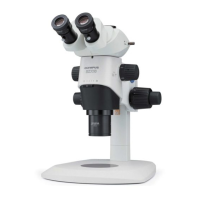
Olympus SZX16 - User Manual

Olympus SZX16
40 pages
Print Icon
To Next Page IconTo Next Page
Loading...
INSTRUCTIONS
This instruction manual is for the Olympus SZX16 Research High-Class Stereo Microscope System.
To ensure the safety, obtain optimum performance and to familiarize yourself full with the use of this
microscope, we recommend that you study this manual thoroughly before operating the microscope.
Retain this instruction manual in an easily accessible place near the work desk for future reference.
For details of products included in the configuration of this system, see “1 NOMENCLATURE” (P. 4)
and “9 OPERATION OF OTHER MODULES” (P. 22).
RESEARCH HIGH-CLASS STEREO
MICROSCOPE
SZX16
Optical Microscope and Accessory
Downloaded from ManualsNet.com search engine

Other manuals for Olympus SZX16

Questions and Answers

  • K
    karaschneiderSep 4, 2025
    How to fix solid details in the image of my Olympus SZX16 Microscope?
    • R
      Ryan BeasleySep 4, 2025
      If the details of the observed image appear solid on your Olympus Microscope, the aperture iris diaphragm is likely stopped down excessively. Open the aperture to a proper diameter.
  • T
    Tyler PriceSep 18, 2025
    Why does my Olympus Microscope body drop spontaneously?
    • J
      Jordan DuffySep 18, 2025
      If the microscope body drops spontaneously, causing the focusing to be deviated during observation with your Olympus Microscope, it could be that the rotation tension of the coarse focus adjustment knob is set too low. Increase the rotation tension to an optimum level. Another potential reason is that the weight exceeded 10 kg. Use a focusing assembly withstanding heavy loads (SZX2-FOF: 2.7 to 15 kg. SZX2-FOFH: 8 to 25 kg.)
  • T
    Tyler WallaceSep 16, 2025
    Why are details of observed image solid on my Olympus SZX16 Microscope?
    • J
      Julie WatersSep 16, 2025
      If the details of the observed image appear solid on your Olympus Microscope, it's likely that the aperture iris diaphragm is stopped down excessively. To correct this, open the aperture to a proper diameter.
  • J
    Jeffrey McintyreSep 14, 2025
    What to do if the monitor image is cut off on my Olympus Microscope?
    • J
      John RoseSep 14, 2025
      If the monitor image is cut off partially on your Olympus Microscope, the light path selector knob might be pulled out incompletely. Ensure that you pull it out all the way.
  • C
    Carla HillSep 12, 2025
    Why don't the left and right fields of view coincide on my Olympus SZX16 Microscope?
    • D
      Dalton McgrathSep 12, 2025
      If the left and right fields of view do not coincide on your Olympus Microscope, it might be because the interpupillary distance is adjusted improperly. Adjust it correctly. Another possible cause is that the diopter is adjusted incorrectly, so adjust it correctly. Also, ensure you are using a pair of matched eyepieces, as using different ones can cause this issue.
  • J
    Jennifer ThomasSep 12, 2025
    What to do if the field of view is partially obscured on Olympus Microscope?
    • P
      Pedro FlemingSep 12, 2025
      If the field of view is obscured partially or illuminated unevenly on your Olympus Microscope, it could be because the aperture iris diaphragm is stopped down excessively. Open the aperture iris diaphragm. Another reason might be that the trinocular observation tube and/or intermediate attachments are installed improperly; in this case, mount them properly. Lastly, check if the light path selector knob is in an intermediate position and set it correctly to the desired position.
  • C
    coreyhughesSep 9, 2025
    Why does zooming cause defocusing on my Olympus Microscope?
    • D
      Dennis RileySep 9, 2025
      If zooming causes defocusing of the observed image on your Olympus Microscope, it could be due to the eyepiece diopter being adjusted improperly. Adjust it correctly. Another potential cause is inaccurate focus adjustment, so adjust the focus at a high magnification.
  • R
    Robert JohnsonSep 7, 2025
    Why is the image on my Olympus Microscope not sharp?
    • W
      weisstaylorSep 7, 2025
      If the visibility of the observed image is poor, the image isn't sharp, or the contrast is insufficient on your Olympus Microscope, there might be a few reasons. First, check if the objective is tilted and screw it in correctly until it stops. Also, the objective could be dirty, so clean it thoroughly. The top and/or bottom lenses of the microscope body may also be dirty.
  • J
    Joseph BaldwinSep 5, 2025
    Why is the monitor image cut off on my Olympus SZX16 Microscope?
    • T
      Tommy JordanSep 5, 2025
      If the monitor image is cut off partially when using your Olympus Microscope, the light path selector knob may not be pulled out completely. Ensure you pull it out all the way.
  • J
    Justin RubioAug 20, 2025
    How to remove dust from the Olympus SZX16 field of view?
    • P
      perryamberAug 20, 2025
      If you notice dirt or dust in the field of view of your Olympus Microscope, the most likely cause is contamination on the specimen itself or on the eyepiece. To resolve this, thoroughly clean the specimen and the eyepiece.

Summary

IMPORTANT

SAFETY PRECAUTIONS

Provides crucial safety guidelines for microscope operation, handling, and stability.

Getting Ready

Maintenance, Storage, and Cautions

NOMENCLATURE

CONTROLS

Focusing and Magnification Controls

Covers adjustment knobs for focus, tension, clamping, zoom, and click stop functions.

Observation Adjustment Controls

Includes diopter adjustment, interpupillary distance, and aperture iris diaphragm.

SUMMARY OF OBSERVATION PROCEDURE

Preparation and Observation Steps

Lists pre-observation checks and details the step-by-step process for observing a specimen.

USING THE CONTROLS

Base and Focusing Assembly Operations

Covers using the stage plate, placing specimens, and adjusting focus knob tension.

Zoom Click Stop and Aperture Diaphragm Adjustment

Explains zoom click stop function and aperture iris diaphragm adjustment.

Magnification Indication and Objective Collar Use

Details reading magnification and using the 2X objective collection collar.

Observation Tube Adjustments

Covers interpupillary distance and diopter adjustments for the observation tube.

Eyepiece Accessories: Eye Shades and Micrometer Disks

Instructions for using eye shades and mounting eyepiece micrometer disks.

Light Path Selection and Tilt Adjustment

Describes choosing light paths and adjusting the observation tube tilt.

Camera Observation and Photomicrography

Camera Setup and Light Path Configuration

Covers selecting adapter magnification, mounting the camera, and setting the light path.

TROUBLESHOOTING GUIDE

SPECIFICATIONS

Objective and Eyepiece Specifications

Details specifications for various objectives and eyepieces.

Operating Environment Specifications

Specifies the recommended ambient conditions for microscope use.

OBSERVATION MAGNIFICATIONS AND OBSERVATION AREAS

ASSEMBLY

Assembly Diagram

Illustrates the order of assembly for microscope modules.

Pillar and Focusing Assembly Installation

Detailed steps for installing the pillar and the focusing assembly.

Microscope Body and Objective Mounting

Instructions for attaching the microscope body and mounting the objective lens.

Observation Tube Mounting

Guide on attaching the observation tube to the microscope body.

Eyepiece, Stage Plate, and Specimen Holder Installation

Covers mounting eyepieces, stage plate, and specimen holder.

Microscope Body Positioning on Stand

How to correctly position and clamp the microscope body onto the stand.

OPERATION OF OTHER MODULES

Drop Prevention Collar and Auxiliary Pillar

Details the assembly and operation of these safety and positioning accessories.

Revolving Nosepiece Assembly and Operation

Instructions for assembling and operating the revolving nosepiece.

Revolving Nosepiece Operation and Photomicrography Alignment

Explains operating the nosepiece and aligning for photomicrography.

Revolving Nosepiece Cautions

Important warnings regarding handling and compatibility of the revolving nosepiece.

BX Stage Adapter Type 1 Installation

Instructions for installing the stage adapter onto the base.

BX Stage Adapter Type 2 Installation

Guide for installing the BX Stage Adapter Type 2 onto the large stand.

Simplified Transmitted Light Observation Setup

Describes how to set up and perform simplified transmitted light observation.

Stage Adapter Type 1 SZH-STAD1 Installation

Instructions for attaching the SZH-STAD1 adapter to a compatible stage.

Gliding Stage SZH-SG Installation and Operation

Details the external view, installation, and operation of the gliding stage.

Cup Stage SZH-SC Installation

Instructions for installing the cup stage for reflected light illumination.

Cup Stage SZH-SC Operation

How to place a specimen and tilt the cup stage for observation.

Olympus SZX16 Specifications

General IconGeneral
Zoom Ratio16.4:1
Observation TubeBinocular or trinocular
Eyepiece Tube Diameter30 mm
TypeStereo Microscope
Optical SystemGreenough
Maximum Numerical Aperture (NA)0.3
IlluminationTransmitted and Reflected Light (various options available)
Camera CompatibilityYes (via trinocular port)
Interpupillary Distance Adjustment52 - 76 mm
Stand TypeVarious options available (e.g., SZX2-STL, SZX-ST)
Diopter Adjustment±5 diopters

Related product manuals