EasyManua.ls Logo

Olympus SZX16 - User Manual

Olympus SZX16
40 pages
Print Icon
To Next Page IconTo Next Page
Loading...
INSTRUCTIONS
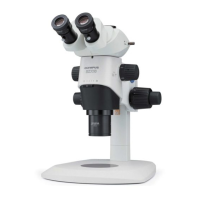
This instruction manual is for the Olympus SZX16 Research High-Class Stereo Microscope System.
To ensure the safety, obtain optimum performance and to familiarize yourself full with the use of this
microscope, we recommend that you study this manual thoroughly before operating the microscope.
Retain this instruction manual in an easily accessible place near the work desk for future reference.
For details of products included in the configuration of this system, see “1 NOMENCLATURE” (P. 4)
and “9 OPERATION OF OTHER MODULES” (P. 22).
RESEARCH HIGH-CLASS STEREO
MICROSCOPE
SZX16
Optical Microscope and Accessory
Downloaded from ManualsNet.com search engine

Other manuals for Olympus SZX16

Questions and Answers

  • S
    Stacy MortonSep 2, 2025
    What causes my Olympus SZX16 Microscope to drop spontaneously?
    • W
      Wendy DixonSep 2, 2025
      If your Olympus Microscope body drops spontaneously, causing focusing deviations during observation, it could be due to a couple of reasons. The rotation tension of the coarse focus adjustment knob might be set too low; increase it to an optimum level. Also, if the weight on the microscope exceeds 10 kg, use a focusing assembly withstanding heavy loads (SZX2-FOF: 2.7 to 15 kg. SZX2-FOFH: 8 to 25 kg).
  • D
    davisvictoriaAug 31, 2025
    Why does the image on my Olympus SZX16 go out of focus when I zoom?
    • S
      Steven PetersAug 31, 2025
      If zooming causes defocusing of the observed image on your Olympus Microscope, it might be because the eyepiece diopter is adjusted improperly. Adjust it correctly. Additionally, the focus adjustment may be inaccurate, so try adjusting the focus at a high magnification.
  • V
    Virginia JohnsonAug 29, 2025
    What to do if the field of view is dark on my Olympus SZX16 Microscope?
    • M
      Michelle HarrellAug 29, 2025
      A partially obscured or unevenly illuminated field of view in your Olympus Microscope can occur if the aperture iris diaphragm is stopped down excessively. Open the aperture iris diaphragm to allow more light. Also, make sure that the trinocular observation tube and/or intermediate attachments are mounted properly. Lastly, confirm that the light path selector knob is set correctly to the desired position, not in an intermediate one.
  • C
    Craig HudsonAug 27, 2025
    Why don't the left and right fields of view align on my Olympus SZX16 Microscope?
    • J
      James GarciaAug 28, 2025
      If the left and right fields of view don't coincide in your Olympus Microscope, it could be due to a few reasons. First, check the interpupillary distance and ensure it's correctly adjusted. Next, verify the diopter is properly adjusted. Finally, make sure you are using a matched pair of eyepieces.
  • P
    Pam FloresAug 26, 2025
    Why is the image blurry and has poor contrast on my Olympus SZX16 Microscope?
    • C
      Curtis MorrisAug 26, 2025
      Poor image visibility, lack of sharpness, or insufficient contrast in your Olympus Microscope can be due to several factors. First, ensure the objective is correctly screwed in. If it's already secured, the objective might be dirty, requiring thorough cleaning. Also, check if the top and bottom lenses of the microscope body or the bottom lens of the observation tube are dirty.
  • J
    Joann RobinsonAug 25, 2025
    Why doesn't the coarse focus adjustment knob rotate smoothly on my Olympus Microscope?
    • P
      Peter PetersonAug 25, 2025
      If the coarse focus adjustment knob does not rotate smoothly on your Olympus Microscope, the rotation tension of the knob might be set too high. Decrease the rotation tension to an optimum level.
  • J
    jasonmoralesAug 22, 2025
    Why is the focus knob hard to turn on my Olympus SZX16?
    • E
      Eric ChenAug 22, 2025
      If the coarse focus adjustment knob on your Olympus Microscope does not rotate smoothly, the rotation tension of the knob may be set too high. Decrease the rotation tension to an optimum level.

Summary

IMPORTANT

SAFETY PRECAUTIONS

Provides crucial safety guidelines for microscope operation, handling, and stability.

Getting Ready

Maintenance, Storage, and Cautions

NOMENCLATURE

CONTROLS

Focusing and Magnification Controls

Covers adjustment knobs for focus, tension, clamping, zoom, and click stop functions.

Observation Adjustment Controls

Includes diopter adjustment, interpupillary distance, and aperture iris diaphragm.

SUMMARY OF OBSERVATION PROCEDURE

Preparation and Observation Steps

Lists pre-observation checks and details the step-by-step process for observing a specimen.

USING THE CONTROLS

Base and Focusing Assembly Operations

Covers using the stage plate, placing specimens, and adjusting focus knob tension.

Zoom Click Stop and Aperture Diaphragm Adjustment

Explains zoom click stop function and aperture iris diaphragm adjustment.

Magnification Indication and Objective Collar Use

Details reading magnification and using the 2X objective collection collar.

Observation Tube Adjustments

Covers interpupillary distance and diopter adjustments for the observation tube.

Eyepiece Accessories: Eye Shades and Micrometer Disks

Instructions for using eye shades and mounting eyepiece micrometer disks.

Light Path Selection and Tilt Adjustment

Describes choosing light paths and adjusting the observation tube tilt.

Camera Observation and Photomicrography

Camera Setup and Light Path Configuration

Covers selecting adapter magnification, mounting the camera, and setting the light path.

TROUBLESHOOTING GUIDE

SPECIFICATIONS

Objective and Eyepiece Specifications

Details specifications for various objectives and eyepieces.

Operating Environment Specifications

Specifies the recommended ambient conditions for microscope use.

OBSERVATION MAGNIFICATIONS AND OBSERVATION AREAS

ASSEMBLY

Assembly Diagram

Illustrates the order of assembly for microscope modules.

Pillar and Focusing Assembly Installation

Detailed steps for installing the pillar and the focusing assembly.

Microscope Body and Objective Mounting

Instructions for attaching the microscope body and mounting the objective lens.

Observation Tube Mounting

Guide on attaching the observation tube to the microscope body.

Eyepiece, Stage Plate, and Specimen Holder Installation

Covers mounting eyepieces, stage plate, and specimen holder.

Microscope Body Positioning on Stand

How to correctly position and clamp the microscope body onto the stand.

OPERATION OF OTHER MODULES

Drop Prevention Collar and Auxiliary Pillar

Details the assembly and operation of these safety and positioning accessories.

Revolving Nosepiece Assembly and Operation

Instructions for assembling and operating the revolving nosepiece.

Revolving Nosepiece Operation and Photomicrography Alignment

Explains operating the nosepiece and aligning for photomicrography.

Revolving Nosepiece Cautions

Important warnings regarding handling and compatibility of the revolving nosepiece.

BX Stage Adapter Type 1 Installation

Instructions for installing the stage adapter onto the base.

BX Stage Adapter Type 2 Installation

Guide for installing the BX Stage Adapter Type 2 onto the large stand.

Simplified Transmitted Light Observation Setup

Describes how to set up and perform simplified transmitted light observation.

Stage Adapter Type 1 SZH-STAD1 Installation

Instructions for attaching the SZH-STAD1 adapter to a compatible stage.

Gliding Stage SZH-SG Installation and Operation

Details the external view, installation, and operation of the gliding stage.

Cup Stage SZH-SC Installation

Instructions for installing the cup stage for reflected light illumination.

Cup Stage SZH-SC Operation

How to place a specimen and tilt the cup stage for observation.

Olympus SZX16 Specifications

General IconGeneral
Zoom Ratio16.4:1
Observation TubeBinocular or trinocular
Eyepiece Tube Diameter30 mm
TypeStereo Microscope
Optical SystemGreenough
Maximum Numerical Aperture (NA)0.3
IlluminationTransmitted and Reflected Light (various options available)
Camera CompatibilityYes (via trinocular port)
Interpupillary Distance Adjustment52 - 76 mm
Stand TypeVarious options available (e.g., SZX2-STL, SZX-ST)
Diopter Adjustment±5 diopters

Related product manuals