32
3.6 Inspection of ancillary equipment
TB-0545PC/IC/FC, TB-0535PC/IC/FC, TB-0520IC, TB-0510IC
INSTRUCTION MANUAL
Ch.3
When the high frequency output activated for a long time (more than 15 seconds)
the SEAL incomplete error is occur, but the THUNDERBEAT doesn’t have any
problem. Because it is normal.
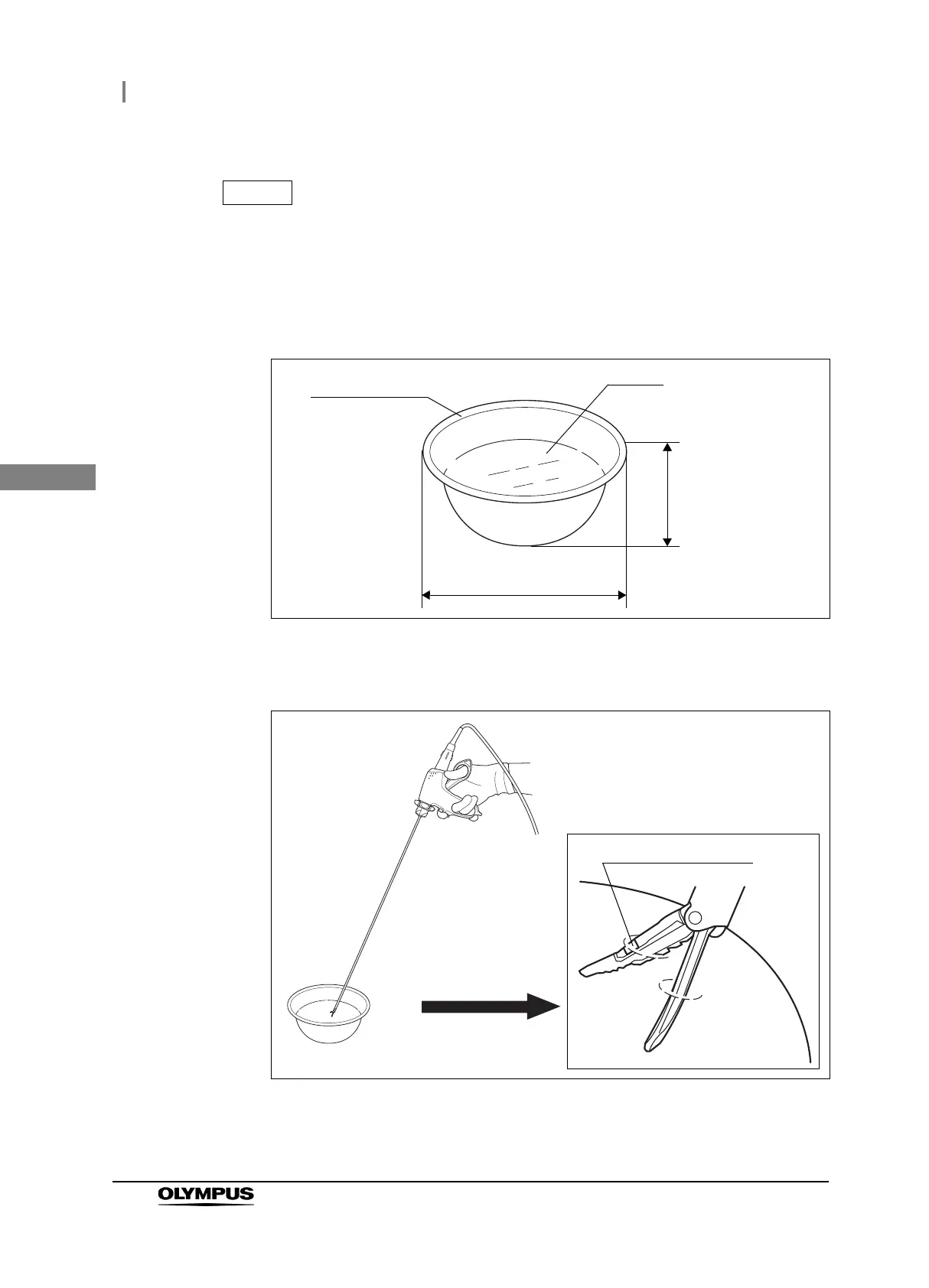
1 Prepare a sterile container (like a bowl) with dimensions similar to those shown in
Figure 3.10. Fill it with saline.
Figure 3.10
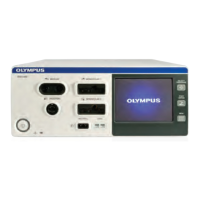
2 Open the grasping section completely and submerge only the distal half of the
grasping section (different color area) and the probe tip in saline (see Figures 3.11).
Figure 3.11
3 Press and hold the SEAL button (blue) of the handswitch or the SEAL pedal (right
pedal: blue) of the footswitch for the high-frequency (RF bipolar) output.
Saline
Depth: more than
5 cm.
Sterile container
Diameter: more than 10 cm.







 To Next Page