EasyManua.ls Logo

Olympus U-25ND25 - User Manual

Olympus U-25ND25
42 pages
Print Icon
To Next Page IconTo Next Page
Loading...
INSTRUCTIONS
A X 9 9 4 8
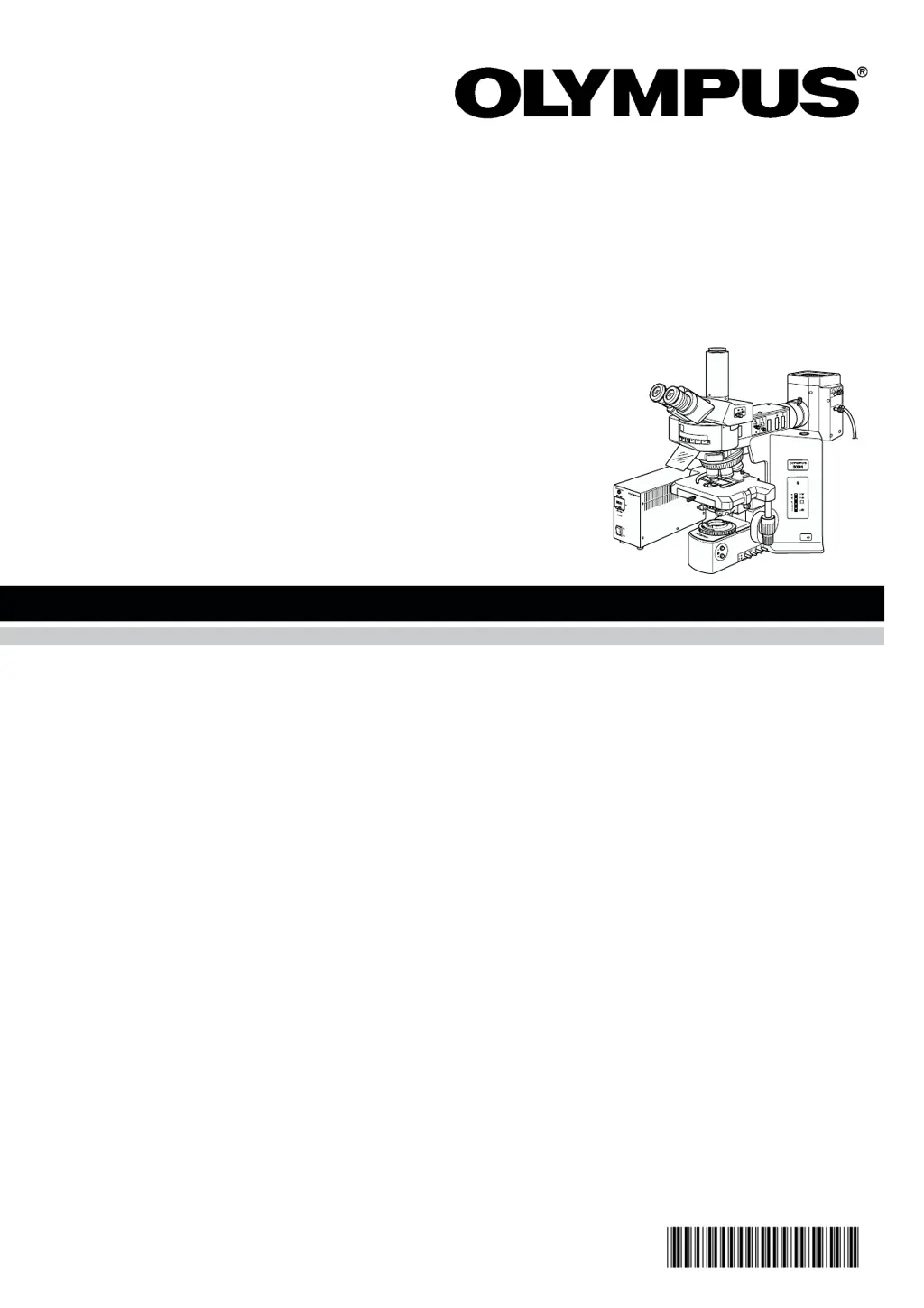
This instruction manual is for the Olympus Motorized Reflected Fluorescence System. To ensure the
safety, obtain optimum performance and to familiarize yourself fully with the use of this system, we
recommend that you study this manual thoroughly before operating the system. Retain this instruction
manual in an easily accessible place near the work desk for future reference.
BX-RFAA
U-LH100HGAPO
U-LH100G
Power Supply Unit
U-25ND6
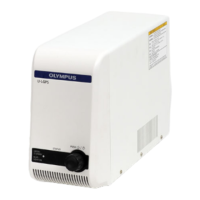
U-25ND25
U-RSL6
U-RSL6EM
BX-RFSS
U-EXBABG
U-EXBAUB
U-EXBAUG
MOTORIZED REFLECTED
FLUORESCENCE
SYSTEM

Questions and Answers

  • K
    katiemitchellAug 15, 2025
    Why is the image on my Olympus U-25ND25 low quality?
    • D
      David GarciaAug 15, 2025
      If the image observed through your Olympus Microscope appears to be of low quality, not sharp, or has poor contrast, there might be dirt or dust on the objective or filter. You should clean these thoroughly. Also, ensure that the aperture and field iris diaphragms are fully enlarged until they circumscribe the field of view. Finally, verify that the fluorescence mirror unit in use matches the specimen.
  • A
    Ashley FullerAug 18, 2025
    Why is the field of view on my Olympus U-25ND25 obscured?
    • G
      gdavenportAug 18, 2025
      If the field of view in your Olympus Microscope is obscured or not evenly illuminated, several factors could be the cause. First, ensure that the objective is correctly engaged in the light path and that the revolving nosepiece clicks correctly into place. Second, verify that the fluorescence mirror unit in use matches the specimen. Third, fully enlarge the field iris diaphragm. Fourth, make sure that the ND slider clicks properly into place. Finally, the mercury burner might not be centered, or the focusing could be defective; in this case, center the mercury burner or perform a focusing adjustment.
  • M
    Michael MorganAug 21, 2025
    Why is the mercury burner on my Olympus U-25ND25 flickering?
    • T
      Timothy ButlerAug 21, 2025
      If the mercury burner in your Olympus Microscope is flickering or appears dark, it could be due to several reasons. If it is soon after ignition, allow it to run for at least 10 minutes. If the burner life has expired, and the hour counter indicates 200 hours (USH102D) or 300 hours (HBO103W/2), replace it. Also, the burner might be deviated from the optical axis, so you should center the mercury burner.
  • R
    russelljonesAug 25, 2025
    How to fix a dark field of view on an Olympus Microscope?
    • M
      Michael KrauseAug 25, 2025
      If the bulb lights up but the field of view remains dark on your Olympus Microscope, ensure that the shutter is released. Also, check if the ND filter is engaged in the light path and disengage it if necessary. Verify that the fluorescence mirror unit is correctly engaged in the light path and that the aperture and field iris diaphragms are fully enlarged until they circumscribe the field of view. Finally, confirm that the fluorescence mirror unit in use matches the specimen.
  • G
    Gabrielle McknightAug 27, 2025
    What to do if the Olympus Microscope turns on but the mercury burner won't light?
    • U
      uphillipsAug 27, 2025
      If the main switch of your Olympus Microscope turns the system on, but the mercury burner does not light, check that the connectors are firmly connected. Ensure the mercury burner is attached. Verify that the safety device in the lamp housing is correctly set up. If auto ignition is malfunctioning, set the main switch of the power supply unit to “ ” (OFF) then “ I ” (ON) again; repeat if necessary.
  • M
    Martin HullAug 30, 2025
    Why does the field of my Olympus U-25ND25 Microscope have dark spots?
    • A
      Abigail SchultzAug 30, 2025
      If the field of your Olympus Microscope contains dark, spot-like areas, this may be caused by dirt or dust on the burner or on the burner side of the collector lens. Clean these components.
  • H
    Heather MaySep 2, 2025
    Why don't the motorized controls on my Olympus U-25ND25 Microscope work?
    • S
      Stephanie LopezSep 2, 2025
      If the motorized controls on your Olympus Microscope are not functioning, it is possible that the connectors are not correctly connected. Ensure that all connectors are firmly connected.
  • T
    Timothy FergusonSep 5, 2025
    Why won't the main switch turn on my Olympus Microscope?
    • J
      john74Sep 5, 2025
      If the main switch of your Olympus Microscope cannot turn the system ON, ensure that the power cord is connected firmly.
  • K
    Kathy WhitakerSep 8, 2025
    Why won't the motorized revolving nosepiece rotate on my Olympus U-25ND25 Microscope?
    • S
      Sabrina SmithSep 8, 2025
      If the motorized revolving nosepiece of your Olympus Microscope will not rotate, the motorized revolving nosepiece connector may not be correctly connected. Re-attach the motorized nosepiece by inserting it all the way until it stops.
  • N
    Nicole HintonSep 12, 2025
    Why won't the turret rotate on my Olympus Microscope?
    • C
      Clifford BellSep 12, 2025
      If the turret on your Olympus Microscope will not rotate, or stops in the middle of movement, it may be because the fluorescence mirror unit is slipping out of the turret. Remove the turret and place the fluorescence mirror unit in the correct position securely.

Summary

1 NOMENCLATURE

2 REFLECTED FLUORESCENCE OBSERVATION PROCEDURE

3 USING THE CONTROLS

1 General Precautions for Observation

General safety and operational precautions for using the system.

2 Selecting the Fluorescence Mirror Units

Guidance on choosing appropriate mirror units for different excitation wavelengths.

3 Objectives for Various Observation Modes

Recommended objective lenses for different observation methods.

4 Turning the Power Supply Unit On

Procedure for powering on the fluorescence system's supply unit.

5 Centering the Field Iris Diaphragm

Steps to center the field iris diaphragm for optimal illumination.

6 Centering the Aperture Iris Diaphragm

Steps to center the aperture iris diaphragm for brightness and contrast.

7 Centering the Mercury Burner

Procedure for centering the mercury burner for proper illumination.

8 Using the ND Filters

Guidance on using ND filters to reduce excitation light intensity.

4 SIMULTANEOUS FLUORESCENCE OBSERVATION METHODS

1 Simultaneous Reflected Fluorescence and Phase Contrast Observations

Procedures for combined fluorescence and phase contrast observation.

2 Simultaneous Reflected Fluorescence and Transmitted Nomarski DIC Observations

Procedures for combined fluorescence and DIC observation.

5 TROUBLESHOOTING GUIDE

6 SPECTRAL CHARACTERISTICS OF FILTERS

7 SPECIFICATIONS

8 OPTIONAL MODULES

1 6-Position Filter Slider U-RSL6

Details on the 6-position filter slider for excitation and ND filters.

2 6-Position Barrier Filter Slider U-RSL6 EM

Details on the 6-position barrier filter slider.

3 Rectangular Field Stop Unit BX-RFSS

Information on the rectangular field stop unit for image recording.

4 Exciter Balancers U-EXBABG;EXBAUB;EXBAUG

Use of exciter balancers for selecting excitation light intensities.

9 ASSEMBLY

9-1 Assembly Diagram

Diagram illustrating the sequence of microscope module assembly.

9-2 Detailed Assembly Procedures

Step-by-step guide for assembling microscope components.

3 Attaching the Fluorescence Mirror Units (Figs. 11 & 12)

Procedure for mounting fluorescence mirror units onto the turret.

Making an Optional Fluorescence Mirror Unit

Fabricating custom fluorescence mirror units with individual filters.

4 Attaching the Mercury Burner (Figs. 13 - 16)

Steps for installing the mercury burner into the lamp housing.

Resetting the Burner Hour Counter

How to reset the hour counter after mercury burner replacement.

Mercury Burner Replacement

Safety and procedural guidelines for replacing the mercury burner.

8 Setting Up the Power Supply Unit (Figs. 17 & 18)

Connecting and setting up the power supply unit for operation.

IMPORTANT

SAFETY PRECAUTIONS

Crucial safety warnings and guidelines for operating the equipment.

Safety Symbols

Explanation of symbols used in the manual for user safety.

Warnings

1 Getting Ready

Initial steps and precautions before operating the system.

2 Maintenance and Storage

Guidelines for cleaning, maintaining, and storing the microscope system.

3 Applicable Intermediate Attachment

Information on using intermediate attachments for stacked configurations.

4 Caution

PROPER SELECTION OF THE POWER SUPPLY CORD

Specifications

Technical specifications for the required power supply cord.

Table 1 Certified Cord

List of agencies and certification marks for approved power cords.

Table 2 HAR Flexible Cord

Approval organizations and cordage marking methods for flexible cords.

Olympus U-25ND25 Specifications

General IconGeneral
BrandOlympus
ModelU-25ND25
CategoryMicroscope
LanguageEnglish

Related product manuals