44
EN
4
Install the camera manual.
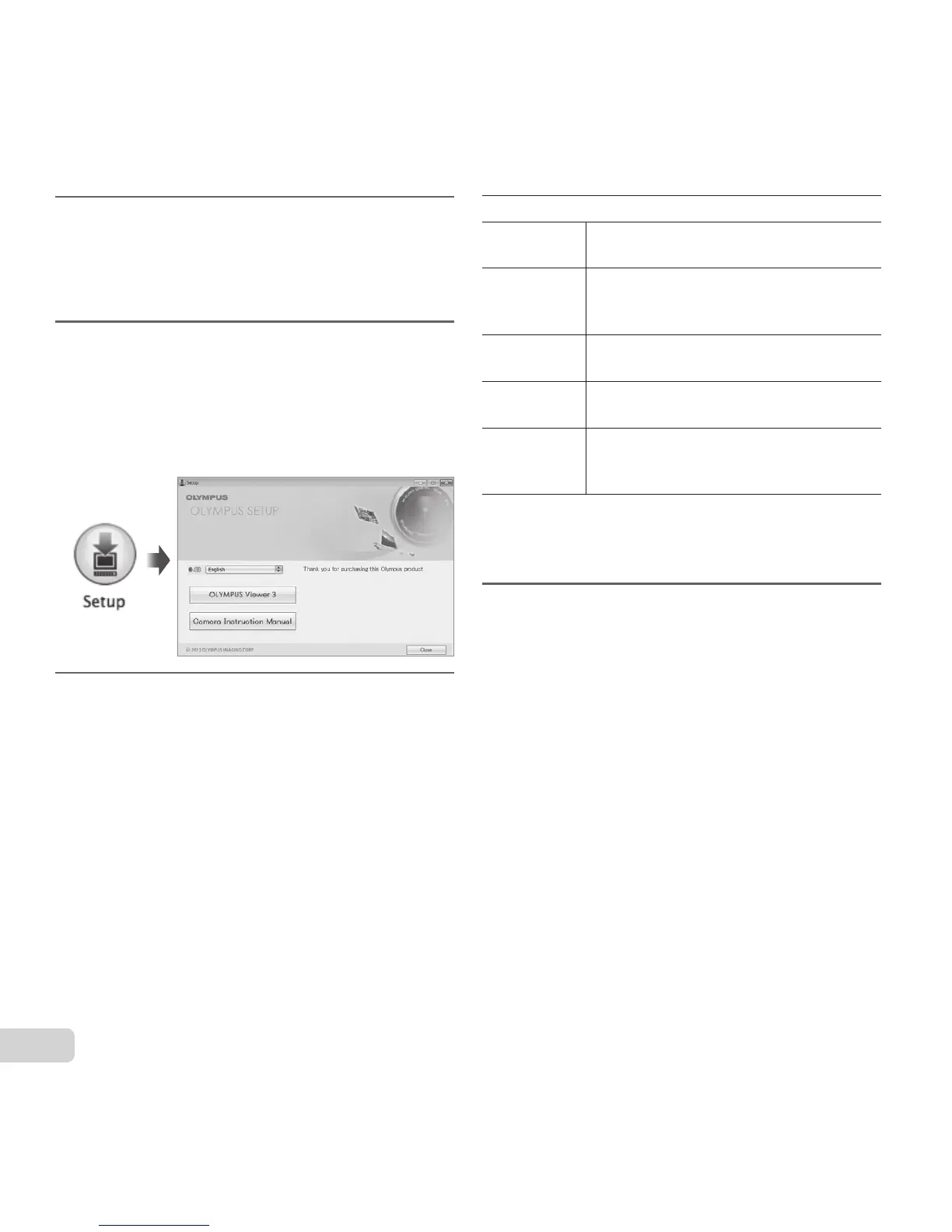
● Click the “Camera Instruction Manual” button
and follow the on-screen instructions.
Macintosh
1
Insert the supplied CD in a CD-
ROM drive.
● Double-click the CD (OLYMPUS Setup) icon
on the desktop.
● Double-click the “Setup” icon to display the
“Setup” dialog.
2
Install OLYMPUS Viewer 3.
● Check the system requirements before
beginning installation.
● Click the “OLYMPUS Viewer 3” button and
follow the on-screen instructions to install the
software.
● You can register via “Registration” in
OLYMPUS Viewer 3 “Help”.
OLYMPUS Viewer 3
Operating
System
Mac OS X v10.5–v10.8
Processor
Intel Core Solo/Duo 1.5 GHz or better
(Core 2 Duo 2 GHz or better required
for movies)
RAM
1 GB or more (2 GB or more
recommended)
Free Hard
Drive Space
3 GB or more
Monitor
Settings
1024 × 768 pixels or more
Minimum 32,000 colors
(16,770,000 colors recommended)
● Other languages can be selected from the
language combo box. For information on using the
software, see online help.
3
Copy the camera manual.
● Click the “Camera Instruction Manual” button to
open the folder containing the camera manuals.
Copy the manual for your language to the
computer
.



 To Next Page