21
2
......................................................................................................................................................
Notes
• When the speakers voice is to be recorded clearly, set to Dict (dictation) mode and move the built-in stereo
microphone close to the speaker’s mouth (5 to 10 cm / 2 to 4 inches) and record.
• If the ambient (background) noise is too loud to get a clear recording even in Dict (dictation) mode, we
recommend that you use an ME12 single directional microphone (sold separately).
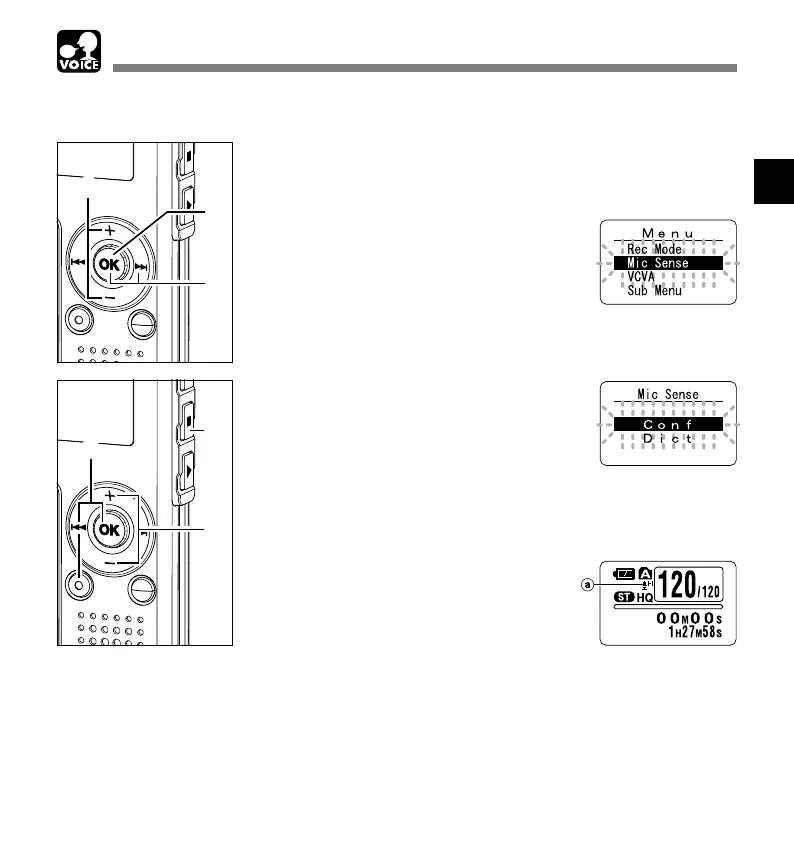
Microphone Sensitivity (Mic Sense)
Microphone Sensitivity (Mic Sense)
1
Press and hold the OK button for
1 second or longer.
The menu opens (☞ P.38,74).
2
Press the + or – button to choose
“Mic Sense”.
3
Press the OK or 9 button.
The microphone sensitivity setup process
begins.
4
Press the + or
–
button to choose
between “Conf” and “Dict”.
Conf: High-sensitivity mode that records
sounds in all directions.
Dict: Low-sensitivity mode suited for
dictation.
5
Press the OK or 0 button to
complete the setup screen.
6
Press the STOP or 0 button to
close the menu.
a Microphone sensitivity display
Microphone sensitivity is adjustable to meet recording needs.
1
3
2
6
4
66
5



 To Next Page