Test Procedures
22
Smart Card
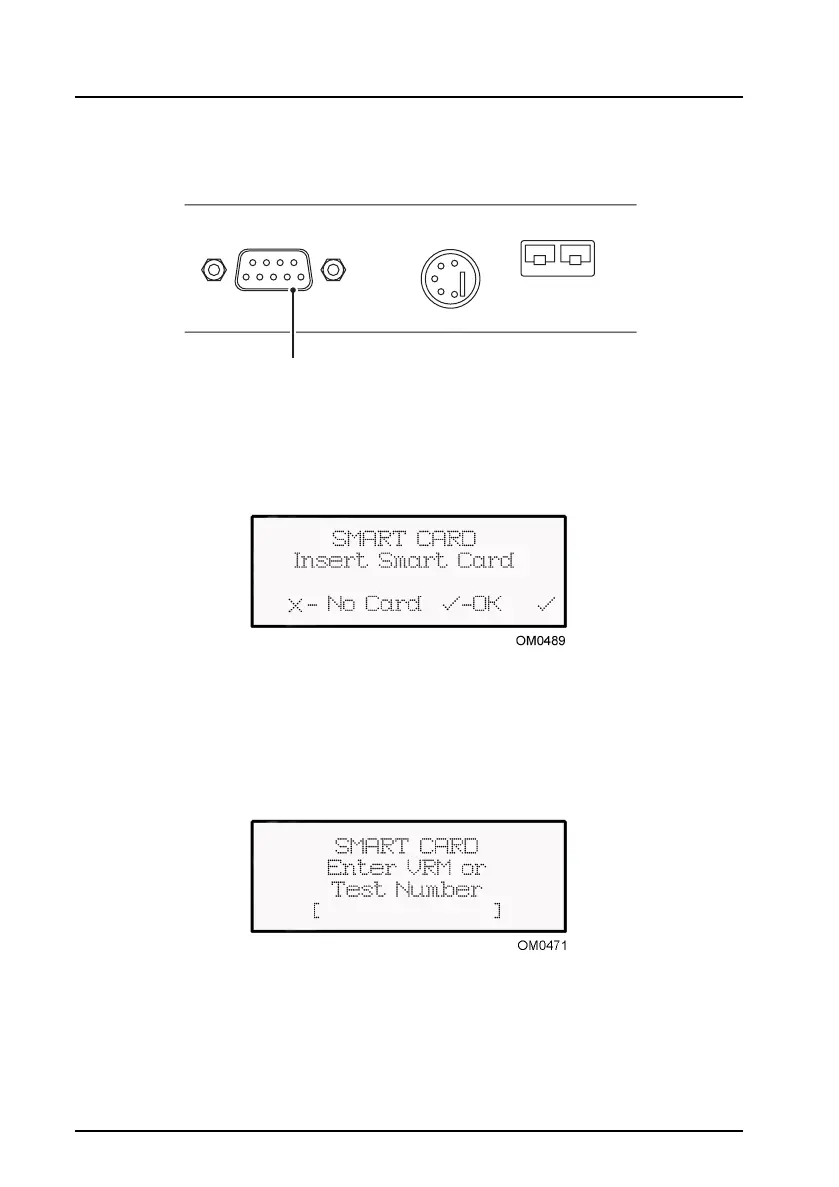
The introduction of MOT computerisation requires the use of a Smart Card to pass
data to the OmiSmoke. A Smart Card reader is connected to the socket on the side
of the handset, market ‘VI Interface’(9 pin D type).
On the ‘Insert Smart Card’ screen, press the tick key to confirm. Data will then be read
from the smart card to the OmiSmoke.
Press the cross key if a smart card is not used. If ‘No Card’ is selected move on to
‘Test Type’ section.
‘Enter VRM or Test Number’ will appear on the screen.
VRM = Vehicle Registration Number
Test number = MOT test number
VI INTERFACE RPM OIL PROBE
9
in D t
e
OM0479


 To Next Page